A patient complaint QR code for your clinic
Most unhappy patients never complain to you. They tell their family, leave a one-star review or simply don't come back. A complaint box nobody empties doesn't help either. What helps is a quick, private way for patients to tell you, and a register that shows you dealt with it.
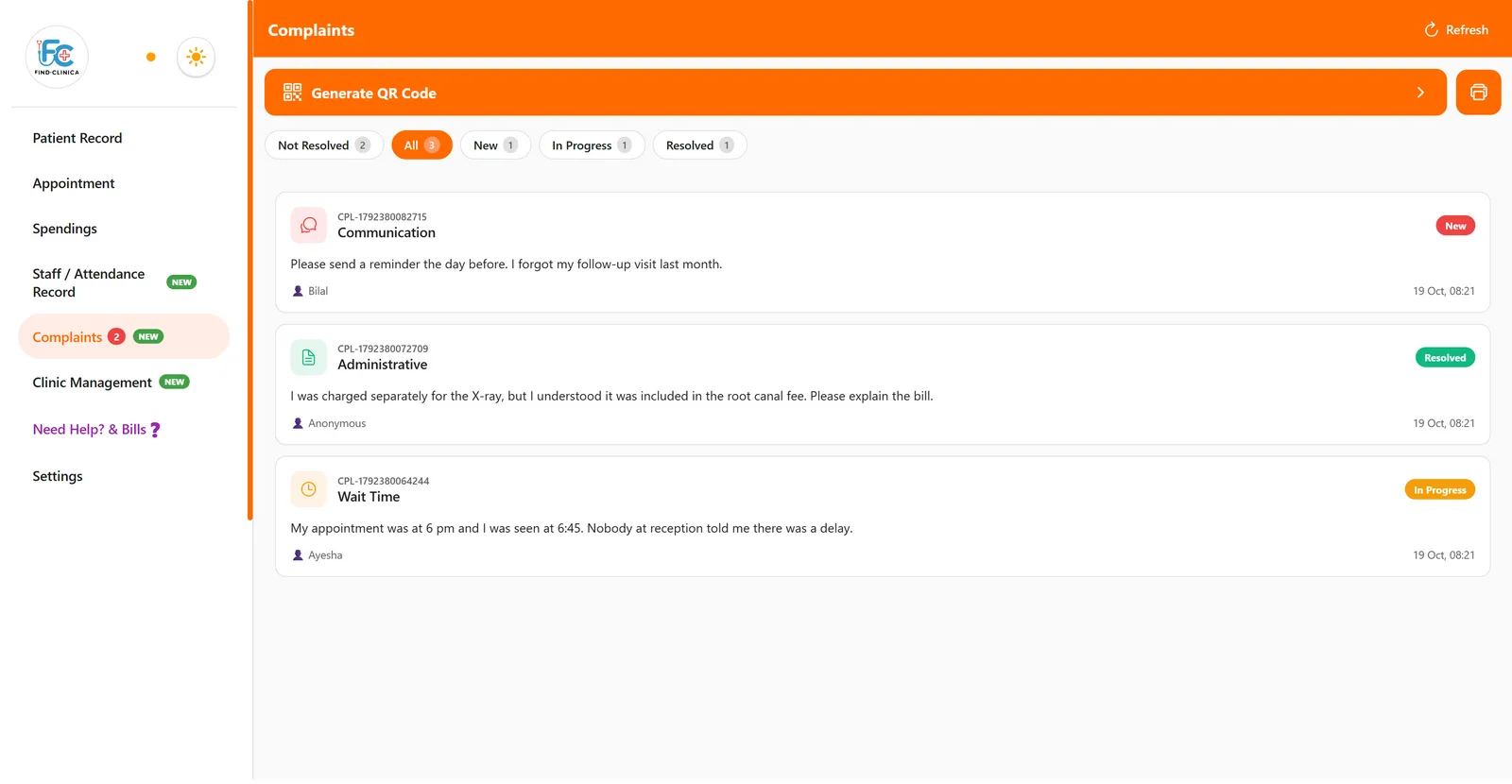
FindClinica gives you both. Print a QR code for the reception desk. A patient scans it with their phone camera, writes what went wrong, and gets a ticket number. The complaint appears in your app, and you move it from New to In Progress to Resolved, with a note on what you did.
Updated
Why a clinic needs a complaint system
In Punjab, the Healthcare Commission's guidance says a patient should first complain to the clinic in writing, unless the clinic has no complaint system, before taking it to the commission. A complaint to PHC has to be made within 60 days with a sworn affidavit. In Sindh, the SHCC complaint form asks patients to complain to the clinic within 30 days first, and the Islamabad Healthcare Regulatory Authority takes complaints within 60 days. Their inspection standards also ask clinics to keep a complaint register.
Complaints are worth hearing for their own sake. In a well-known US study, unsolicited patient complaints were a strong predictor of which doctors would later face malpractice claims, and a review of more than 88,000 complaints found they pointed to real safety problems. And a complaint about a long wait or a bill is much easier to settle at the reception desk than at the commission.
Setting it up
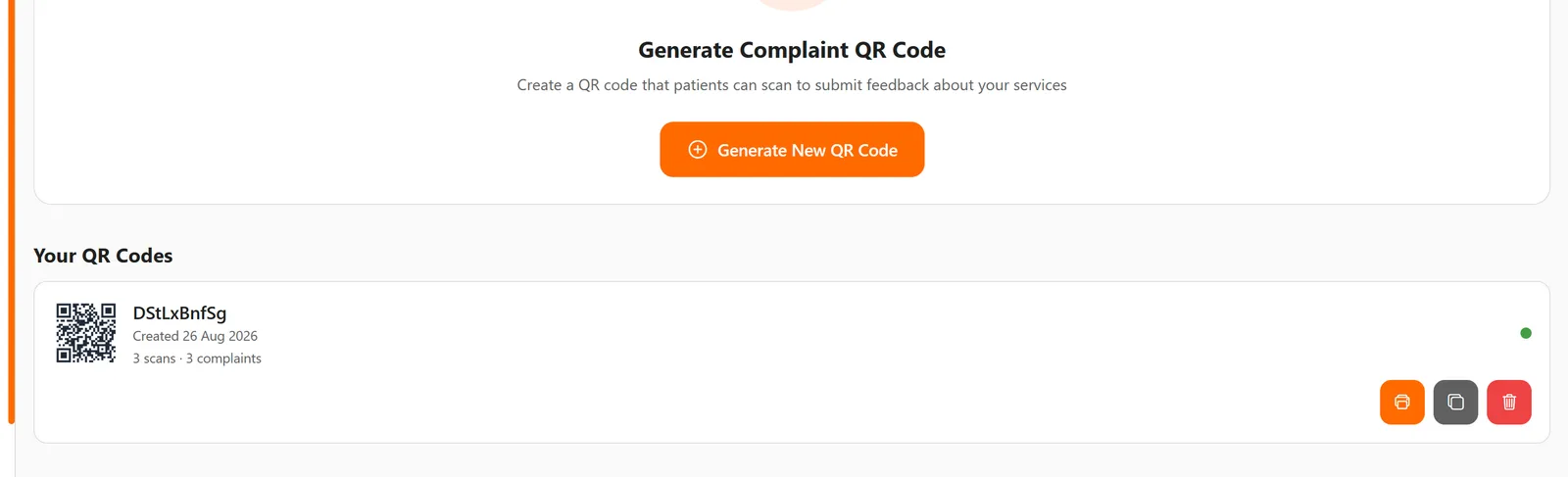
Go to Complaints, then Generate QR Code. Print the code and put it at reception or in the waiting area, or share and copy its link to send on WhatsApp. Each code shows how many times it has been scanned and how many complaints came through it, and you can delete one and make a new one at any time.
What the patient sees
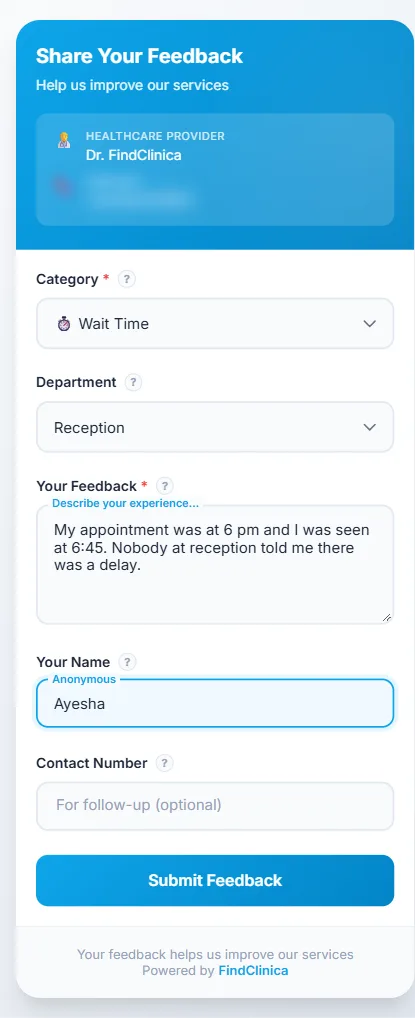
Scanning the code opens a short form in the phone's browser, with no app to install. The patient picks a category (medical care, staff behaviour, facilities, billing, wait time, communication or other), the department if it matters, and writes what happened. Their name and number are optional, so they can stay anonymous.
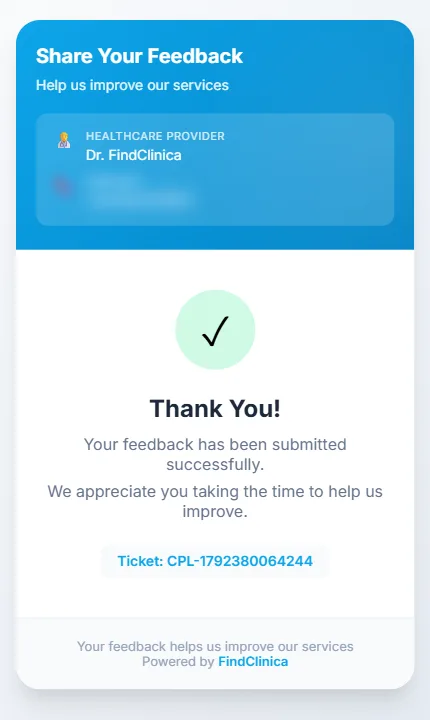
When they submit, they get a ticket number such as CPL-1792380064244. To stop misuse, the form allows a couple of complaints per hour from the same phone, and a link opened from the QR code works for 24 hours.
What the clinic does with it
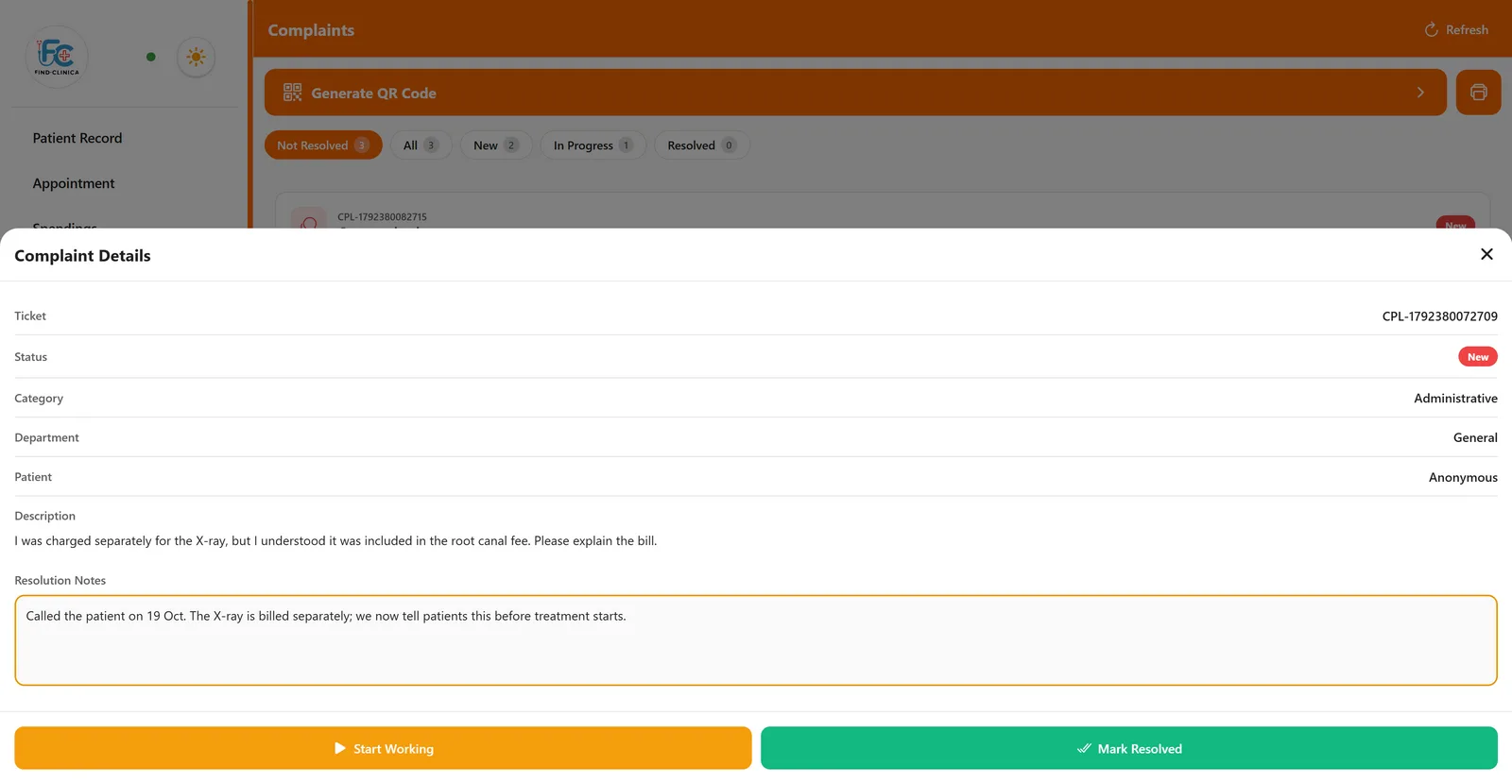
New complaints appear in the list by themselves, and the menu shows how many are still open. Open one to see the ticket, category, department, the patient's name or Anonymous, and what they wrote. Press Start Working when someone takes it on. To close it, write what you did and press Mark Resolved; the app won't resolve a complaint without a note, so the register always shows how each one ended.
The tabs filter by Not Resolved, New, In Progress and Resolved. The print button turns the whole register into an A4 report with the totals for each status and a table of every complaint and its resolution notes, which is what an inspector will want to see.
What to know
The patient can't check their ticket status online later, so if they left a number, call or message them when it's resolved. A complaint isn't linked to the patient's file automatically; the name is whatever the patient typed. And the app doesn't send you a push notification for each new complaint; keep an eye on the count in the menu.
Common questions
Do patients need to install anything?
No. The QR code opens a web form in the phone's browser.
Can a patient complain anonymously?
Yes. Name and contact number are optional; without them the complaint shows as Anonymous.
Can someone flood the form with fake complaints?
The form limits how many complaints one phone can send in an hour, and how many a single QR code takes in an hour.
Can I print the complaints register?
Yes. The print button in Complaints makes an A4 report with the totals for each status and every complaint with its resolution notes.
Read next
- Step by step: create a complaint QR code
- Clinic software in Lahore (PHC)
- Clinic software in Karachi (SHCC)
- Clinic software in Islamabad (IHRA)
More for clinics in Pakistan
- Dental Clinic Software in Pakistan
- Clinic Management Software in Pakistan
- EMR Software in Pakistan for Small Clinics
- Prescription Software for Doctors in Pakistan
- Patient Record App for Doctors
- Paper Register vs Excel vs Clinic Software
- Best Clinic Software in Pakistan, Compared
- Clinic Management App for Android
- Clinic Software in Lahore
- Clinic Software in Karachi
- Clinic Software in Islamabad
- Software for Clinics With More Than One Doctor
- Online Prescription Maker for Doctors
- Software for Orthodontists in Pakistan
- Clinic Software That Works Offline
- How to Read a Periodontal Chart
- Sentinel Event and Incident Reporting for Clinics
- Healthcare Waste Log for Clinics in Pakistan
- Patient Aftercare Instructions on WhatsApp
- Free Clinic Software for Windows
Free tools and templates
Sources
Try it with your next patient
The free plan costs nothing and has no time limit. Install it and add one patient, or ask us anything on WhatsApp first.