A clinic management app for your Android phone
Most doctors already run half the clinic from their phone: WhatsApp for appointments, the gallery for X-ray photos, the calculator for the bill. Pakistan had 160.9 million broadband subscriptions by March 2026, and smartphones are now 71.6% of the devices on the mobile networks, so the phone is the one computer nearly every clinic already has.
FindClinica puts the rest of the clinic on that phone: patient files, visit notes, prescriptions, appointments, fees, expenses and staff attendance. It's free on Google Play, and the free plan has no limit on patients.
Updated
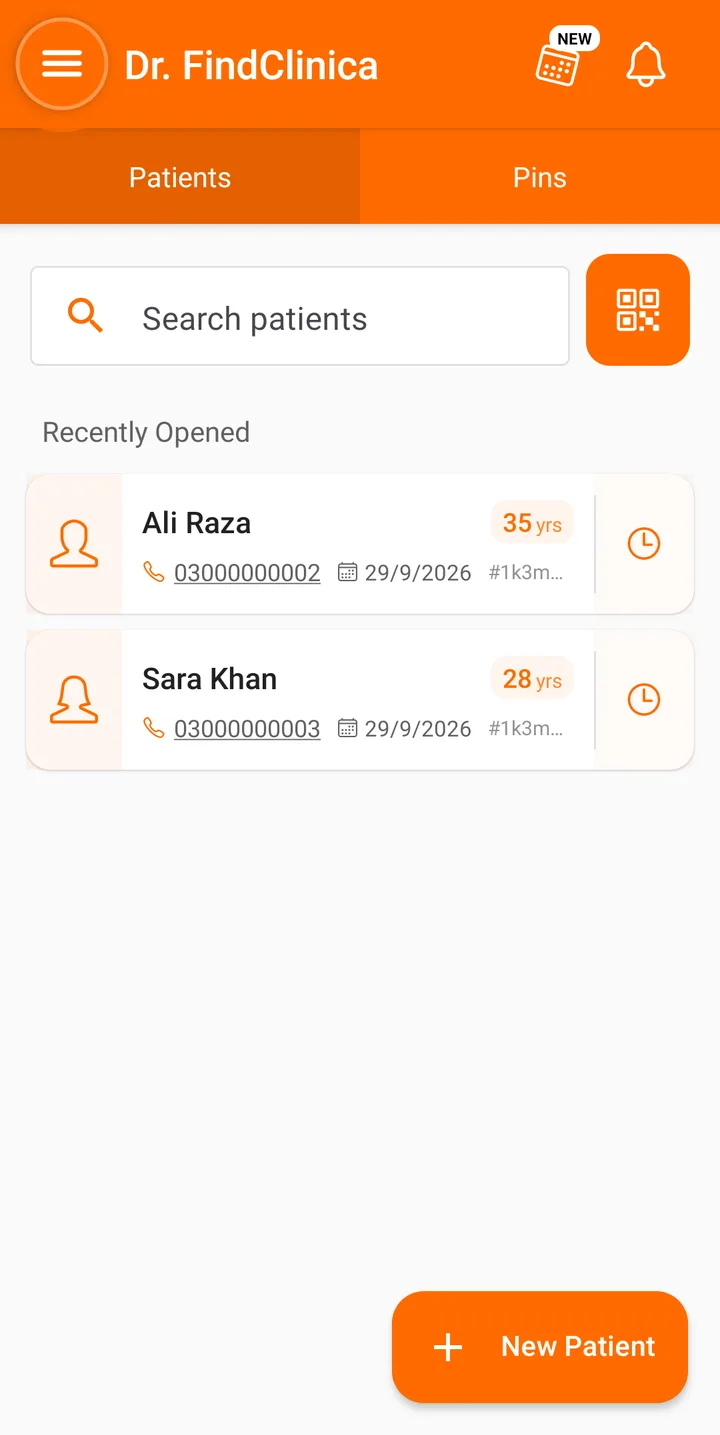
It works with no signal
Everything is saved on the phone first. Add patients, write visit notes, take payments and book appointments with no internet, and the app syncs with our server when the connection comes back. A full backup is made every day, so a lost phone doesn't mean lost records.
It is fast for the same reason. Opening a file, searching for a patient or saving a visit happens on the phone, not on a server somewhere, so nothing waits on the internet. A web app has to fetch every screen over the connection; this one doesn't.
Two things need a connection: sending a prescription, because the prescription image is made on our server, and uploading photos.
The phone's camera, calls and WhatsApp, built in
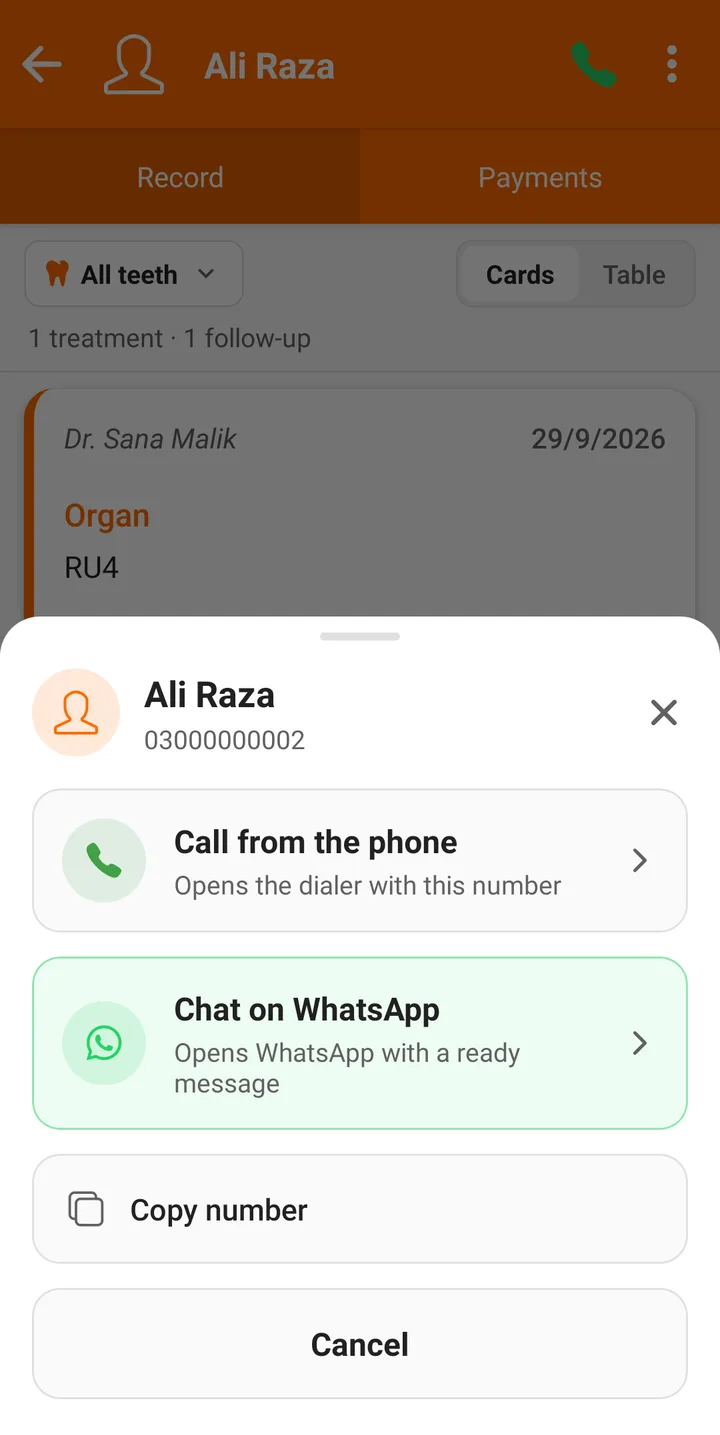
Photos go straight from the camera into the patient's file, on the visit they belong to or in the patient's gallery, sorted into folders. You can call a patient or open WhatsApp with a ready message from their file, and when you add a new patient you can pick their name and number from your contacts.
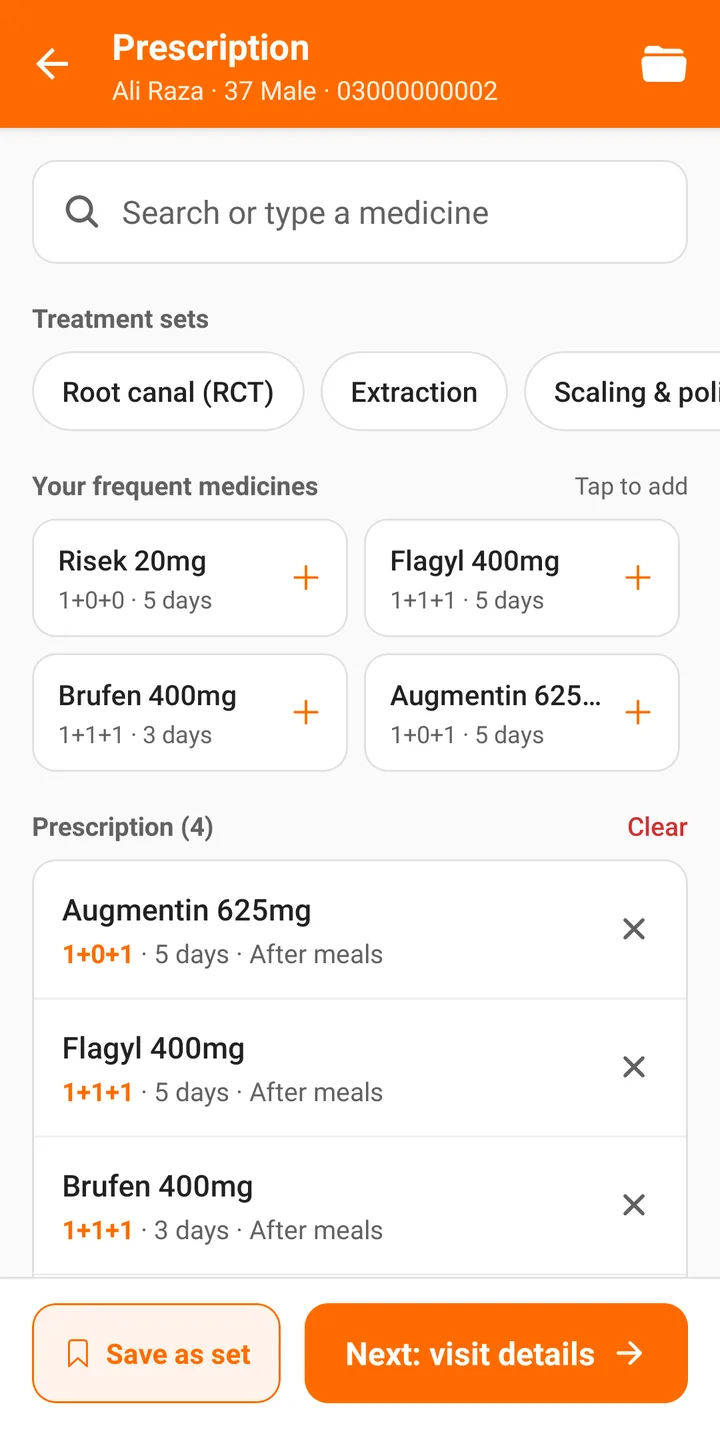
Prescriptions are written on the same screen: start from a set or your frequent medicines, check the doses, then send it on WhatsApp. More on prescriptions.
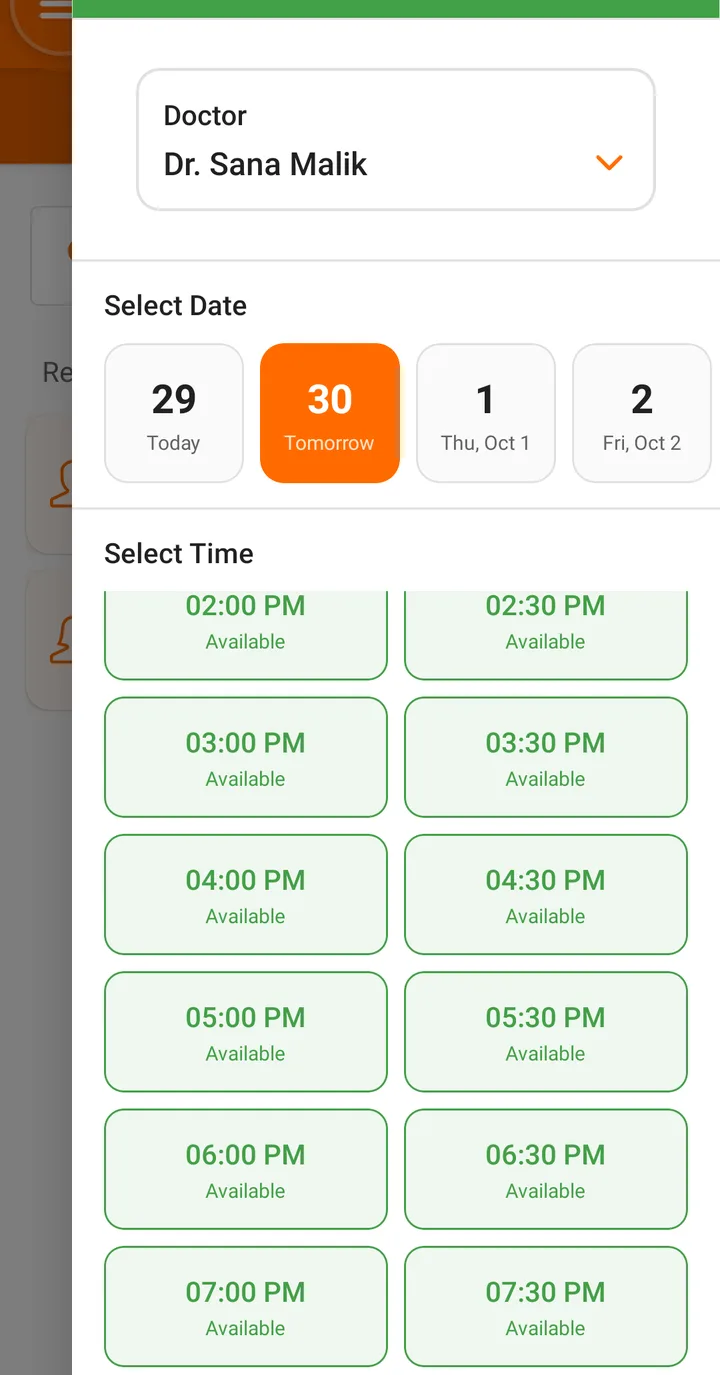
Appointments in three taps
Pick the doctor, the day and an open slot. Slots come from your working hours, and times that have already passed are greyed out. The patient gets an SMS confirmation, and on the paid plans a reminder shortly before the visit, sent by FindClinica so you don't need an SMS package.
Fees, expenses and the month at a glance
Charges and payments go on each visit, part payments included, and each patient's Payments tab shows what is still owed. Clinic expenses go into Spendings.
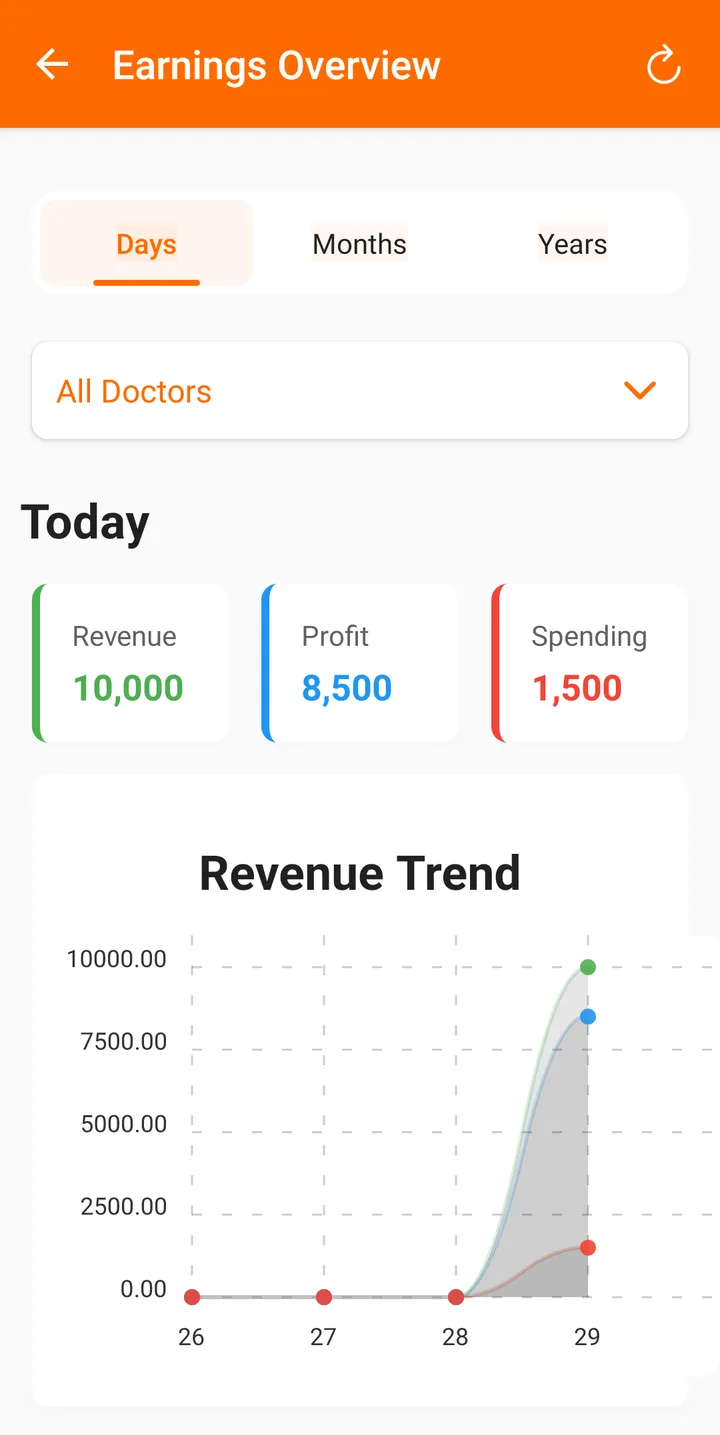
Statistics is only on the phone that owns the account. It shows revenue, profit and spending by day, month or year, revenue for a single doctor, and a payment history you can filter by date and doctor.
The clinic's registers in your pocket
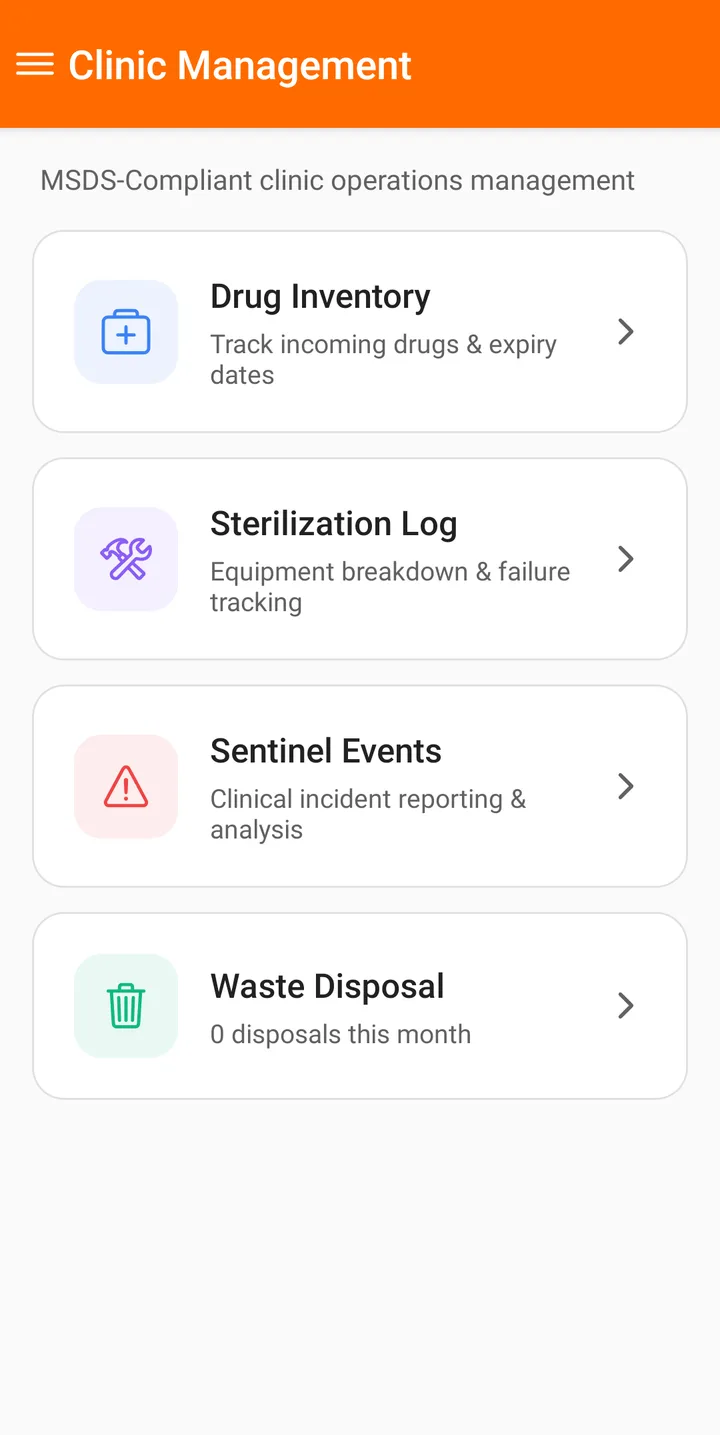
The drug inventory, sterilization log, sentinel events and waste disposal log are on the phone too, so the assistant can log a disposal or a failed autoclave cycle when it happens instead of at the end of the month. Staff check in and out from the attendance screen, with an optional face photo on paid plans.
Add the reception computer later
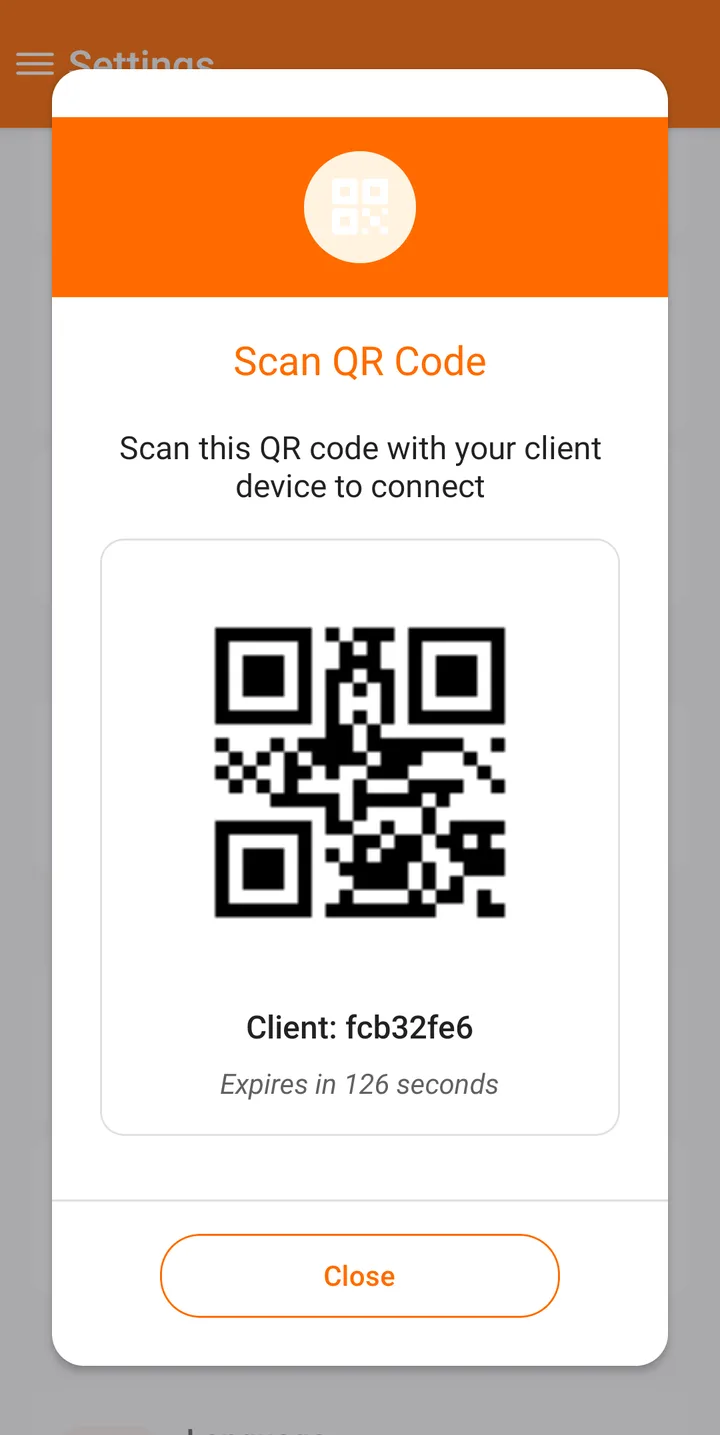
When the clinic grows, install the Windows app at reception and connect it from your phone. The phone shows a QR code that expires in about two minutes; scan it or type the code on the computer and both work on the same records. One connected device is included free, and Premium allows three.
The account always stays on your phone. Connected devices can do the daily work but can't change your settings, edit payments or see Statistics.
What about iPhone?
FindClinica runs on Android phones and tablets and on Windows today. An iPhone version is planned; join the early access list and we'll tell you when it's ready.
Common questions
Does it work on an Android tablet?
Yes. It runs on Android phones and tablets, and a bigger screen is nice for the perio chart.
What happens if I lose my phone?
Your records are synced to our server and backed up daily. Install FindClinica on the new phone, sign in to the same account, and they sync back.
How much space do photos get?
50 MB on the free plan, 5 GB on Pro and 15 GB on Premium.
Is the Android app free?
The app is free to download, the free plan has no limit on patients, and the desktop app is included. Pro is PKR 2,000 a month and Premium PKR 5,000 a month. Compare the plans.
Read next
- Step-by-step guides with phone screenshots
- How to connect the desktop app
- Clinic management software in Pakistan
- Patient record app for doctors
- Video tutorials
- Plans and prices
More for clinics in Pakistan
- Dental Clinic Software in Pakistan
- Clinic Management Software in Pakistan
- EMR Software in Pakistan for Small Clinics
- Prescription Software for Doctors in Pakistan
- Patient Record App for Doctors
- Paper Register vs Excel vs Clinic Software
- Best Clinic Software in Pakistan, Compared
- Clinic Software in Lahore
- Clinic Software in Karachi
- Clinic Software in Islamabad
- Software for Clinics With More Than One Doctor
- Online Prescription Maker for Doctors
Free tools and templates
Sources
Try it with your next patient
The free plan costs nothing and has no time limit. Install it and add one patient, or ask us anything on WhatsApp first.