Software for orthodontists: every visit's photos in one chart
An orthodontic case runs for a year or two, with a visit every few weeks, and most of what you need to see is in the photos. In many practices those photos live on the doctor's phone, mixed in with family pictures, and finding the before shot for a patient who started fourteen months ago means scrolling for a long time.
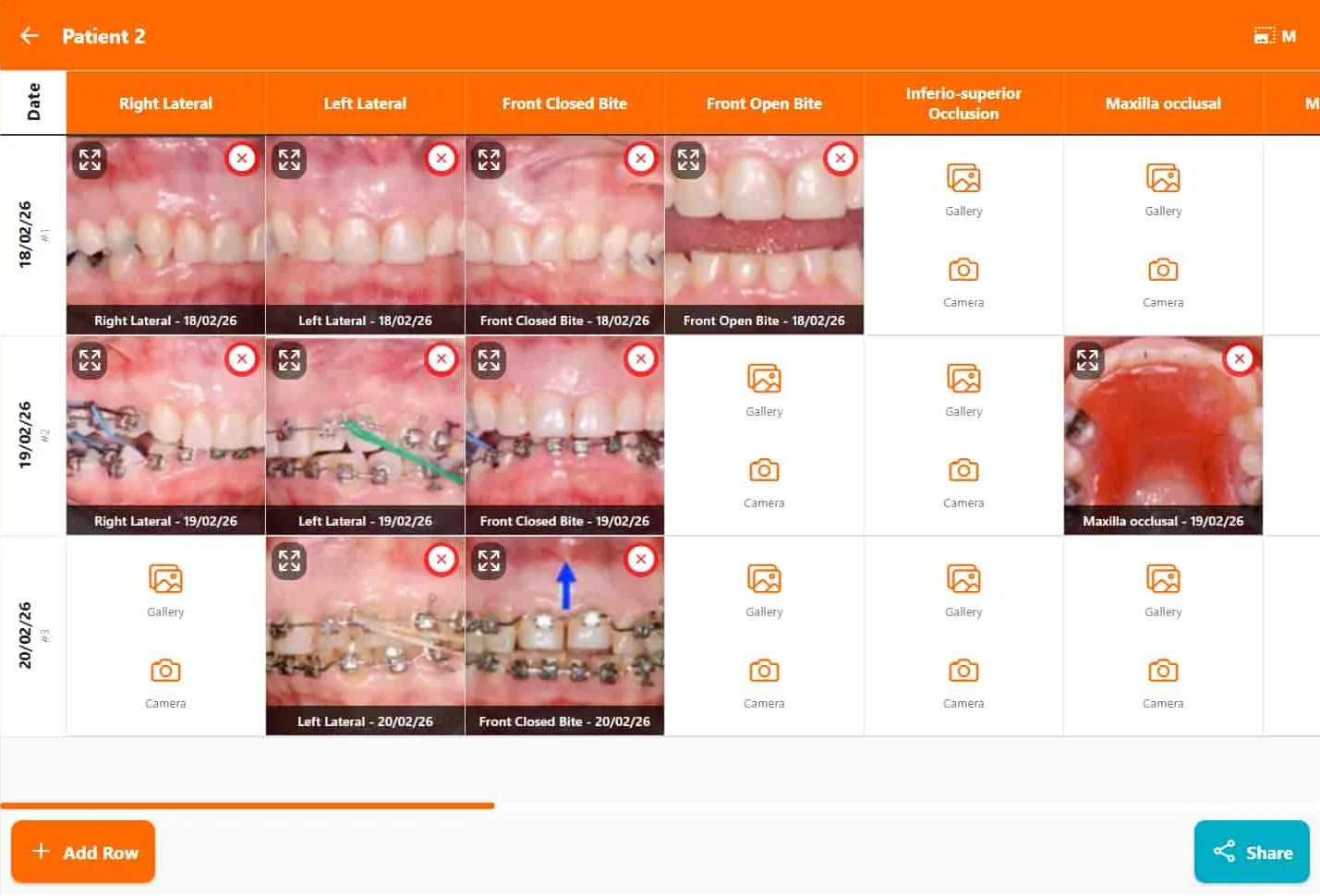
FindClinica gives every patient an ortho photo chart: the standard views across the top, one row per visit, so the whole course of treatment fits on one screen. It also handles the rest of an ortho practice, such as monthly fees, adjustment appointments and braces aftercare, on your Android phone and the reception computer.
Updated
The ortho photo chart
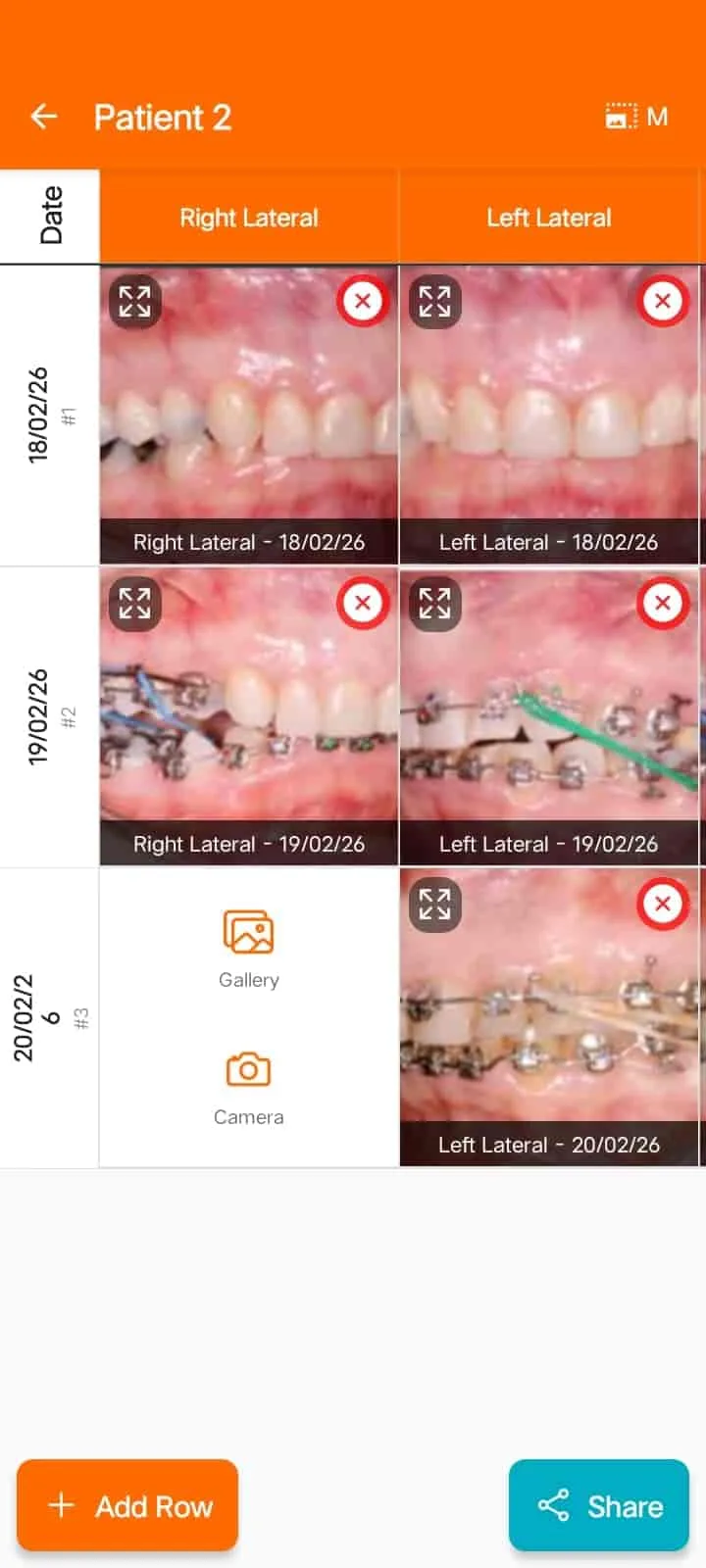
Open a patient's Gallery and tap Ortho Chart. Each row is a visit: press Add Row, pick the date, then fill the views you took that day from the camera or the phone's gallery. The columns are the standard intraoral and extraoral views: right and left lateral, front closed bite, front open bite, occlusal views, buccal corridors, and face and smile photos from the front and both sides. Each photo can carry a short comment, such as the wire or elastics you placed.
Read across a column and you see one view changing visit by visit; read down a row and you see one visit from every angle. Tap any photo to see it full size.
Photos are uploaded to your account, so this part needs an internet connection; the rest of the patient file works offline.
Before and after videos
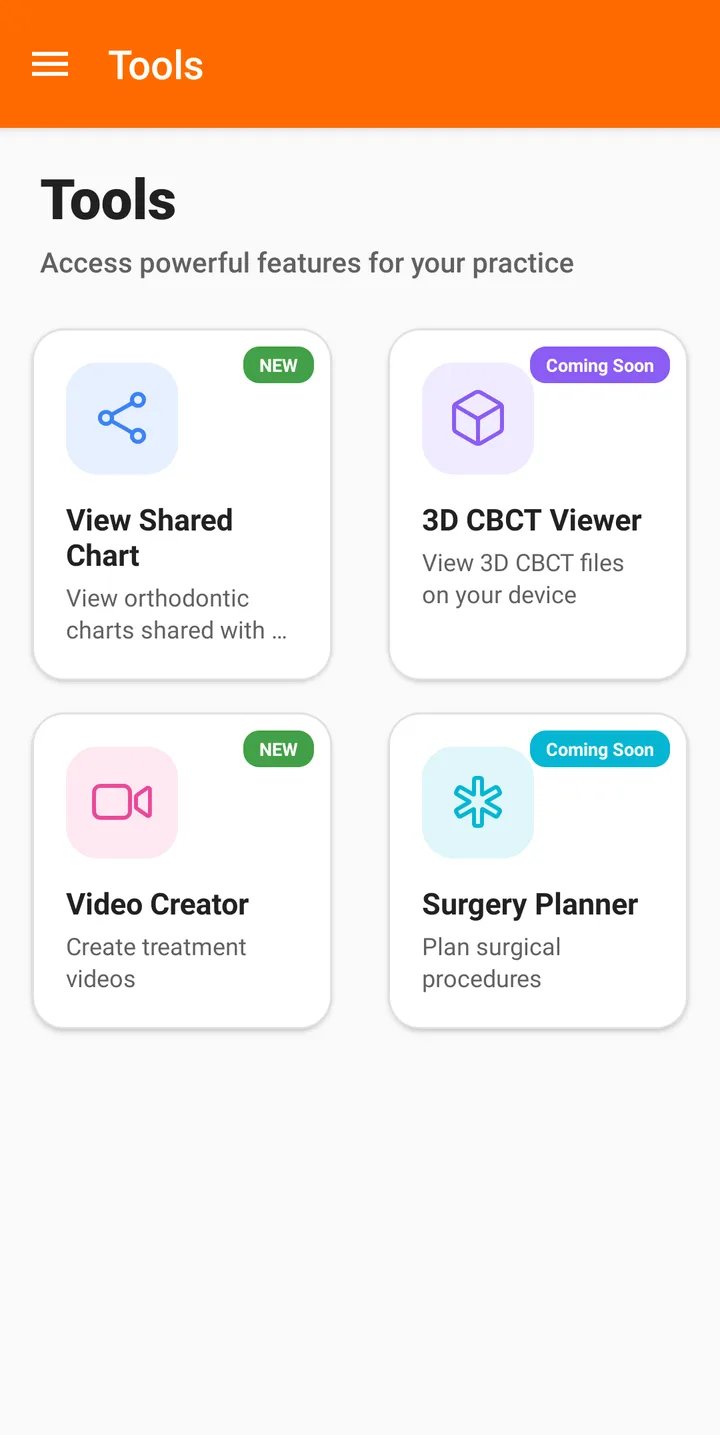
The Video Creator in the phone's Tools turns a patient's photos into a short video: an ortho slideshow (at least four photos) or a before and after comparison (at least three pairs). Patients love seeing their own progress, and, with their permission, it makes good material for the clinic's social media.
Downloading a video needs a paid plan. On Pro the video carries a small FindClinica watermark; on Premium it doesn't. The Video Creator is only on the phone that owns the account, not on the desktop app.
Braces aftercare, sent on WhatsApp
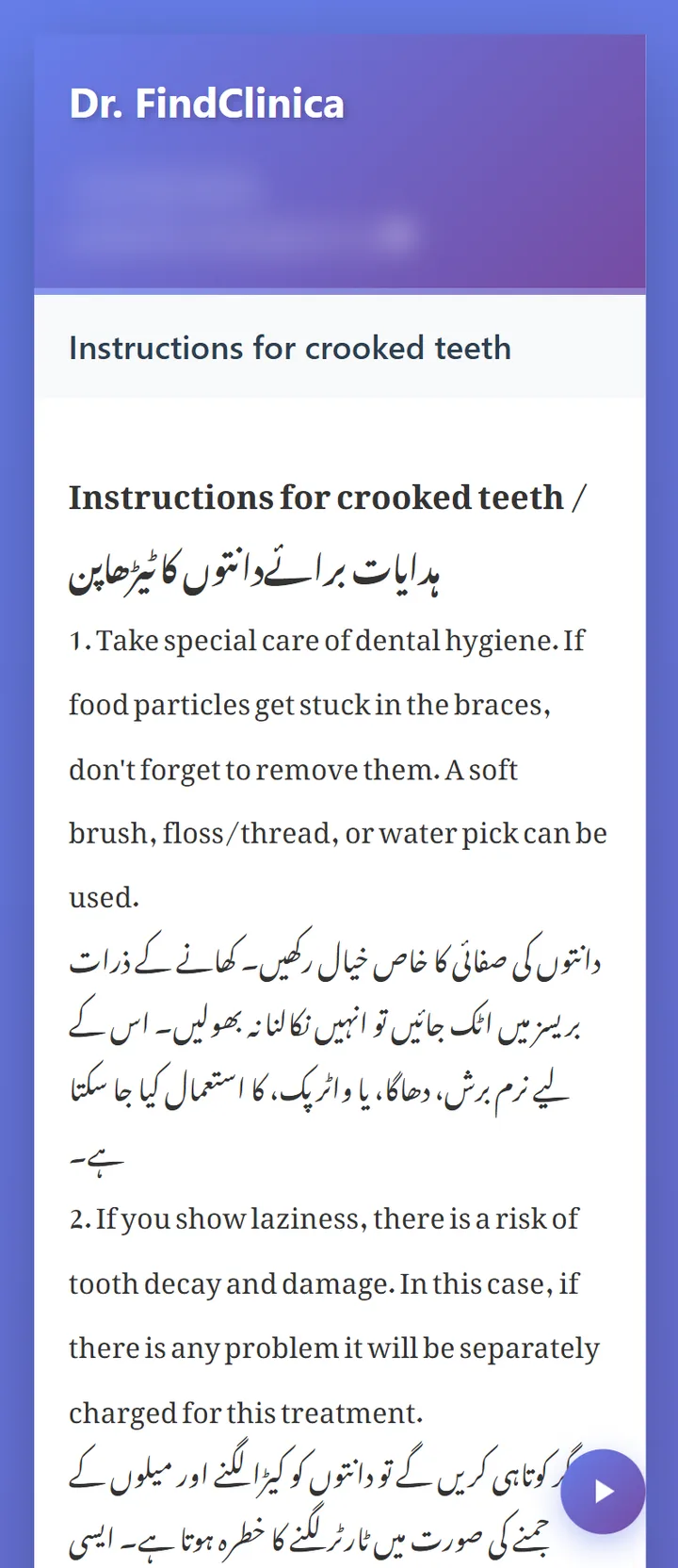
FindClinica comes with an aftercare template for braces, Instructions for crooked teeth, written in English and Urdu: keeping the teeth and braces clean with a soft brush, floss or a water pick, and avoiding sticky or hard food such as chewing gum, chocolate and dates that can pull the brackets off. From the patient's file, Send Instructions sends it on WhatsApp as a link to a page the patient can read in Urdu or listen to. You can change the wording or write your own for retainers or aligners. More on aftercare instructions.
Monthly fees and adjustment visits
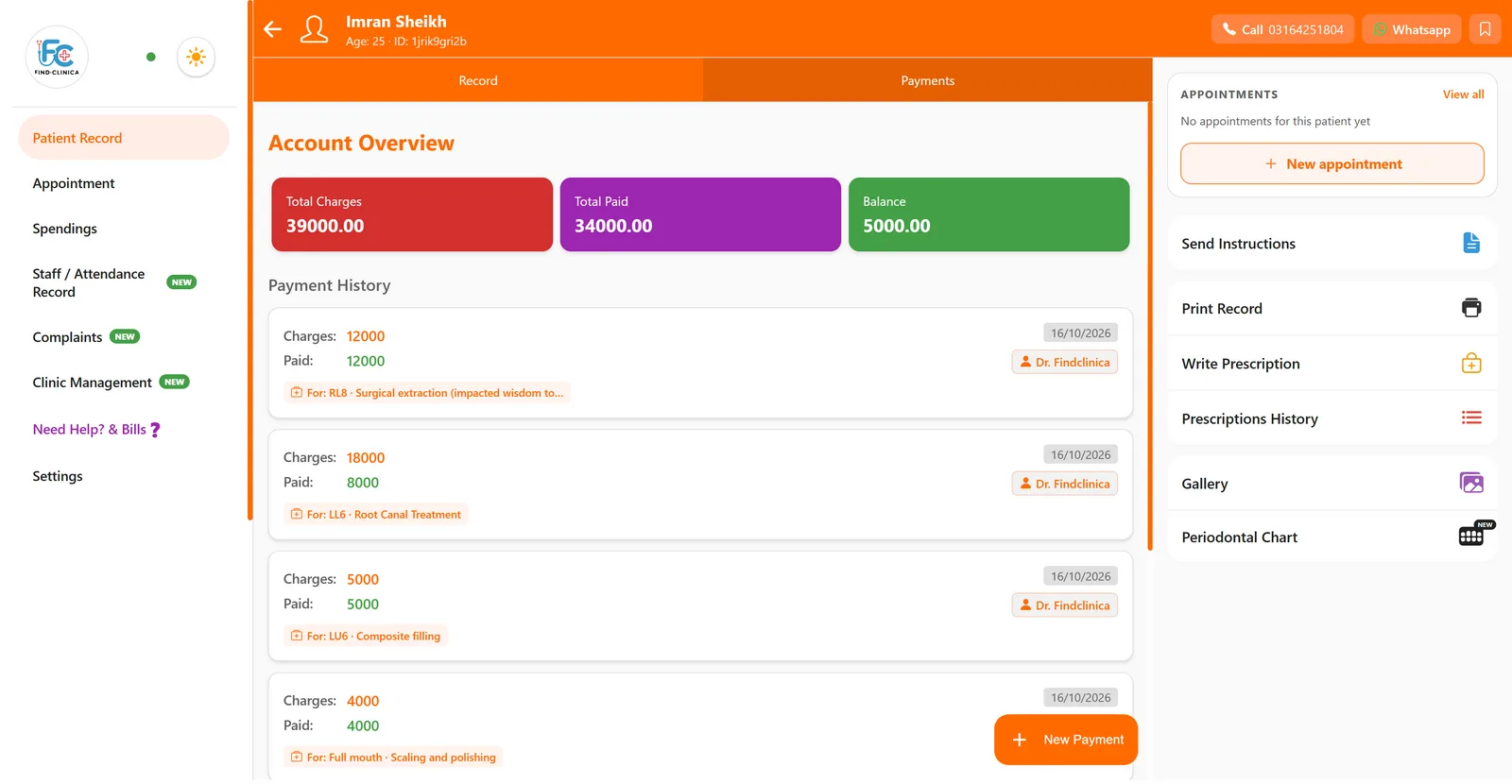
Braces are usually paid in parts: a first payment when the brackets go on, then something at each adjustment. In FindClinica the full fee goes on the treatment, and each visit's payment is added as a follow-up, so the patient's balance is always up to date. The Payments tab shows total charges, total paid and what is still owed.
Book the next adjustment from the phone or the reception computer. The patient gets an SMS confirmation, and on the paid plans a reminder shortly before the visit, which matters when visits are four or six weeks apart and easy to forget.
What it doesn't do
FindClinica isn't an orthodontic planning system. There is no cephalometric tracing, no bracket or wire log beyond the comments you add, no treatment plan builder and no X-ray viewer; X-rays can be kept in the gallery as images. If you need tracing and treatment simulation, use a dedicated tool for that and FindClinica for the records, photos, fees and appointments.
Common questions
How many photo views does the ortho chart have?
Seventeen columns, covering the standard intraoral views, buccal corridors, and face and smile photos from the front and both sides. You fill in only the ones you take.
Can I take the photos with a DSLR?
Yes. Copy them to the phone or computer and pick them from the gallery instead of the camera. The chart doesn't mind where a photo came from.
Do the photos take up my storage?
Yes. The free plan includes 50 MB, Pro 5 GB and Premium 15 GB. Premium also uploads photos at higher quality.
Can I see the chart on the reception computer?
The ortho chart opens on the connected desktop app too, so the chart can be shown on the reception screen. The Video Creator and View Shared Chart are only on the owner's phone.
Read next
- Dental clinic software in Pakistan
- Patient aftercare instructions on WhatsApp
- Printable dental chart
- Plans and prices
More for clinics in Pakistan
- Dental Clinic Software in Pakistan
- Clinic Management Software in Pakistan
- EMR Software in Pakistan for Small Clinics
- Prescription Software for Doctors in Pakistan
- Patient Record App for Doctors
- Paper Register vs Excel vs Clinic Software
- Best Clinic Software in Pakistan, Compared
- Clinic Management App for Android
- Clinic Software in Lahore
- Clinic Software in Karachi
- Clinic Software in Islamabad
- Software for Clinics With More Than One Doctor
- Online Prescription Maker for Doctors
- Clinic Software That Works Offline
- How to Read a Periodontal Chart
- Patient Complaint QR Code for Clinics
- Sentinel Event and Incident Reporting for Clinics
- Healthcare Waste Log for Clinics in Pakistan
- Patient Aftercare Instructions on WhatsApp
- Free Clinic Software for Windows
Free tools and templates
Try it with your next patient
The free plan costs nothing and has no time limit. Install it and add one patient, or ask us anything on WhatsApp first.