How do I collect patient feedback with a QR code?
Open Complaints, click Generate QR Code, then Generate New QR Code. Print it for your reception desk — patients scan it to send feedback, which appears under Complaints.
3 steps · Desktop and mobile · Updated
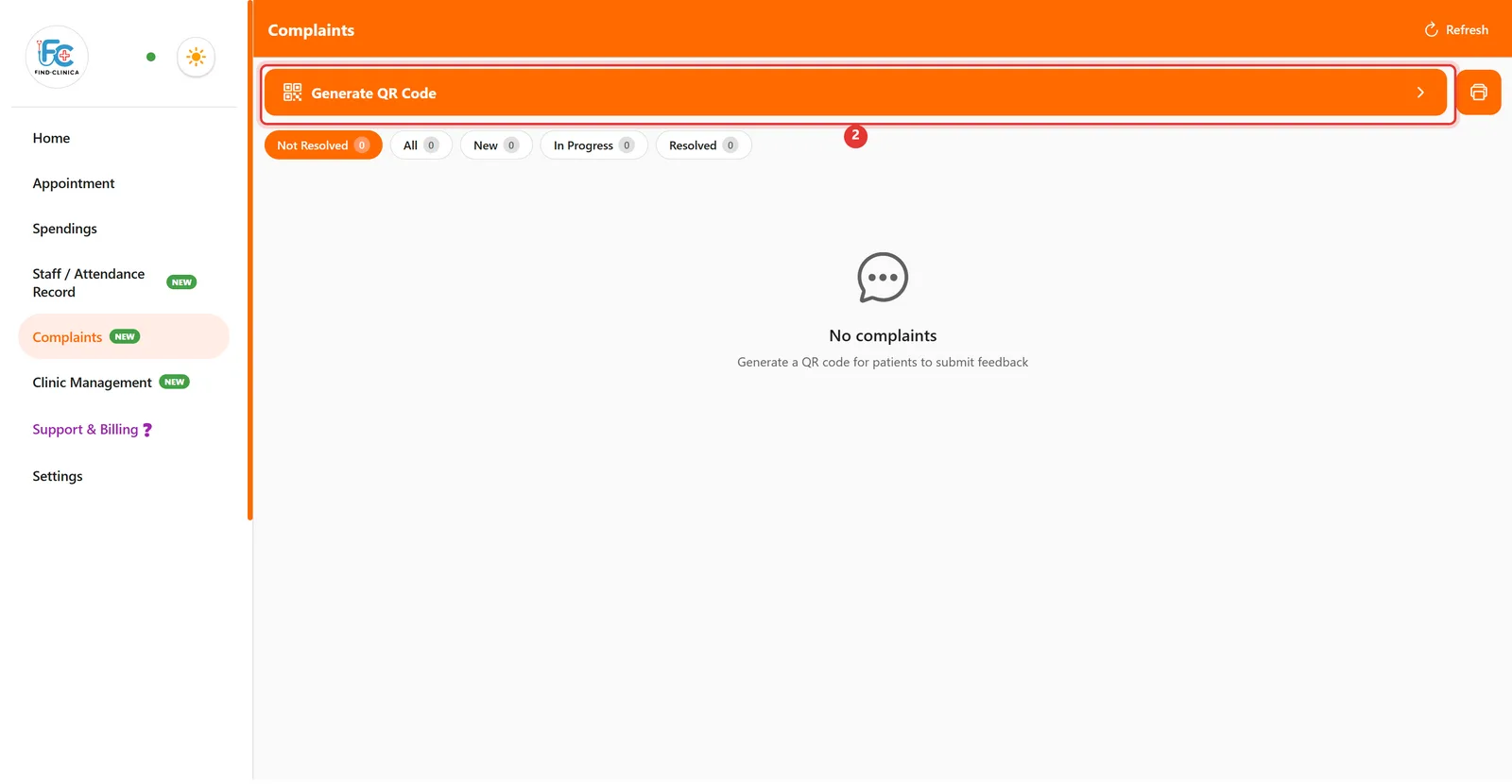
Step 1: Click Complaints in the left menu.

Step 2: Click the Generate QR Code bar at the top.
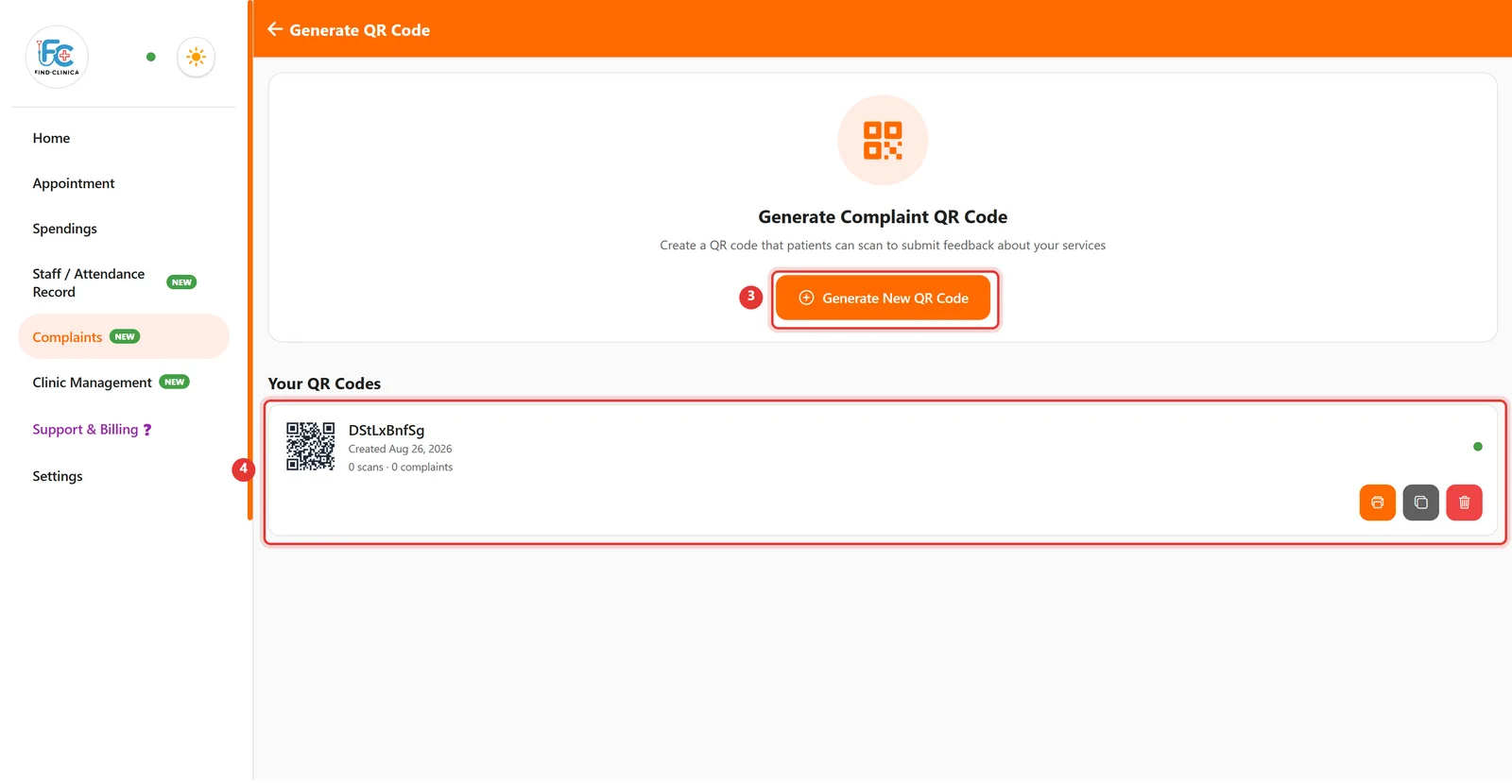
Step 3: Click Generate New QR Code. Your code appears under Your QR Codes with buttons to print it, copy its link, or delete it.
Good to know
- Each QR code shows how many times it has been scanned and how many complaints came through it.
- Complaints are sorted into New, In Progress and Resolved tabs on the Complaints screen.
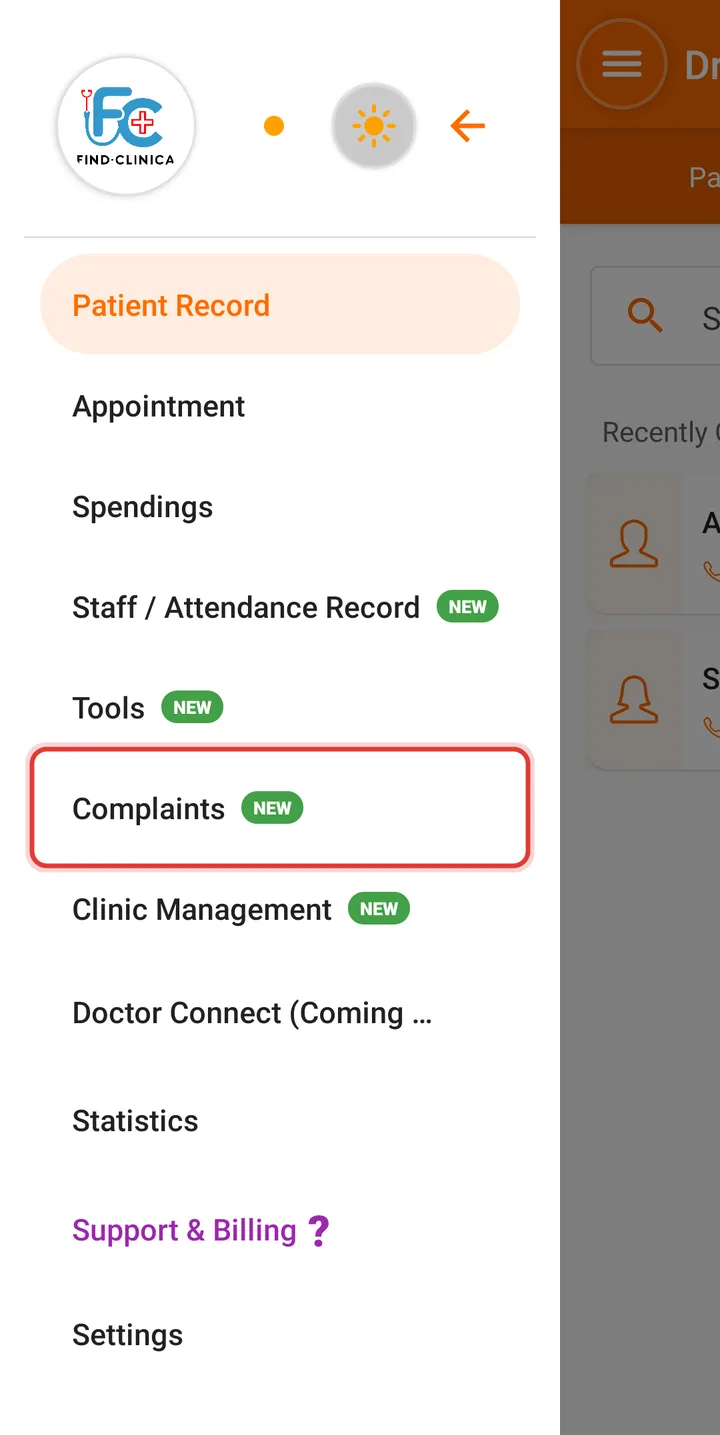
Step 1: Open the menu and tap Complaints.
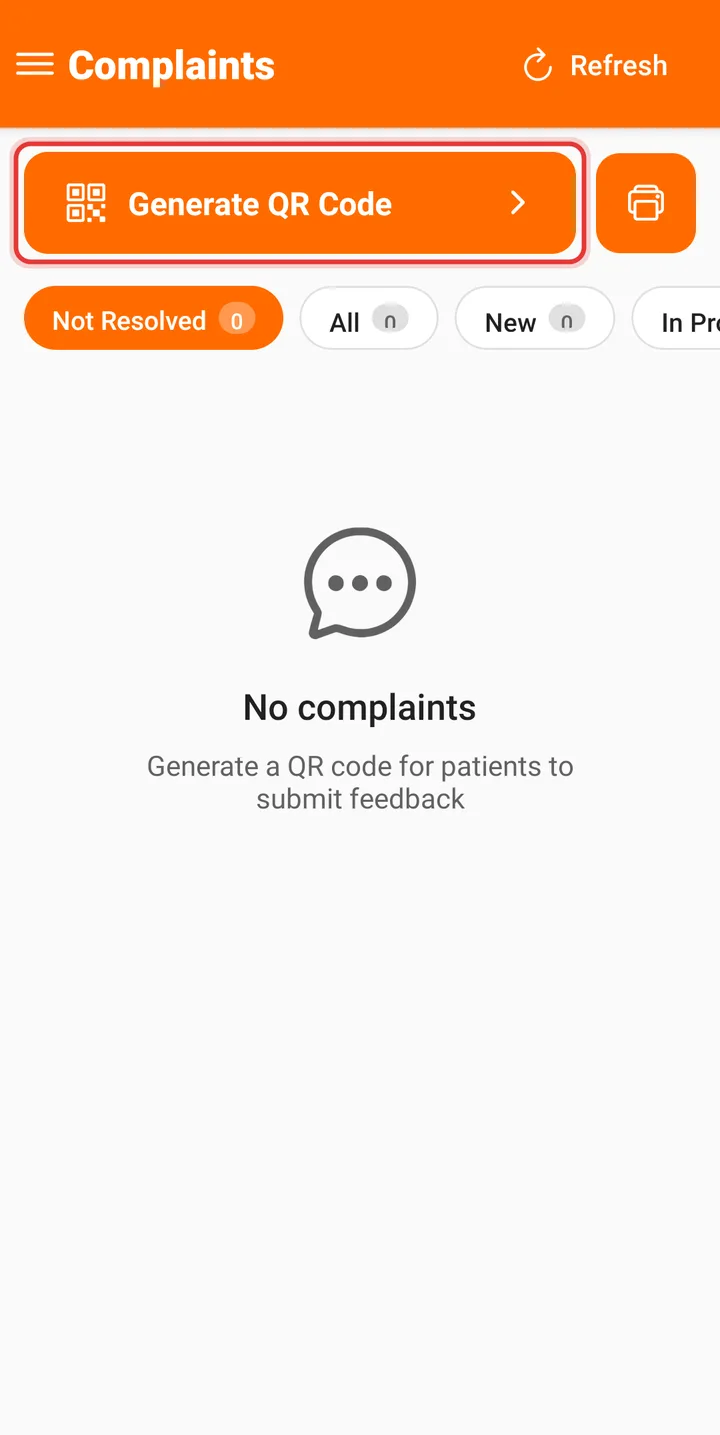
Step 2: Tap the Generate QR Code bar at the top.
Step 3: Tap Generate New QR Code.
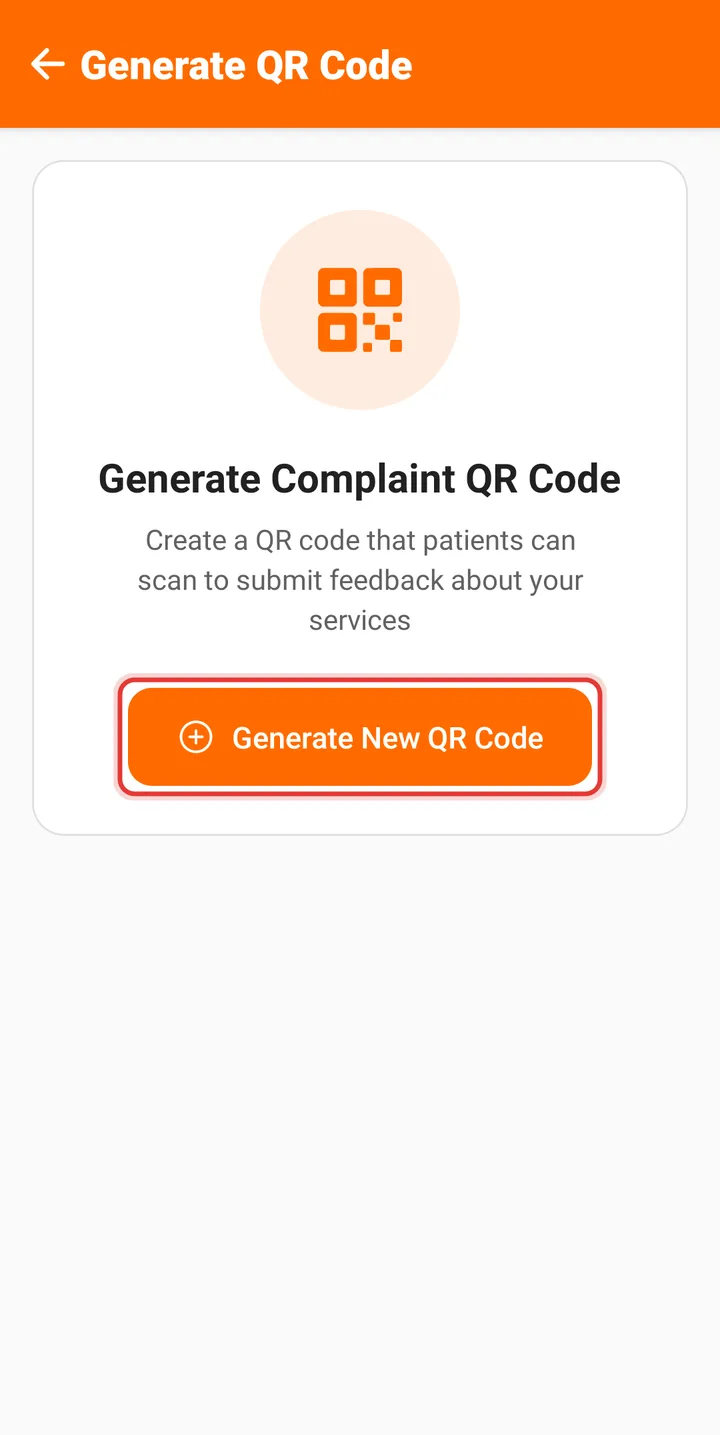
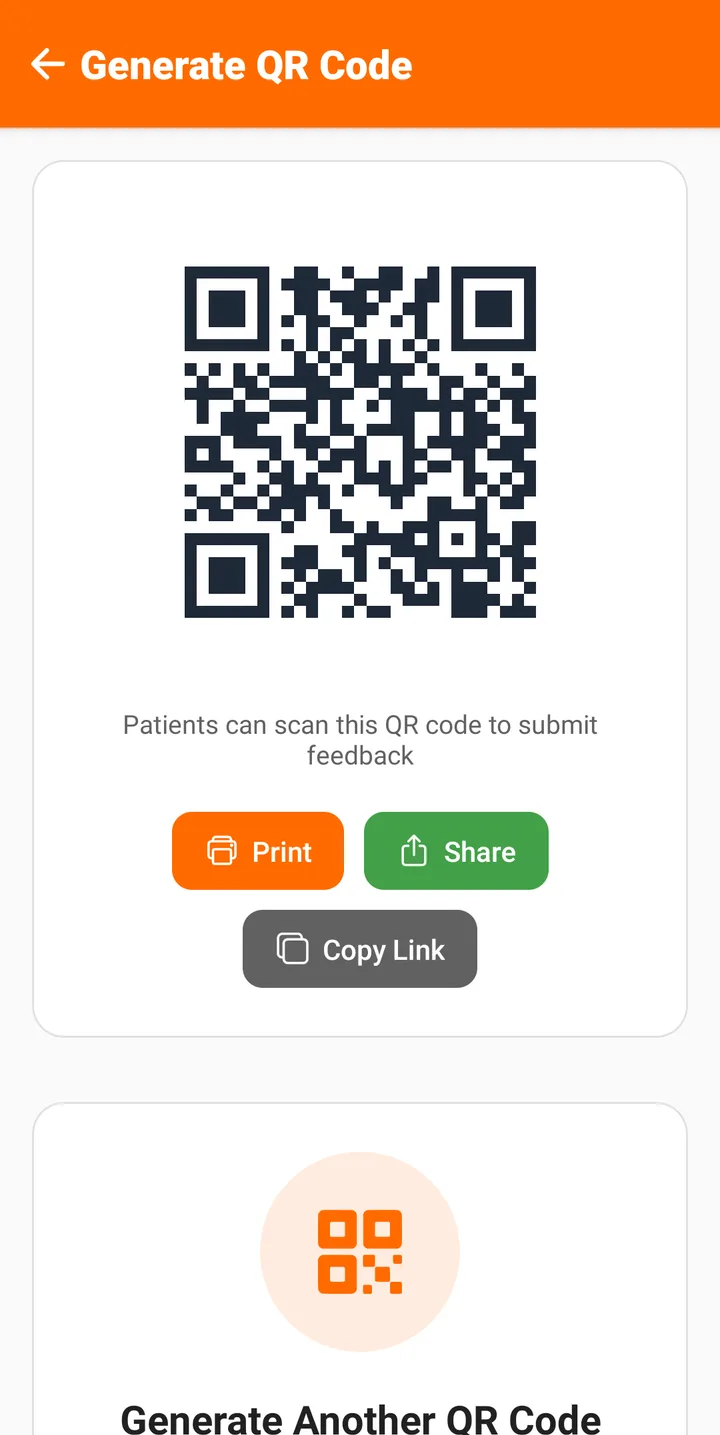
Step 4: Your QR code appears with Print, Share and Copy Link buttons. Print it for reception — patients scan it to send feedback.
Prefer video?
Related guides
Still stuck? Contact us or browse all guides.