Appointment reminder messages for WhatsApp and SMS
Fill in your clinic and the patient once on the left, and every message below fills itself in: reminders, missed appointments, a six-month check-up, a balance reminder and more. Copy one, or open it straight in WhatsApp with the patient's number.
The first two are the exact SMS FindClinica sends patients by itself when you book an appointment, so you can see what your patients would receive.
Updated
Fill in once
What you type stays in this browser; it isn't sent to us.
Confirmation (sent by FindClinica)
Sent automatically by SMS when an appointment is booked[No Reply] Dear [patient], Your appointment with [doctor] at [clinic] is scheduled for [time] on [date]. Please arrive at least 5 minutes early. If you need to reschedule, kindly contact us at [clinic phone] in advance. Thank you for choosing our services.
Reminder (sent by FindClinica)
Sent automatically by SMS shortly before the visit, on paid plans[Reminder] Dear [patient], This is a reminder that your appointment with [doctor] at [clinic] is at [time] on [date]. Please arrive at least 5 minutes early. If you need to reschedule, kindly contact us at [clinic phone] in advance.
Day-before reminder
The evening beforeAssalam o Alaikum [patient], a reminder of your appointment tomorrow, [date], at [time] with [doctor] at [clinic]. Please reply to confirm, or call [clinic phone] if you need another time.
Missed appointment
Later the same dayDear [patient], we missed you at [clinic] today at [time]. We hope everything is all right. Reply here or call [clinic phone] and we will find you a new time.
We need to change your time
When the clinic has to move an appointmentDear [patient], we are sorry, but [doctor] is not available at your appointment time. Can we move you to [new time] on [new date]? Please reply yes, or tell us a time that suits you. [clinic], [clinic phone]
After treatment check
The day after a procedureDear [patient], this is [clinic] checking how you are feeling after your treatment. If you have pain that is getting worse, swelling or bleeding that doesn't stop, please call us at [clinic phone].
Six-month check-up
Six months after the last visitDear [patient], it has been about six months since your last visit to [clinic]. A check-up now helps catch small problems early. Reply here or call [clinic phone] to book a time.
Balance reminder
For a pending instalmentDear [patient], a gentle reminder from [clinic] about the remaining balance for your treatment. You can pay at your next visit on [date]. Please call [clinic phone] if you have any question about it.
Lab work ready
When a crown, bridge or denture comes back from the labDear [patient], your crown / denture is back from the lab and ready to fit. Your appointment is on [date] at [time] with [doctor]. [clinic], [clinic phone]
What makes a reminder work
Say who it's from in the first words, give the day, date and time, and tell the patient what to do if they can't come. Keep it short enough to read on a lock screen. A message the evening before works better than one a week ahead, and a polite note the same day someone misses an appointment brings many of them back.
Each message shows its length: one SMS holds 160 characters, and longer ones are sent as two or more. WhatsApp has no such limit.
Or let the app send them
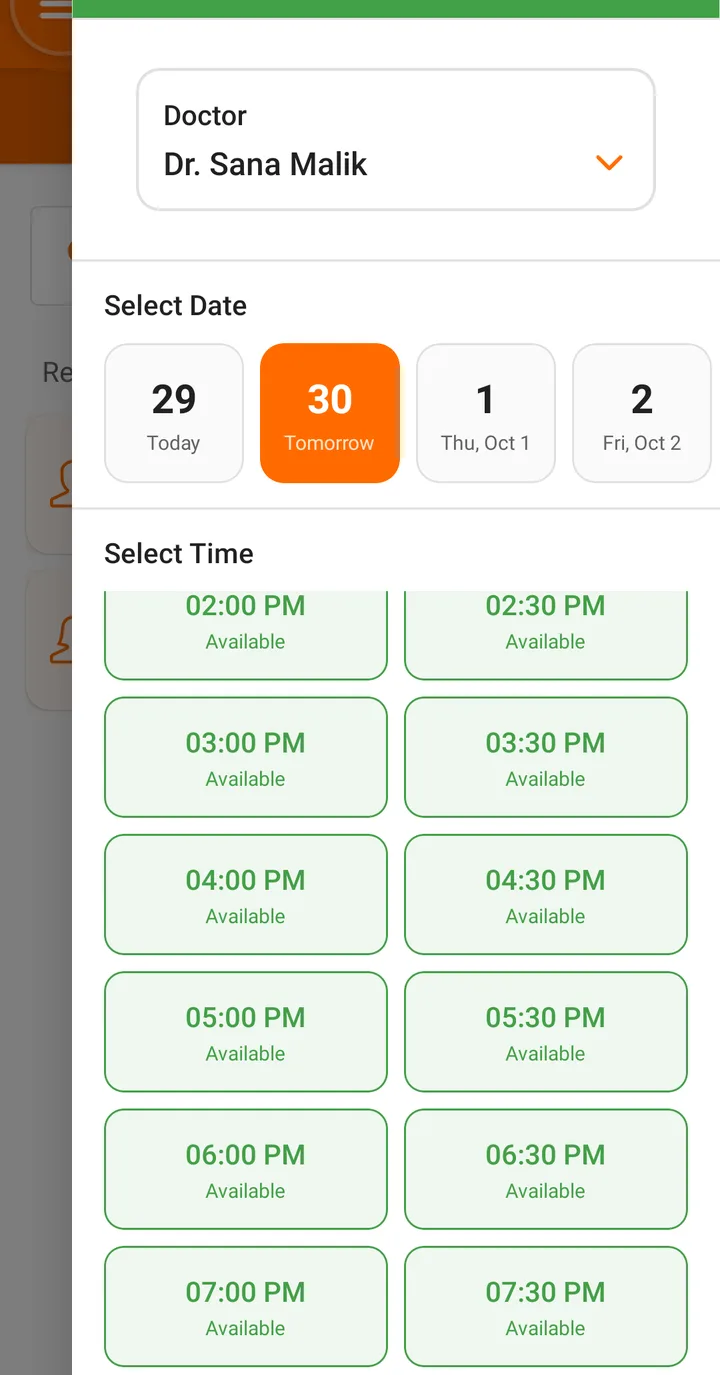
When you book, move or cancel an appointment in FindClinica, the patient gets an SMS automatically, and on the paid plans a reminder shortly before the visit. The messages go out through FindClinica, so there's no SMS package to buy and nobody has to remember to send them. They are in English, as shown above.
Common questions
Do the messages come in Urdu?
The templates and FindClinica's own SMS are in English. If your patients prefer Urdu, copy a template into WhatsApp and edit it before sending.
Does "Open in WhatsApp" send the message?
No. It opens WhatsApp with the message typed in, to the number you entered; you check it and press send yourself.
Can I change the wording of FindClinica's automatic SMS?
Not at the moment. The confirmation and reminder wording is the same for every clinic and includes your clinic's name and number.
Read next
- Clinic management software in Pakistan
- How to book an appointment in FindClinica
- Make prescriptions online with FindClinica
- All free tools and templates
More for clinics in Pakistan
- Dental Clinic Software in Pakistan
- Clinic Management Software in Pakistan
- EMR Software in Pakistan for Small Clinics
- Prescription Software for Doctors in Pakistan
- Patient Record App for Doctors
- Paper Register vs Excel vs Clinic Software
- Best Clinic Software in Pakistan, Compared
- Clinic Management App for Android
- Clinic Software in Lahore
- Clinic Software in Karachi
- Clinic Software in Islamabad
- Software for Clinics With More Than One Doctor
- Online Prescription Maker for Doctors
Free tools and templates
Reminders that send themselves
Book in FindClinica and the patient gets an SMS without anyone pressing send. Free plan, unlimited patients.