Make prescriptions online with FindClinica
A prescription should come from a doctor's own account, not from a form anyone can fill in. That's why FindClinica's prescriptions are made inside the app: each one carries the doctor's name and PMDC number, a prescription ID and a QR code, and stays on the patient's file.
Making one takes a minute. Here is every step, with real screenshots from the app.
Updated
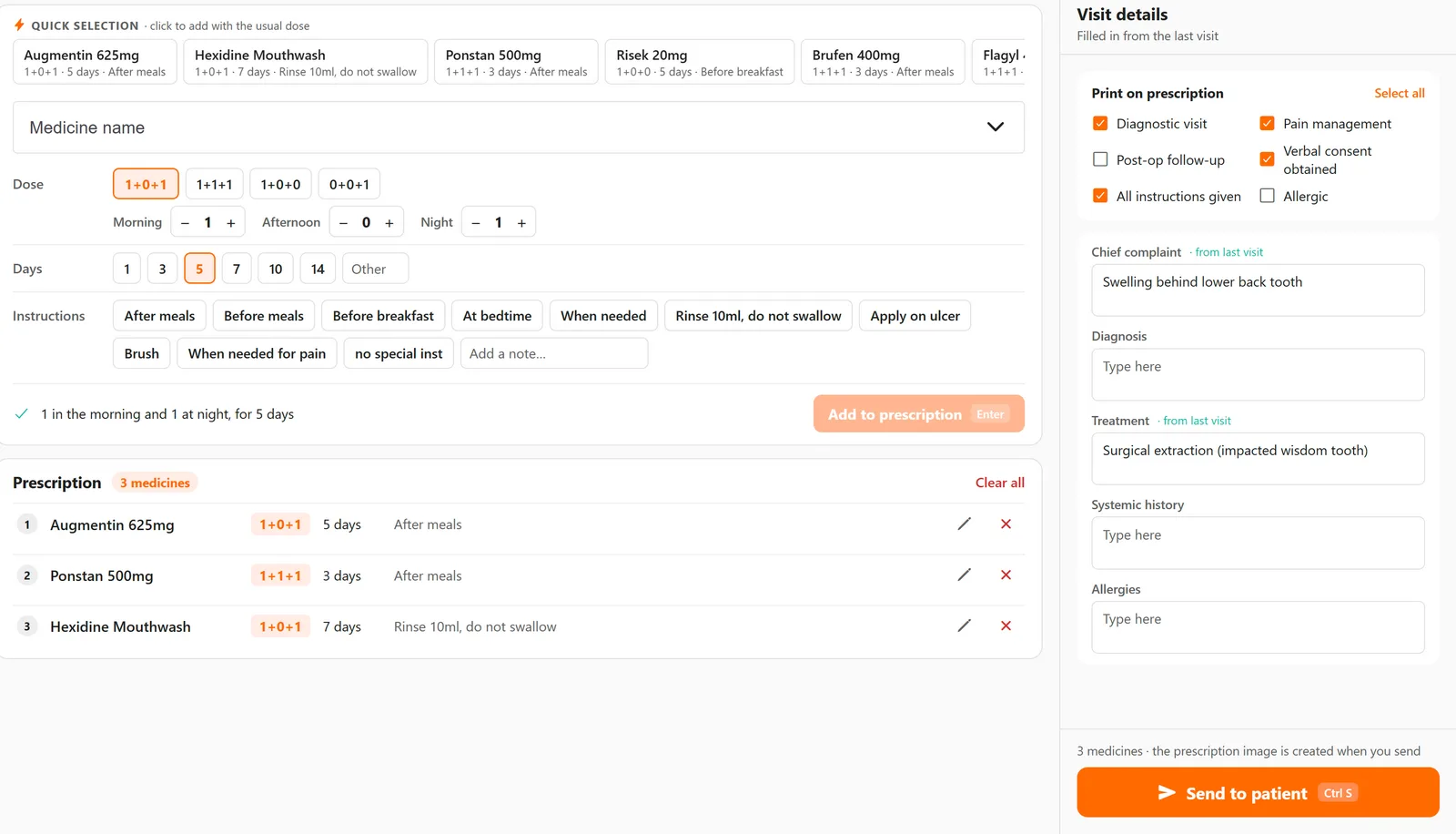
1. Open the patient and press Write Prescription
Find the patient by name or phone number and open their file. Write Prescription is on the right, next to Print Record and Prescriptions History. On the phone it is in the patient's menu.
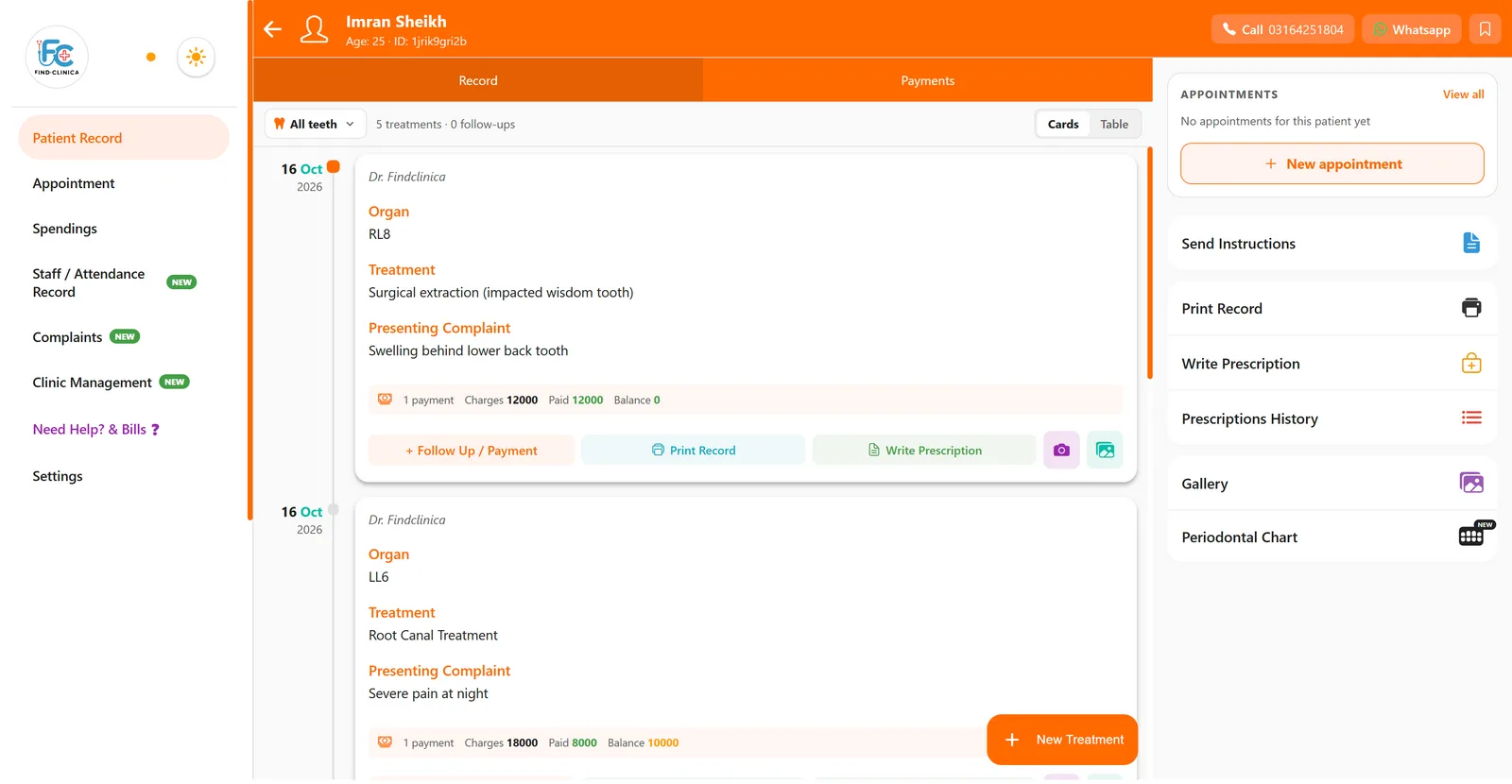
2. Start from a set or your frequent medicines
One click on a set adds all its medicines with their doses: root canal, extraction, scaling and polishing, abscess and mouth ulcer come built in, and Save as set keeps your own. Or click a medicine under Quick selection, where the ones you prescribe most wait with the dose you usually give.
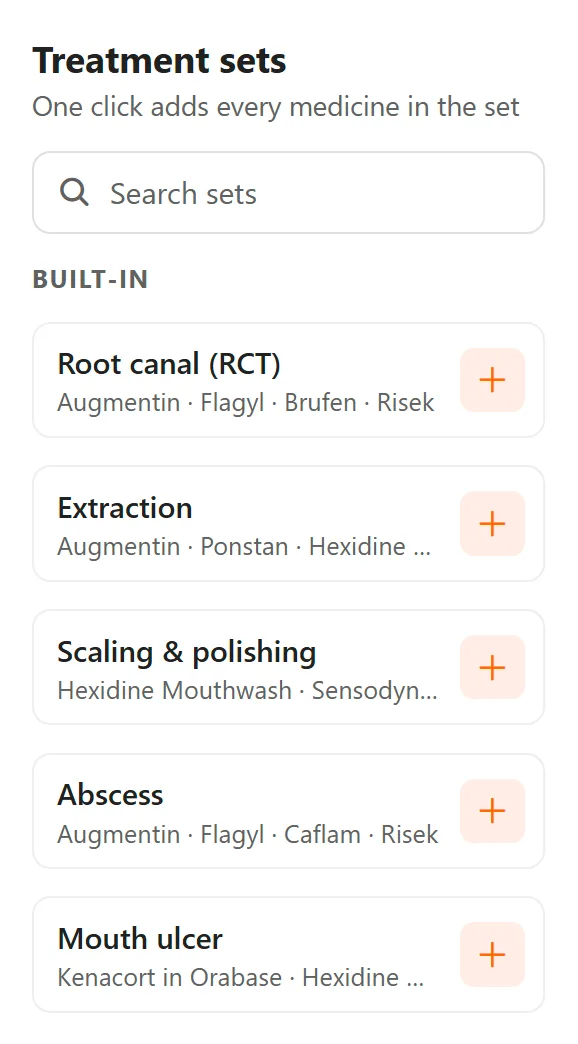
3. Check the dose, days and instruction
Pick 1+0+1, 1+1+1, 1+0+0 or 0+0+1, or set morning, afternoon and night yourself, then the days and an instruction such as after meals. The app reads it back in plain words underneath, so a wrong tap shows up before the patient sees it.
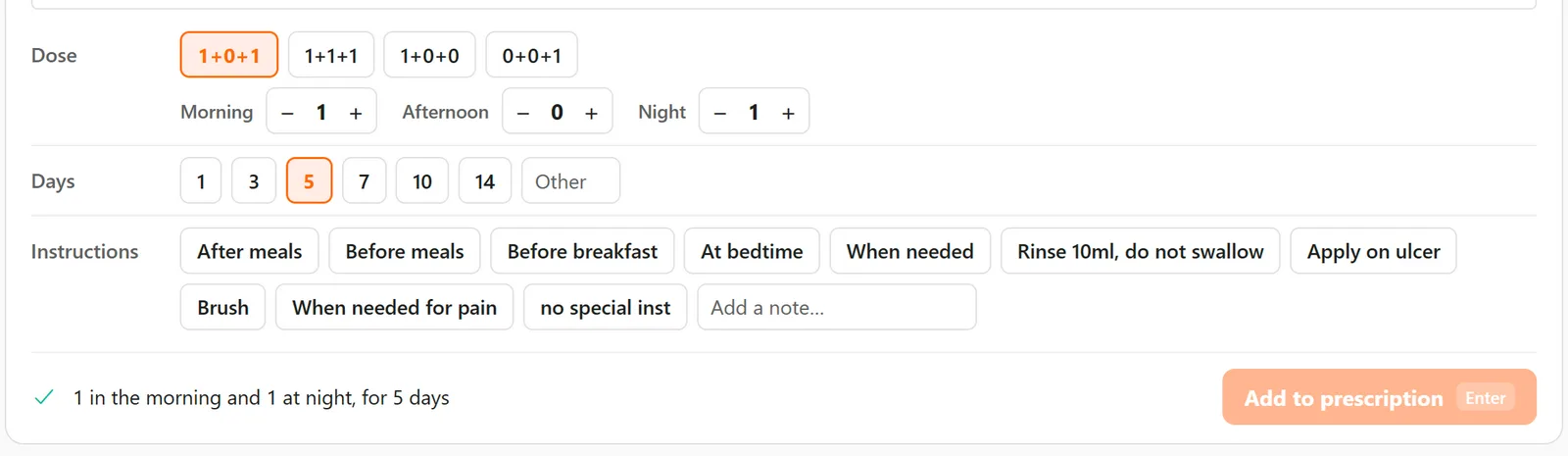
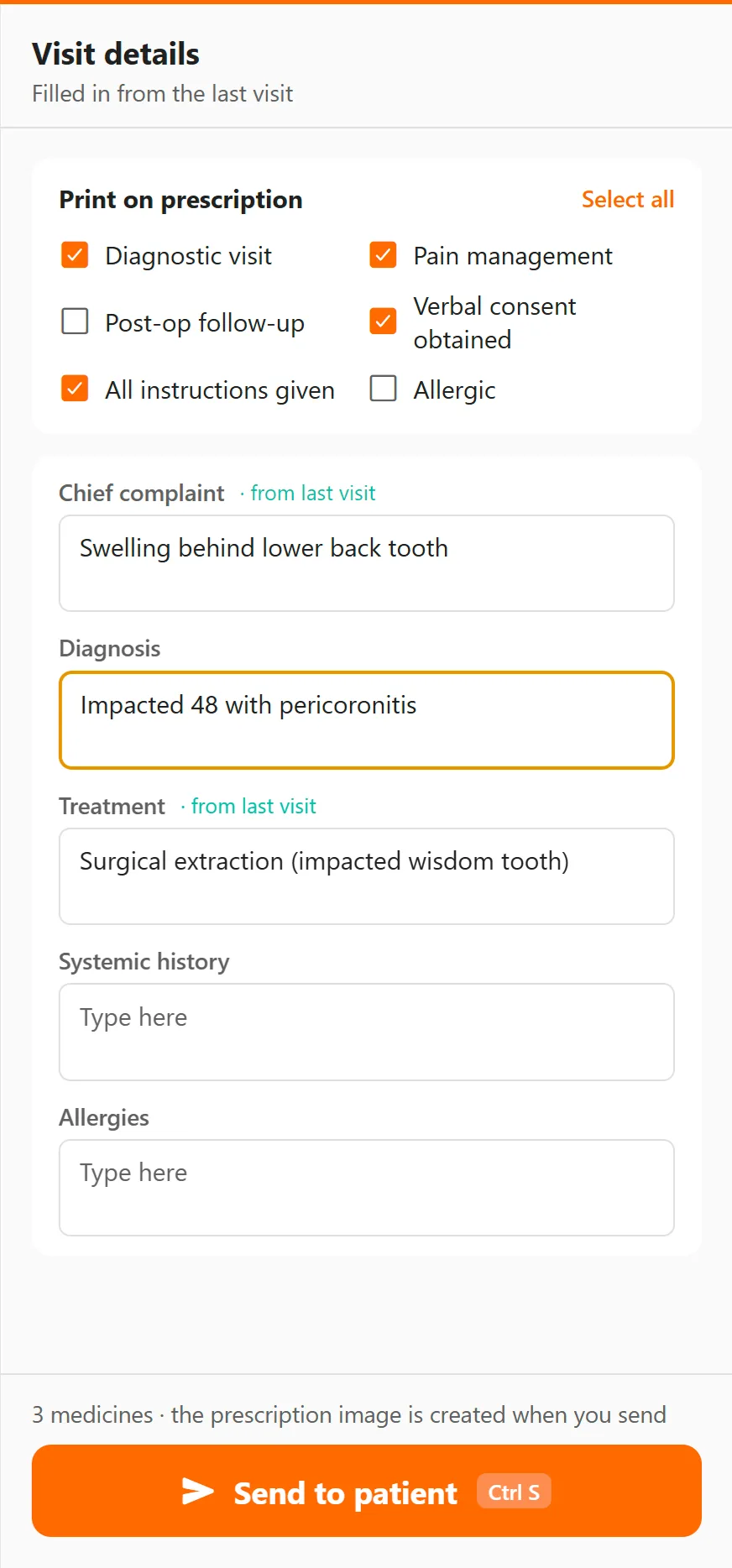
4. The visit details are already filled in
Chief complaint, diagnosis, treatment, systemic history and allergies come from the patient's last visit; change what is new. Tick what should show on the prescription: diagnostic visit, pain management, post-op follow-up, verbal consent obtained, all instructions given, allergic.
5. Send it to the patient
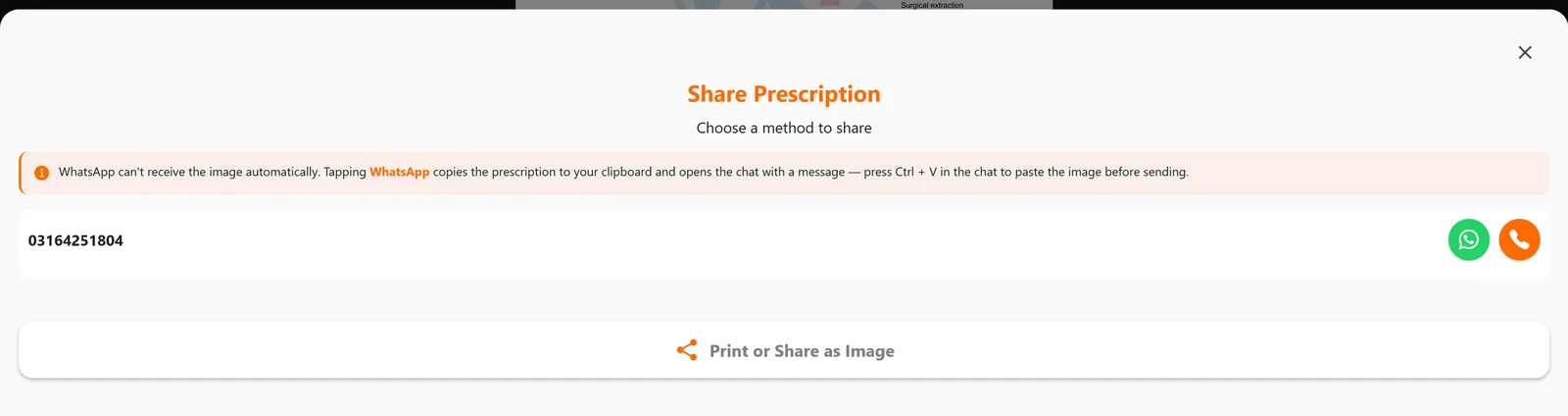
Press Send to patient and check the prescription. Then WhatsApp opens the patient's chat with the prescription ready to paste in, the orange button sends a text message with a link, and Print or Share as Image goes to the printer. The prescription image is made on our server, so this step needs internet.
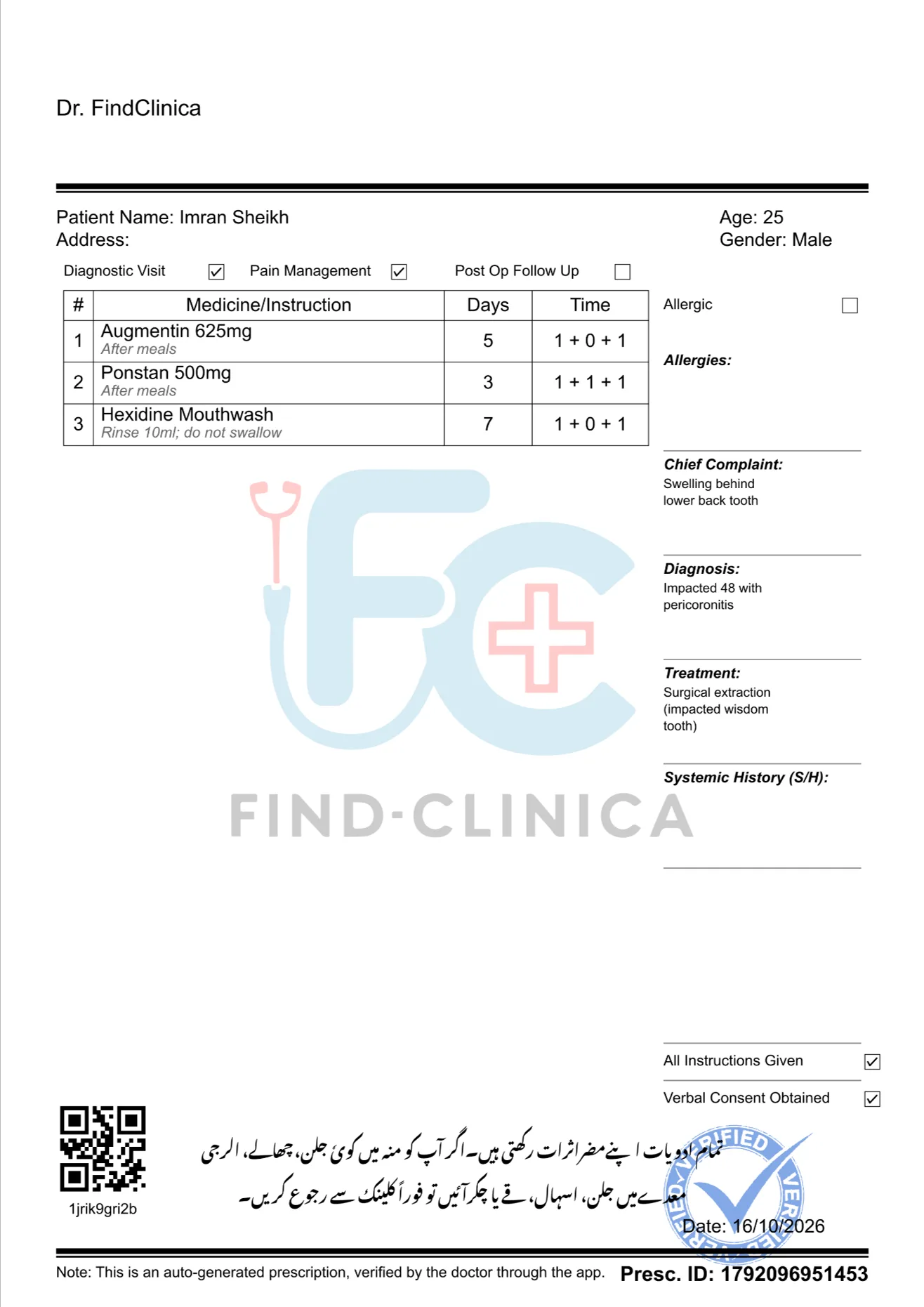
What the patient gets: your header, the medicines with days and timing, the complaint, diagnosis and treatment, an Urdu note about side effects, and the prescription ID and QR code at the bottom. It is saved under Prescriptions History on the patient's file.
The same on your phone
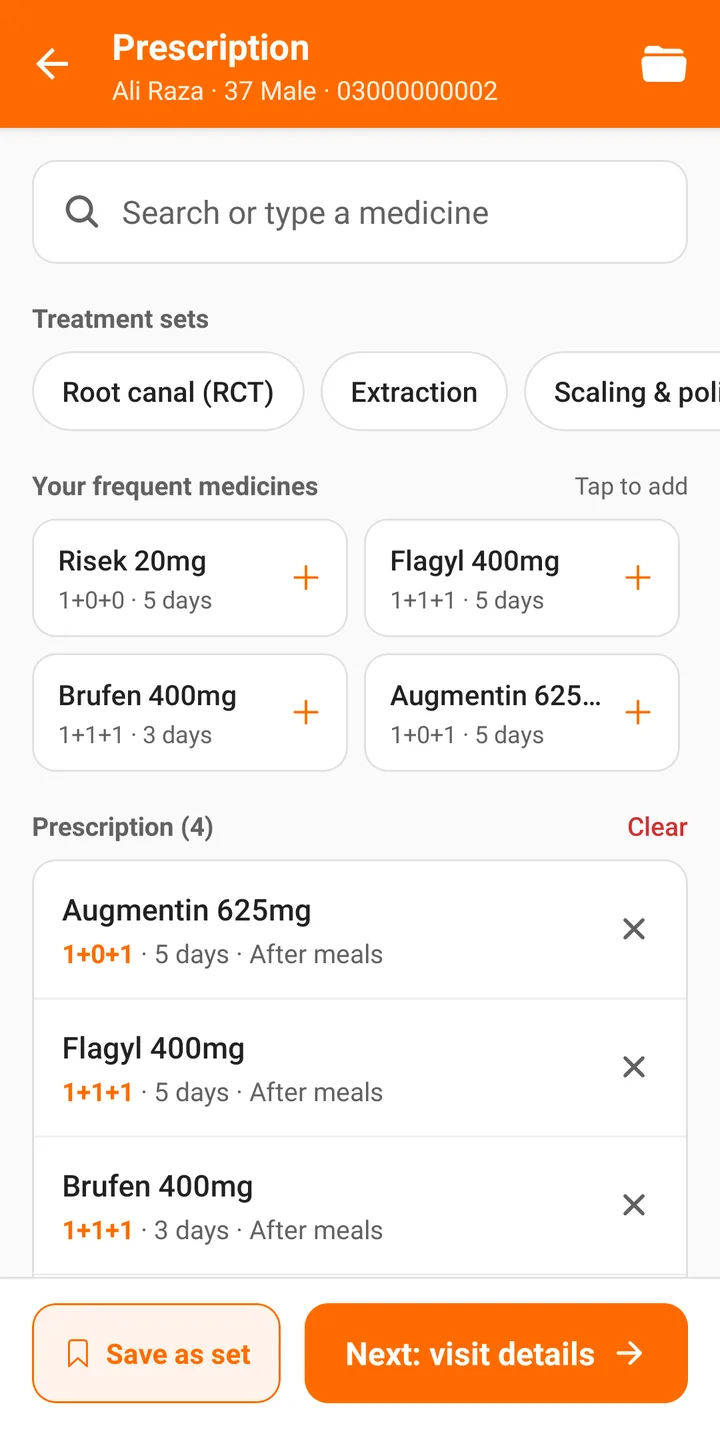
On Android it is the same screen, one step at a time: sets and frequent medicines first, then Next: visit details, then send. Most doctors write the prescription on the phone chairside and send it before the patient reaches reception.
Prefer a video?
Common questions
Is there a free prescription form without signing up?
No, on purpose: a finished prescription anyone can type without an account is easy to misuse. For handwritten prescriptions, use the free prescription pad template with your own header.
What does it cost?
FindClinica is free to install, and the free plan has no limit on patients and includes the basic prescription tools. Pro (PKR 2,000 a month) adds the advanced prescription system. Compare the plans.
Does it need internet?
You can write the prescription offline, but sending or printing it needs a connection, because the prescription image is made on our server.
Does it check drug interactions?
No. It records what you prescribe and shows the patient's allergies and history while you write.
Read next
- Prescription software for doctors
- Step-by-step guide: write and send a prescription
- How to see past prescriptions
- Free prescription pad template
More for clinics in Pakistan
- Dental Clinic Software in Pakistan
- Clinic Management Software in Pakistan
- EMR Software in Pakistan for Small Clinics
- Prescription Software for Doctors in Pakistan
- Patient Record App for Doctors
- Paper Register vs Excel vs Clinic Software
- Best Clinic Software in Pakistan, Compared
- Clinic Management App for Android
- Clinic Software in Lahore
- Clinic Software in Karachi
- Clinic Software in Islamabad
- Software for Clinics With More Than One Doctor
Free tools and templates
Send your first prescription today
Install FindClinica, add a patient and send a prescription on WhatsApp in a few minutes. Free plan, unlimited patients, or ask us on WhatsApp first.