A patient record app to replace the register
You know how the register goes. A patient says they came "sometime before Eid", and the receptionist flips through pages for ten minutes while the waiting room fills up. The fee is written on one page and the second payment on another, and the register from two years ago is in a box somewhere.
It isn't only small clinics. In a study of four government teaching hospitals in Karachi, only about half of the patient records asked for could be found within an hour. The study is old, but anyone who has worked with paper files will recognise the problem.
FindClinica is a patient record app for doctors that does what the register does, without the flipping. It runs on your Android phone and on the reception computer, and the free plan has no limit on patients.
Updated
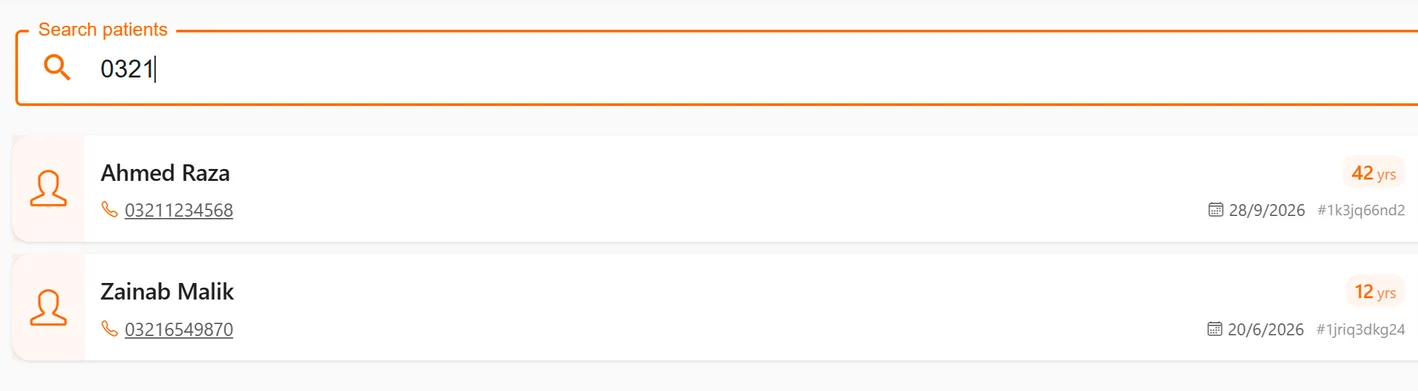
Adding a patient is quicker than writing in the register
Name, age, gender and a phone number are enough to start. The form also has CNIC, father's name, a second number, email, address, occupation, who referred them, and health insurance details, for the times you need them. If you prefer, enter a date of birth instead of an age.
On the phone you can also pick the name and number straight from your contacts, which saves typing for the patients who have messaged you before.
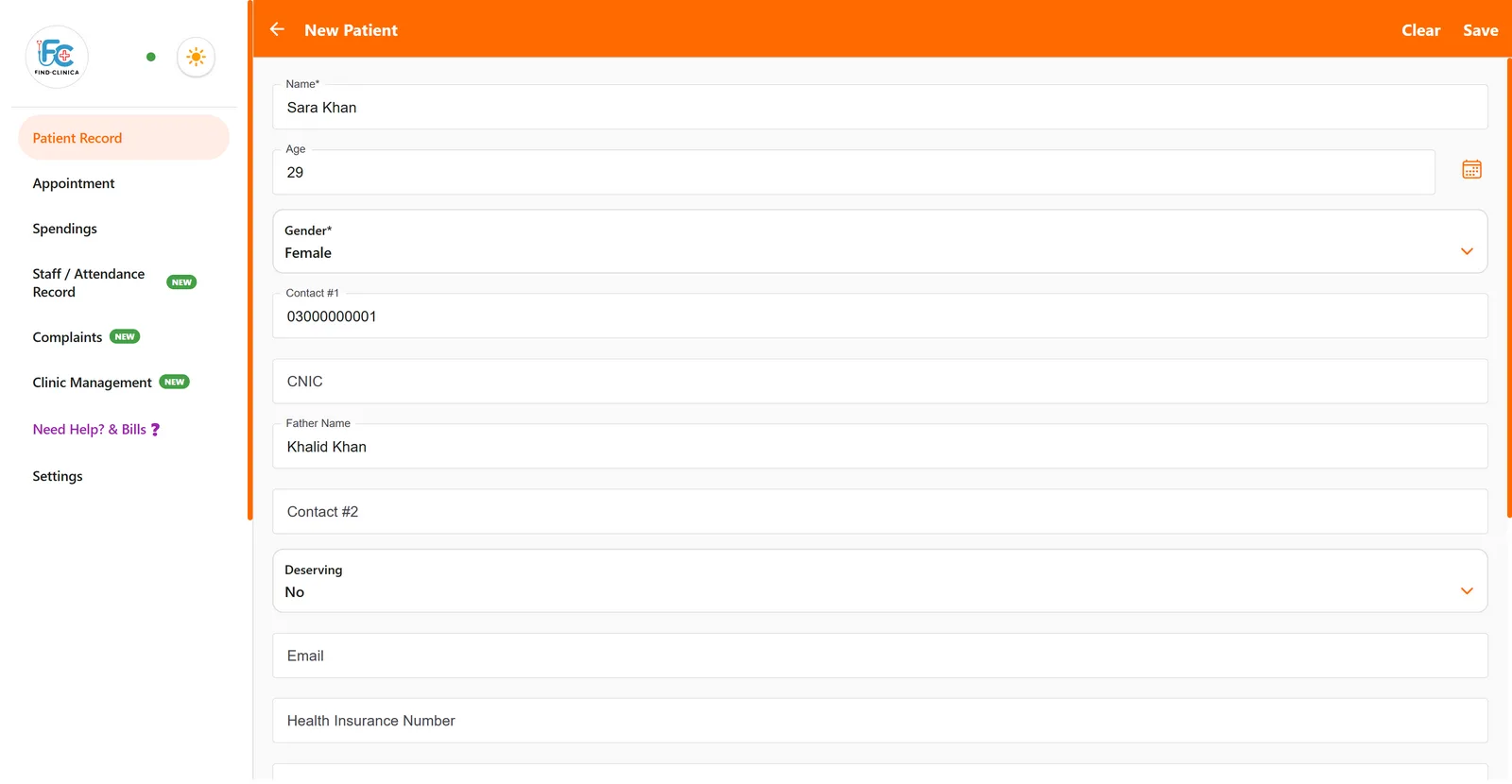
Find anyone by name or phone number
Type a few letters of the name or part of the phone number, and matching patients appear as you type. People often remember their number better than the spelling of their name, so searching by number is the one you will use most.
The last patients you opened stay at the top of the home screen. And every prescription the app prints carries a QR code with the patient's ID: scan it with the button next to the search box and that patient's file opens.
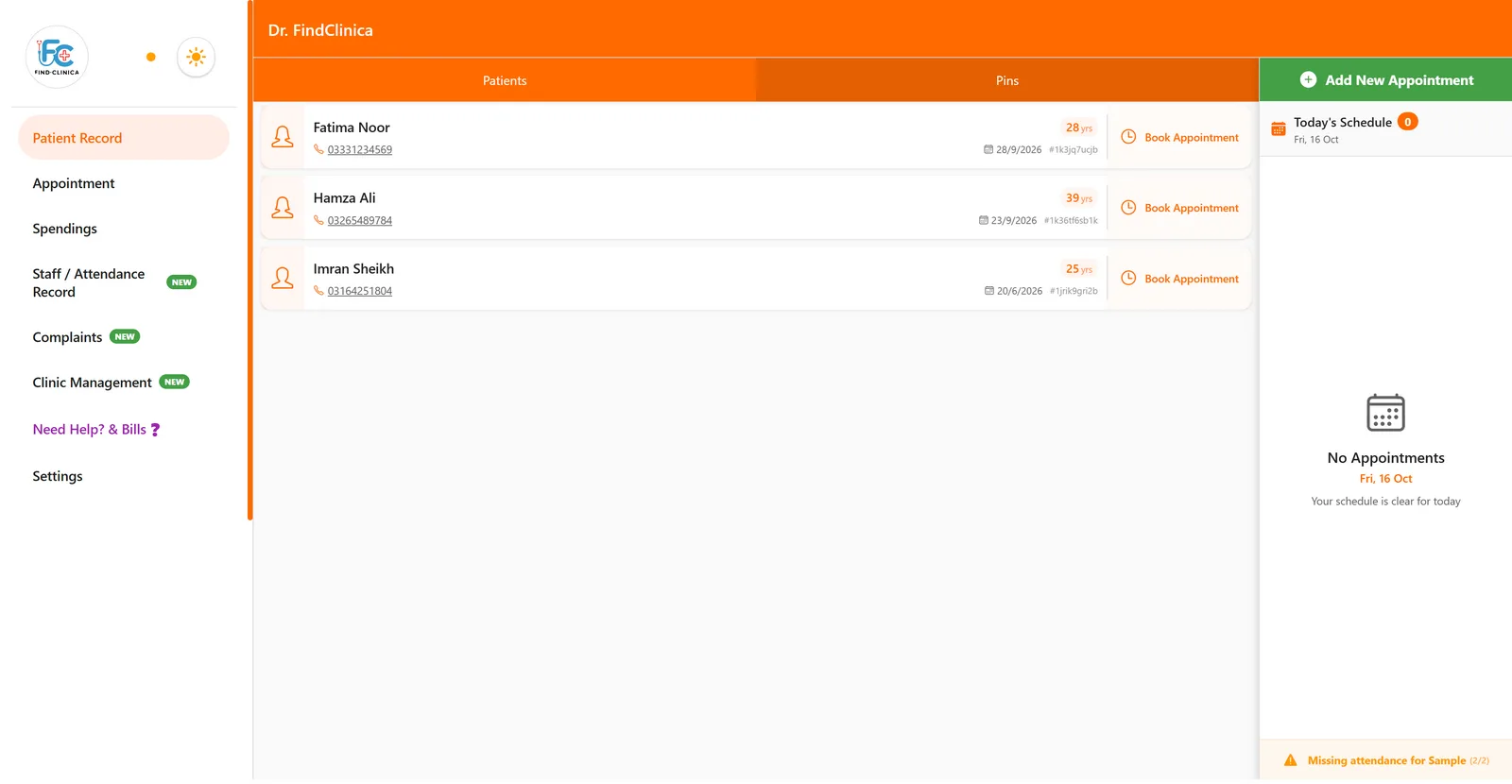
Pin the patients you're following
Some patients you want close at hand: an ortho case you see every month, someone recovering from surgery, a diabetic you are adjusting medicines for. Press the bookmark on their file and they appear under Pins on the home screen until you unpin them.
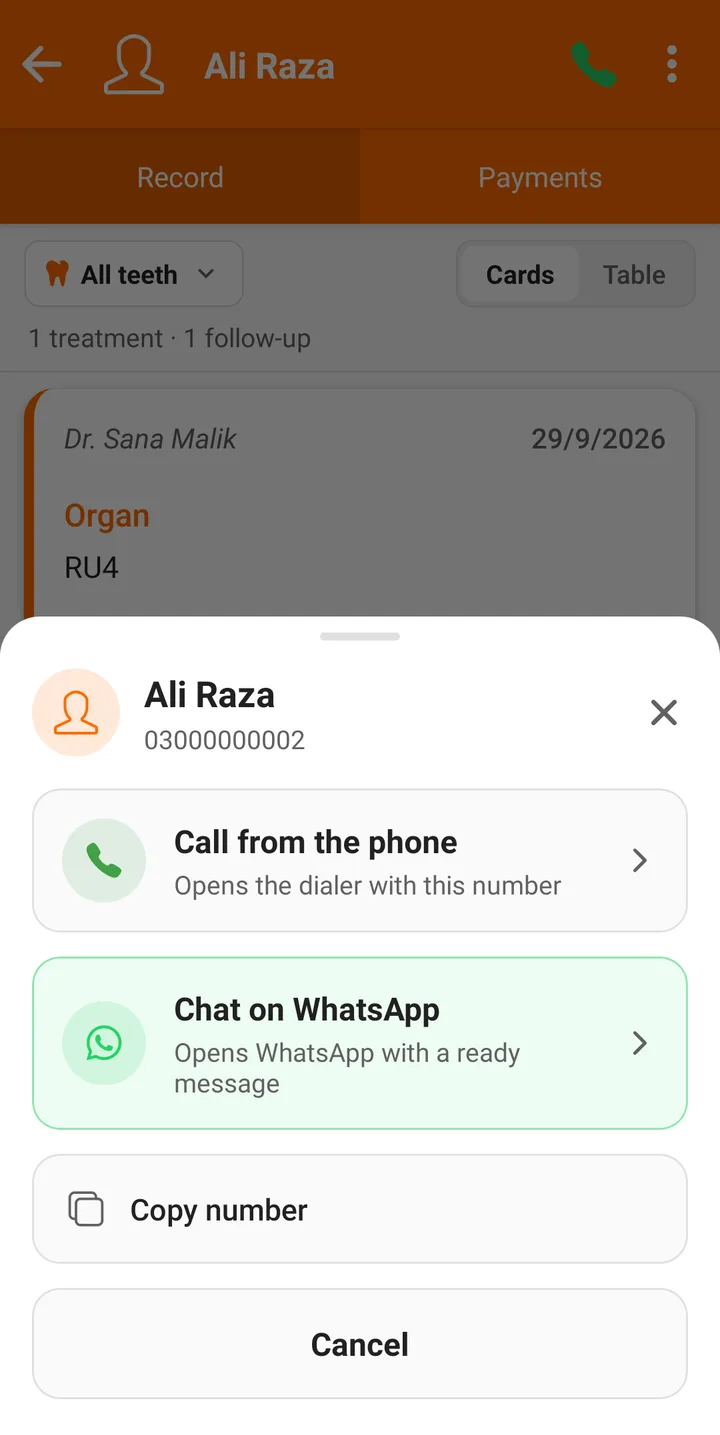
Everything about the patient on one screen
Each file has the patient's visits as cards or a table, a Payments tab with what was charged, paid and still owed, past prescriptions, and a gallery for photos. From the top of the file you can call the patient or open WhatsApp with one tap.
For dentists, every visit is tied to a tooth on the chart; for other clinics the same file holds complaint, history, allergies, investigations and diagnosis. What goes into the record.
Moving over without retyping the old register
Don't spend a weekend copying old registers into the app. Start with new patients from Monday, and add old patients when they come back, starting with what matters: allergies, history and current medicines. Keep the old registers on the shelf for a year or so. Within a few months nearly everyone you actually see is in the app.
Safer than a register on the front desk
A register can be read by anyone who leans over the desk, and lost to one monsoon leak. Records in FindClinica are on your phone and the devices you connect, synced to our server and backed up every day, so losing a phone doesn't mean losing your patients.
If you're still deciding between a register, an Excel sheet and an app, we wrote an honest comparison with costs.
Common questions
Can my receptionist add patients from the clinic computer?
Yes. Connect the Windows app at reception to your account with a code from your phone, and the receptionist can add and find patients there. One connected device is included free, and Premium allows three.
Can I search by CNIC or patient ID?
Search works on the name and the phone numbers. The patient ID is used through the QR code on the prescription; scan it to open the file.
What if two patients have the same name?
The list shows each patient's phone number and age under the name, and every patient has their own ID, so they're easy to tell apart.
How many patients can I keep for free?
As many as you like. The free plan has no limit on patient records.
Does it work without internet?
Yes. Adding and finding patients works offline, and everything syncs when you are back online.
Read next
- How to add a new patient
- How to find a patient
- How to edit a patient's details
- Clinic management software in Pakistan
- Video: create and manage a patient
- Plans and prices
More for clinics in Pakistan
- Dental Clinic Software in Pakistan
- Clinic Management Software in Pakistan
- EMR Software in Pakistan for Small Clinics
- Prescription Software for Doctors in Pakistan
- Paper Register vs Excel vs Clinic Software
- Best Clinic Software in Pakistan, Compared
- Clinic Management App for Android
- Clinic Software in Lahore
- Clinic Software in Karachi
- Clinic Software in Islamabad
- Software for Clinics With More Than One Doctor
- Online Prescription Maker for Doctors
Free tools and templates
Sources
Try it with your next patient
The free plan costs nothing and has no time limit. Install it and add one patient, or ask us anything on WhatsApp first.