Prescription software for doctors: write it once, send it on WhatsApp
Handwritten prescriptions have two problems. Patients and pharmacists can't always read them, and once the patient leaves you have no copy. When researchers in Peshawar checked 463 handwritten prescriptions, close to a quarter had legibility problems before a printed format was introduced.
FindClinica's prescription screen is built around the way doctors here actually prescribe: the same handful of medicines, doses written 1+0+1, and the prescription ending up on the patient's WhatsApp. Most prescriptions take a few clicks.
Updated
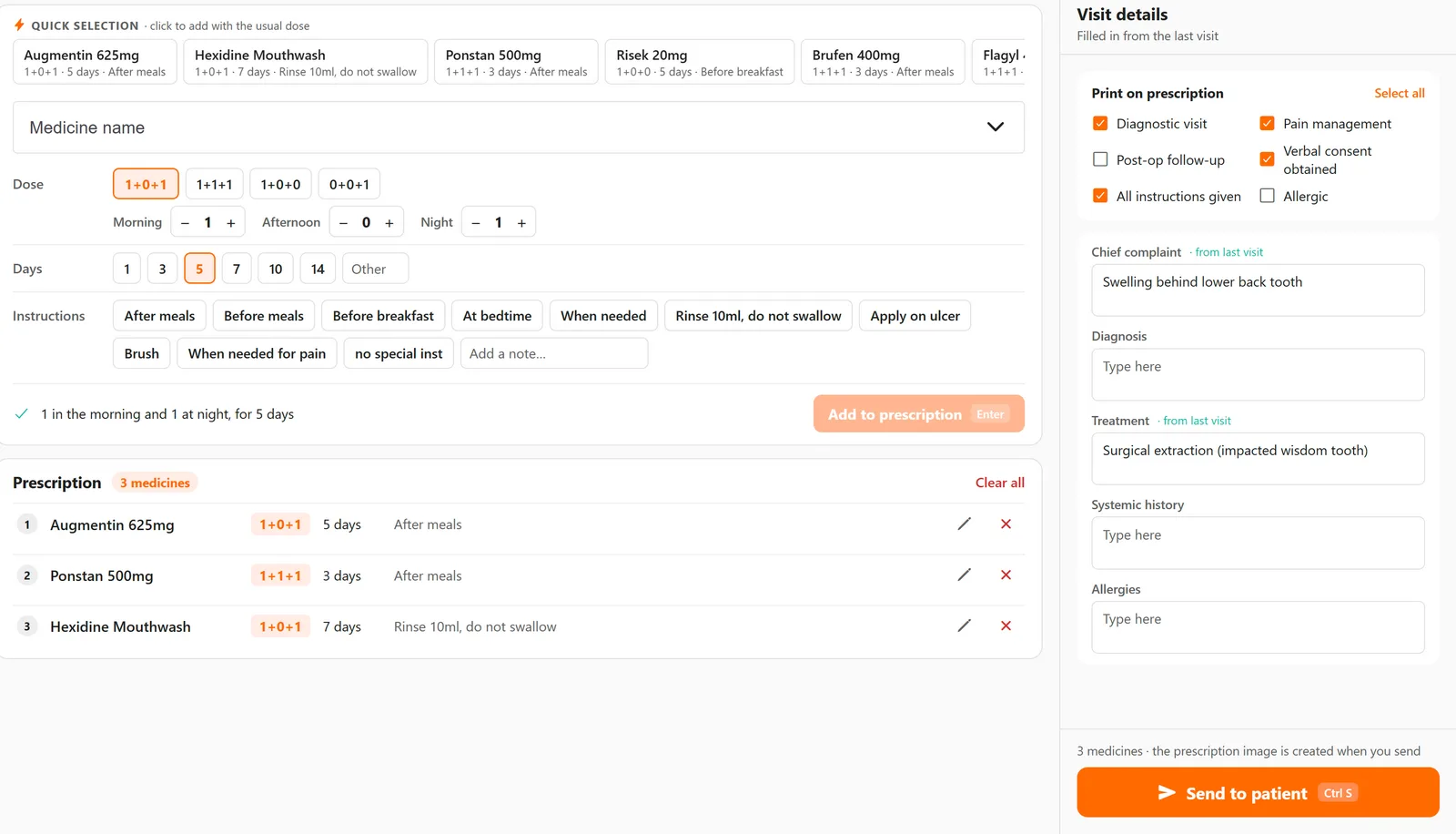
Start from a set, not a blank page
A set is a group of medicines you prescribe together. One click adds all of them with their doses. The app comes with five dental sets (root canal, extraction, scaling and polishing, abscess and mouth ulcer), and you save your own with Save as set whenever you write a combination you'll use again. A GP's sets for sore throat or gastritis are made the same way.
Above the list, Quick selection shows the medicines you prescribe most, each with the dose you usually give. Common ones like Augmentin, Flagyl, Brufen, Ponstan and Risek are there from the start, and anything you type is remembered.
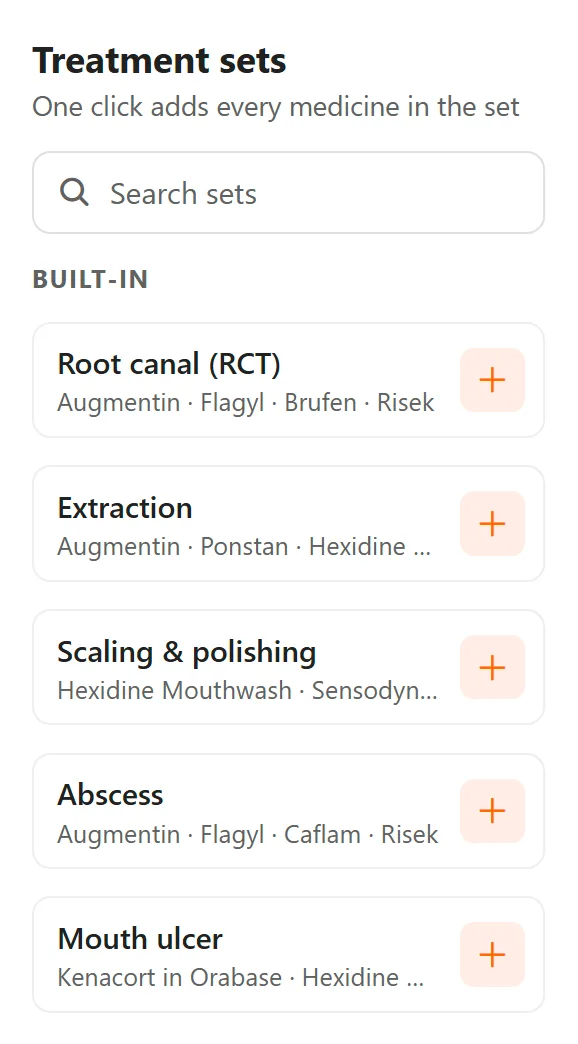
Doses written the way patients read them
Pick 1+0+1, 1+1+1, 1+0+0 or 0+0+1, or set morning, afternoon and night yourself. Choose the days (1, 3, 5, 7, 10, 14 or any other number) and an instruction: after meals, before meals, before breakfast, at bedtime, when needed, rinse and don't swallow, and a few more. Anything unusual goes in a short note.
Underneath, the app repeats the dose back in plain words, for example "1 in the morning and 1 at night, for 5 days", so a wrong tap is easy to catch before it reaches the patient.
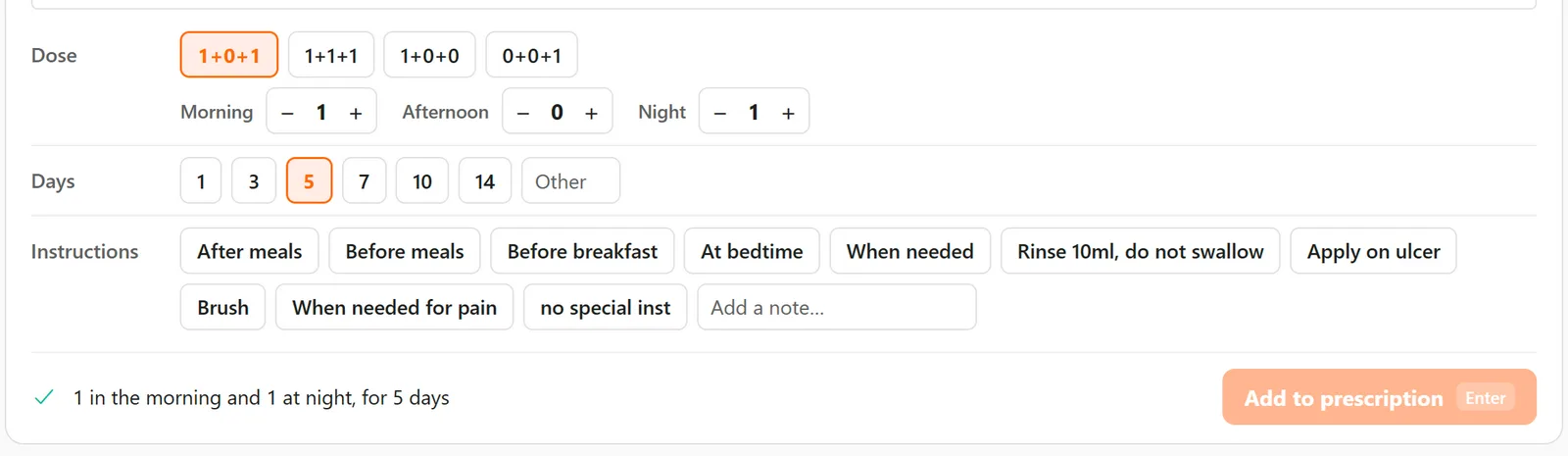
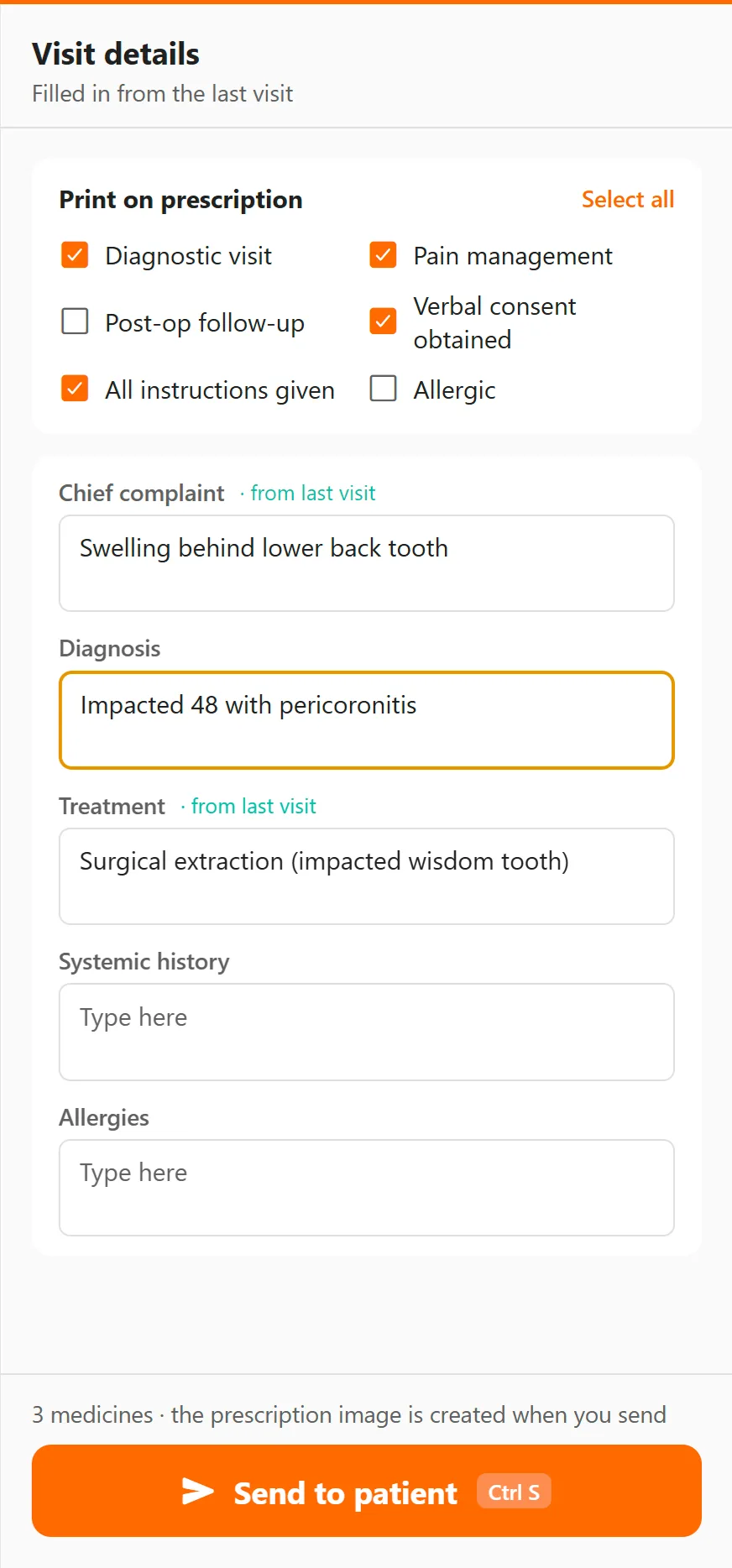
The visit details go on the prescription too
The chief complaint, diagnosis, treatment, systemic history and allergies are filled in from the patient's last visit, so usually you only change what is new. You also tick what should be printed on the prescription: diagnostic visit, pain management, post-op follow-up, verbal consent obtained, all instructions given, and whether the patient is allergic.
What the patient gets
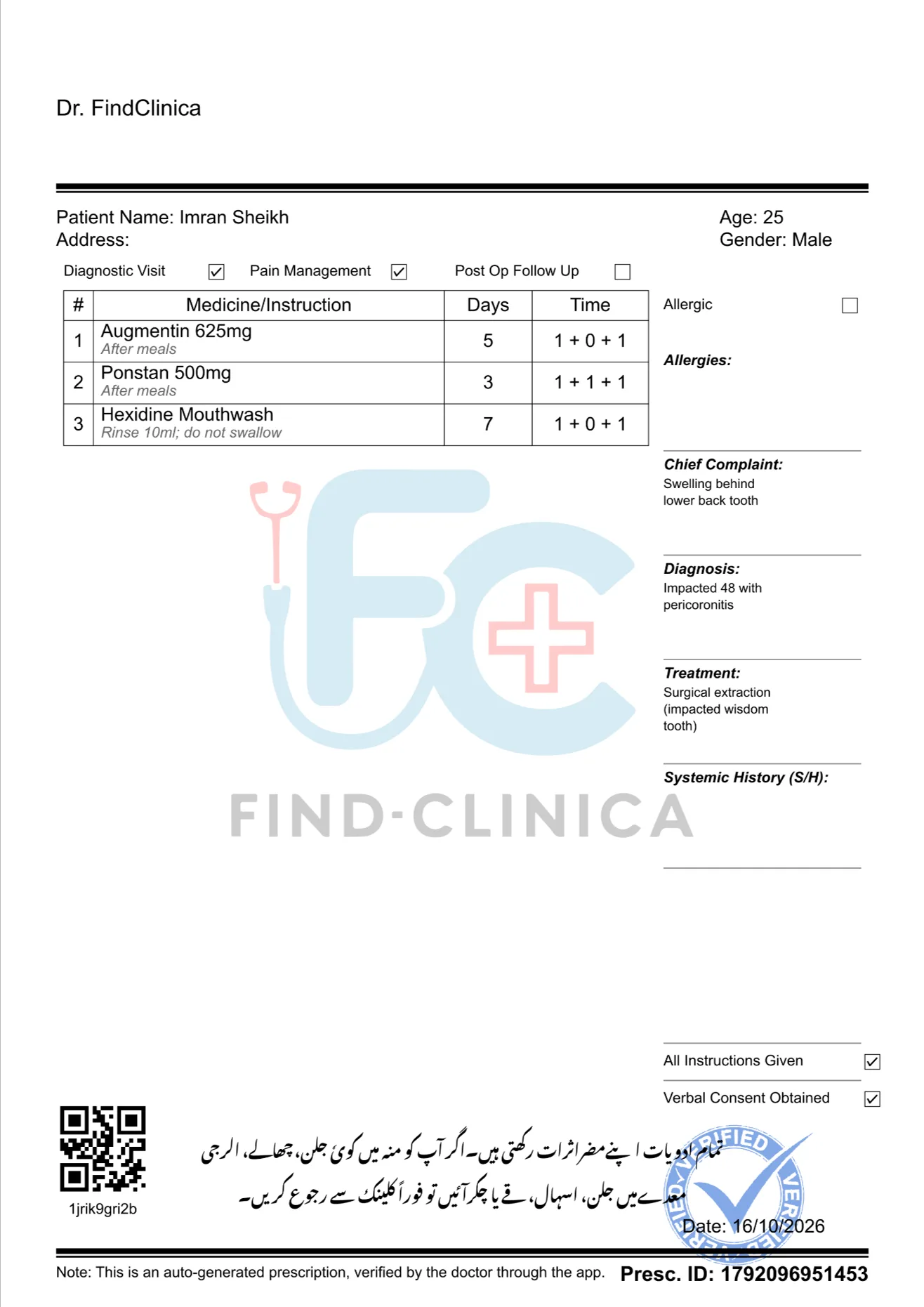
A full-page prescription with your name and clinic details at the top, the patient's name, age and gender, the medicines in a table with days and timing, and the complaint, diagnosis and treatment down the side. At the bottom there is a two-line note in Urdu reminding the patient that every medicine has side effects, and to contact the clinic straight away if they get burning or ulcers in the mouth, an allergy, stomach burning, diarrhoea, vomiting or dizziness.
Your PMDC number prints with your details. We couldn't find a rule that makes it compulsory on a prescription (the PMDC asks for your registration certificate to be displayed where you practise), but patients and pharmacies trust a prescription that carries it.
Each prescription also has an ID and a QR code with the patient's ID. Scan that QR with the button next to the search box and the patient's file opens, which is handy when someone turns up holding last month's prescription. If you set a profile picture or clinic logo it appears faintly behind the text; otherwise the FindClinica logo is used.
Sending it
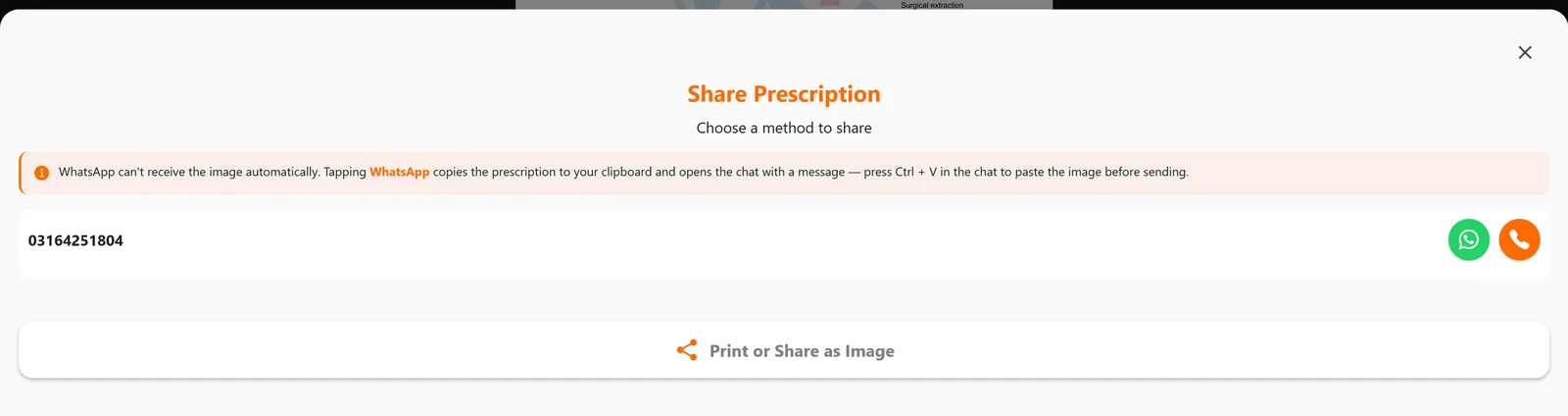
Press Send to patient, check the prescription, and choose how it goes. WhatsApp copies the prescription and opens the chat with the patient's number; paste it in (Ctrl+V on the computer) and send. The orange button opens a text message to the patient with a link to the prescription, and Print or Share as Image sends it to the printer or any other app.
The prescription image is made on our server, so this step needs an internet connection. Writing the prescription doesn't.
Every prescription is kept
Sent prescriptions stay on the patient's file with the date and time, and you can open one and send it again. When a patient asks for "the same medicine as last time" you don't have to guess.
Aftercare instructions in Urdu and English
Separate from the prescription, Send Instructions sends the patient written aftercare on WhatsApp. Six dental sets come built in (fillings, extraction, dentures, scaling, root canal, and braces), each in English and Urdu, and you can write your own under Settings. The patient gets a link to a page that shows the Urdu properly and has a button that reads the instructions aloud, which helps patients who don't read easily.
Which plan you need
The free plan includes the basic prescription tools, and Pro (PKR 2,000 a month) adds the advanced prescription system. Compare the plans for the full list.
Common questions
Can I add my own medicines?
Yes. Type any medicine name and dose; the app remembers it and offers it next time, with the dose you used.
Do I need a printed prescription pad?
No. The prescription prints as a full page with your details at the top, so plain A4 paper is enough. Most patients are happy to get it on WhatsApp instead.
Does it check for drug interactions?
No, it doesn't check interactions or doses. It records what you prescribe and shows the patient's allergies and history while you write.
Is the prescription in Urdu?
The layout and medicine instructions are in English. The side-effects note at the bottom is printed in Urdu on every prescription, and the separate aftercare instructions come in both languages.
Can I use it without internet?
You can write the prescription offline, but sending or printing it needs a connection, because the prescription image is made on our server.
Read next
- How to write and send a prescription
- How to see past prescriptions
- EMR software for small clinics
- Dental clinic software in Pakistan
- Video: e-prescriptions on WhatsApp
- Plans and prices
More for clinics in Pakistan
- Dental Clinic Software in Pakistan
- Clinic Management Software in Pakistan
- EMR Software in Pakistan for Small Clinics
- Patient Record App for Doctors
- Paper Register vs Excel vs Clinic Software
- Best Clinic Software in Pakistan, Compared
- Clinic Management App for Android
- Clinic Software in Lahore
- Clinic Software in Karachi
- Clinic Software in Islamabad
- Software for Clinics With More Than One Doctor
- Online Prescription Maker for Doctors
Free tools and templates
Sources
Try it with your next patient
The free plan costs nothing and has no time limit. Install it and add one patient, or ask us anything on WhatsApp first.