Clinic software for practices with more than one doctor
Two doctors sharing a clinic usually means two diaries, a register that nobody fully trusts, and an end-of-month argument about whose patient paid what. Add a visiting consultant on Thursdays and an assistant who only works mornings, and the receptionist is holding the whole clinic in their head.
FindClinica keeps one set of patient files for the clinic and tags every visit, payment and appointment with the doctor it belongs to. The owner's phone sees everything; the reception computer and other devices connect to it.
Updated
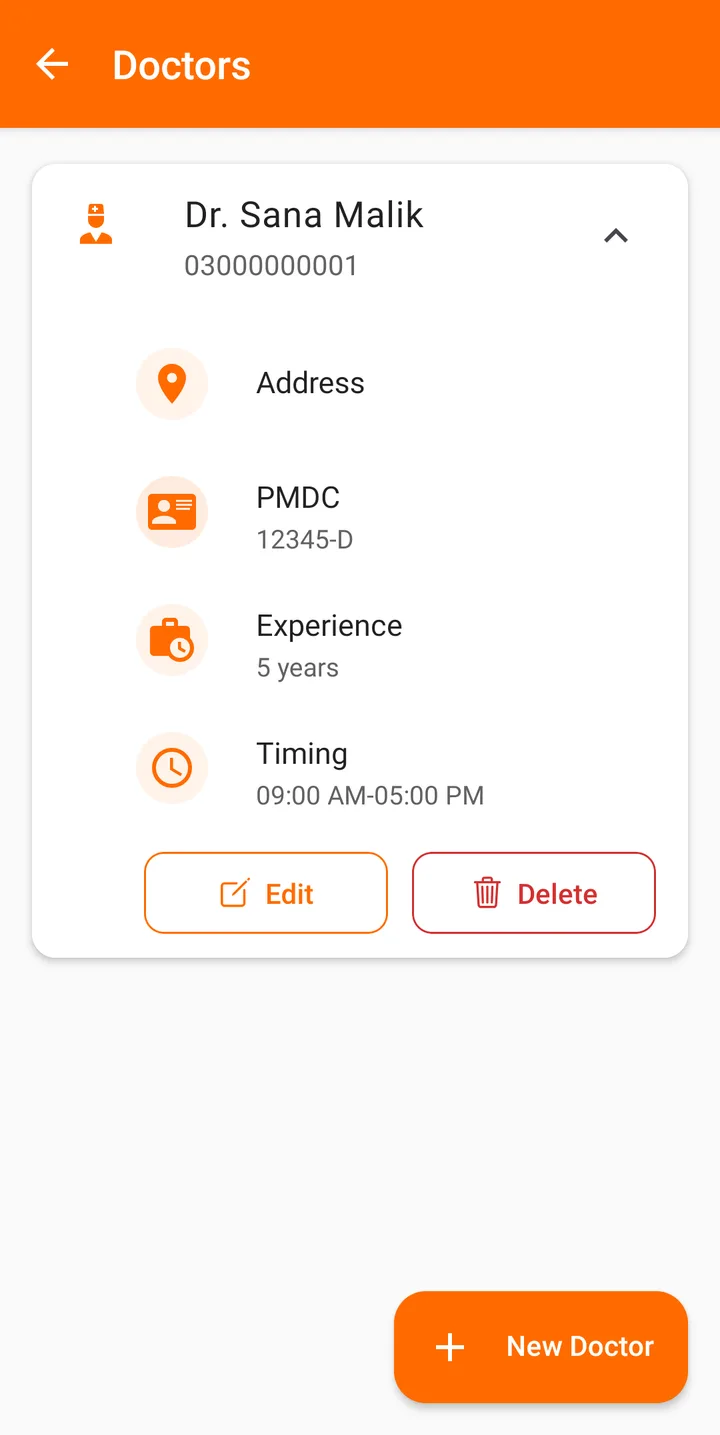
Each doctor set up once
Add each doctor with their title, name, address, phone, PMDC or licence number, previous experience and timings. When you write a visit, take a payment, book an appointment or start a perio chart, you pick the doctor, and the first doctor is filled in by default so a solo day costs no extra clicks.
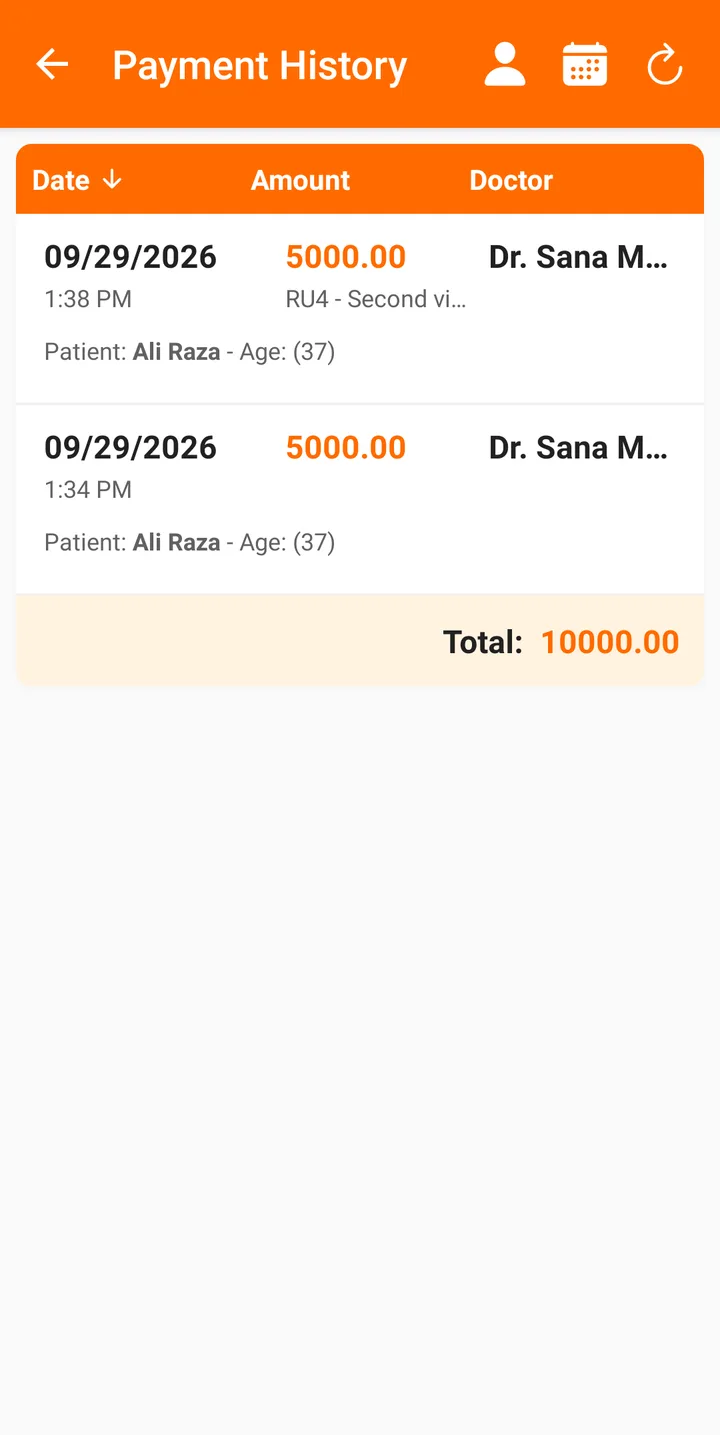
Appointments and money, by doctor
The appointment calendar shows all doctors together or one at a time, so the receptionist can see Dr. Ayesha's free slots without wading through everyone else's. Patients get SMS confirmations for whichever doctor they're booked with.
On the owner's phone, Statistics shows revenue for the whole clinic or for one doctor, and the payment history can be filtered by doctor and date range, with a total at the bottom. That makes the monthly split a two-minute job instead of an evening with the register.
One thing to know: the visit list on a patient's file isn't filtered by doctor. Each card shows who saw the patient, but every doctor in the clinic sees the whole history, which is usually what you want for continuity of care.
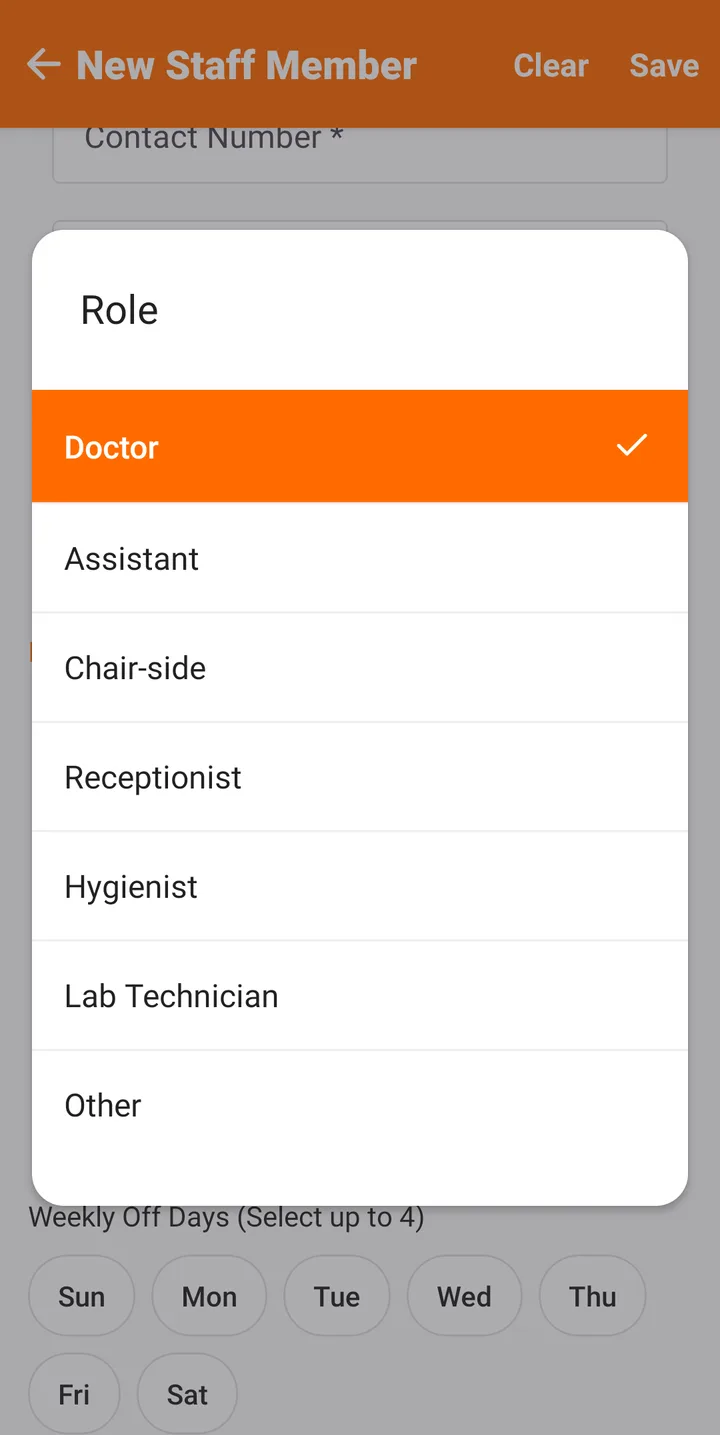
Staff roles, pay and attendance
Staff are added with a role (doctor, assistant, chair-side, receptionist, hygienist, lab technician or other), how they are paid (monthly, per day or per procedure), their working hours and up to four weekly off days. Each day they check in and out, and the attendance screen shows who is present, still working, off or absent. Paid plans can add a face photo at check-in.
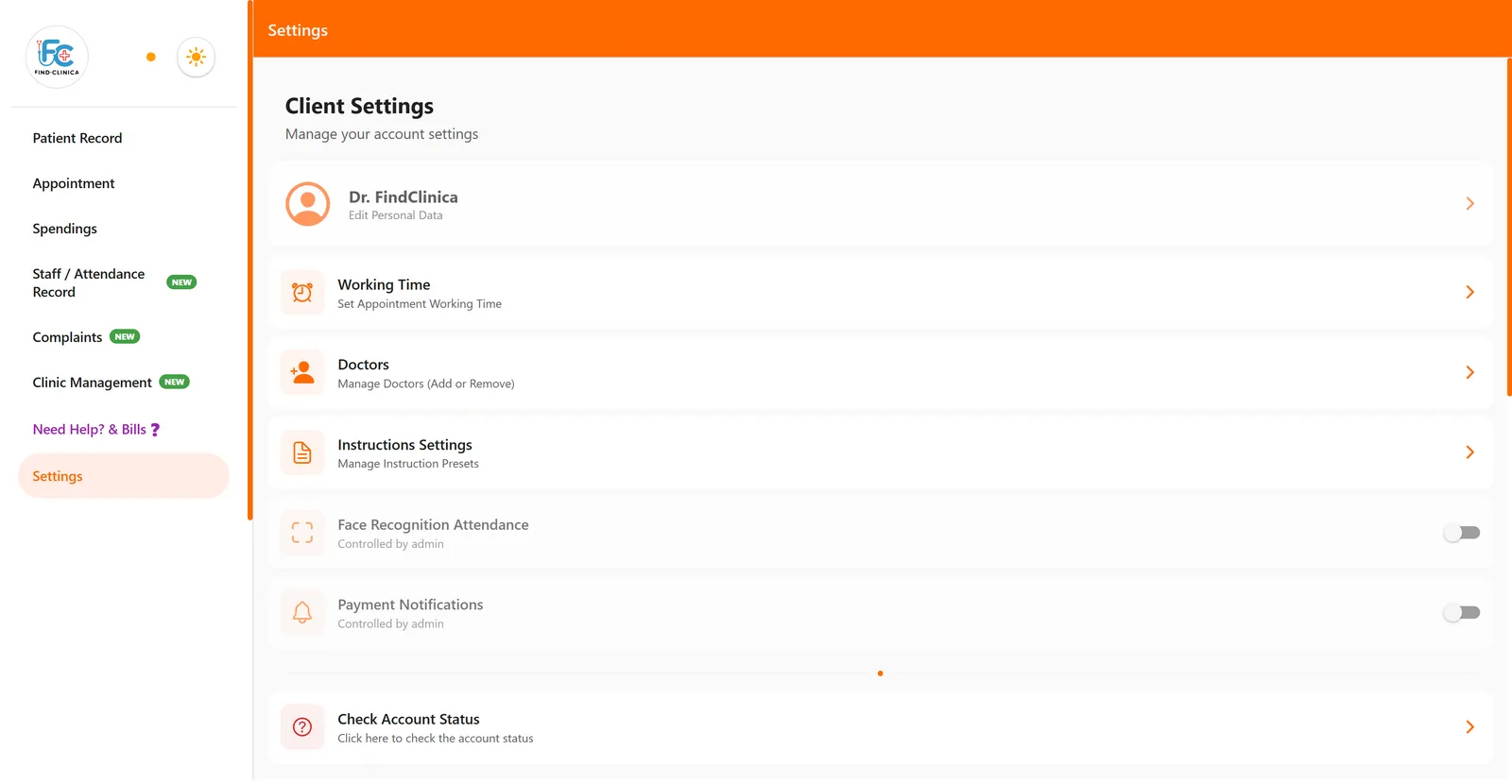
Connected devices for reception and the second doctor
The account belongs to one phone, usually the clinic owner's. Other devices connect to it: the Windows computer at reception, or the second doctor's phone. On the owner's phone you open Connect Client, give the device a name, and it shows a QR code that expires in two minutes; scan it or type the code on the other device. One connected device is included on the free plan and Pro, Premium allows three, and you can remove a device from the list whenever you like.
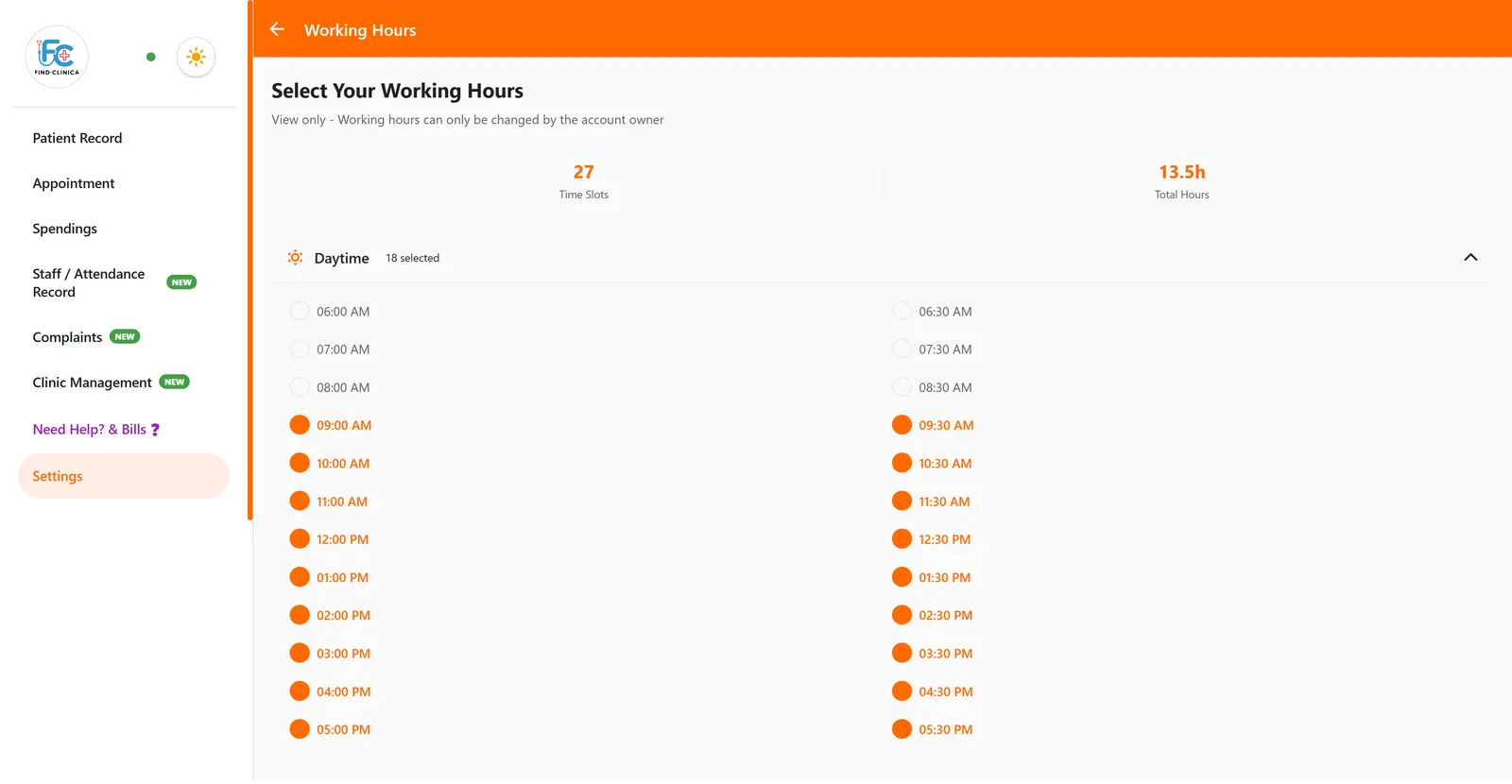
Connected devices do the daily work: patients, visits, appointments and payments. They can't see Statistics or the Tools section, connect more devices, change working hours or face attendance, or edit and delete payments, expenses, staff and doctors. Settings they can't touch simply show "Controlled by admin".
One clinic, one set of books
Expenses go into Spendings for the whole clinic, and the registers under Clinic Management (drug inventory, sterilization log, sentinel events and waste disposal) are shared by everyone. The staff member who authorised a disposal or reported a breakdown is picked from your staff list, so the register shows who did what.
What to know before you set it up
There are no per-doctor permissions: anyone working in the account sees all of the clinic's patients. Doctors don't get separate logins of their own; a doctor who wants the app on their own phone uses one of your connected devices. And if you run several branches as separate businesses, each branch is simplest as its own account.
Common questions
How many doctors can I add?
There is no fixed limit on doctors. The limit is on connected devices: one on the free plan and Pro, three on Premium.
Can the second doctor use their own phone?
Yes, as a connected device. It counts towards your plan's device limit.
Can I see how much each doctor brought in?
Yes, on the owner's phone: Statistics shows revenue for a chosen doctor, and the payment history can be filtered by doctor with a total.
Can the receptionist delete or change a payment?
No. A connected device can take payments but can't edit or delete them.
Do patients get SMS reminders for every doctor?
Yes. Confirmations go out for every appointment, and paid plans send a reminder shortly before the visit whichever doctor it is with.
Read next
- How to add a doctor
- How to add a staff member
- How to connect the desktop app
- Clinic management software in Pakistan
- Clinic management app for Android
- Plans and prices
More for clinics in Pakistan
- Dental Clinic Software in Pakistan
- Clinic Management Software in Pakistan
- EMR Software in Pakistan for Small Clinics
- Prescription Software for Doctors in Pakistan
- Patient Record App for Doctors
- Paper Register vs Excel vs Clinic Software
- Best Clinic Software in Pakistan, Compared
- Clinic Management App for Android
- Clinic Software in Lahore
- Clinic Software in Karachi
- Clinic Software in Islamabad
- Online Prescription Maker for Doctors
Free tools and templates
Try it with your next patient
The free plan costs nothing and has no time limit. Install it and add one patient, or ask us anything on WhatsApp first.