How do I see a patient's past prescriptions?
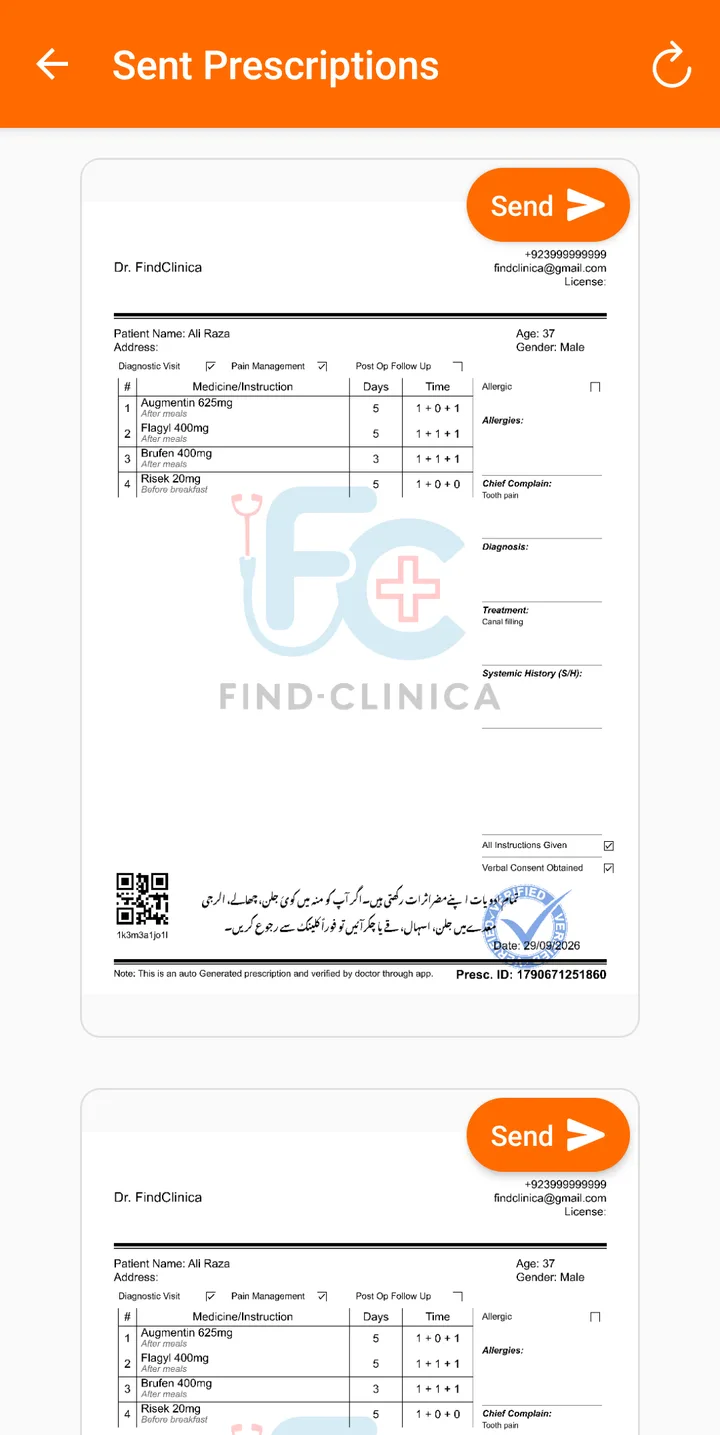
Open the patient and click Prescriptions History. Every prescription you've sent is listed, and Send shares any of them again.
2 steps · Desktop and mobile · Updated
Step 1: Open the patient and click Prescriptions History on the right.
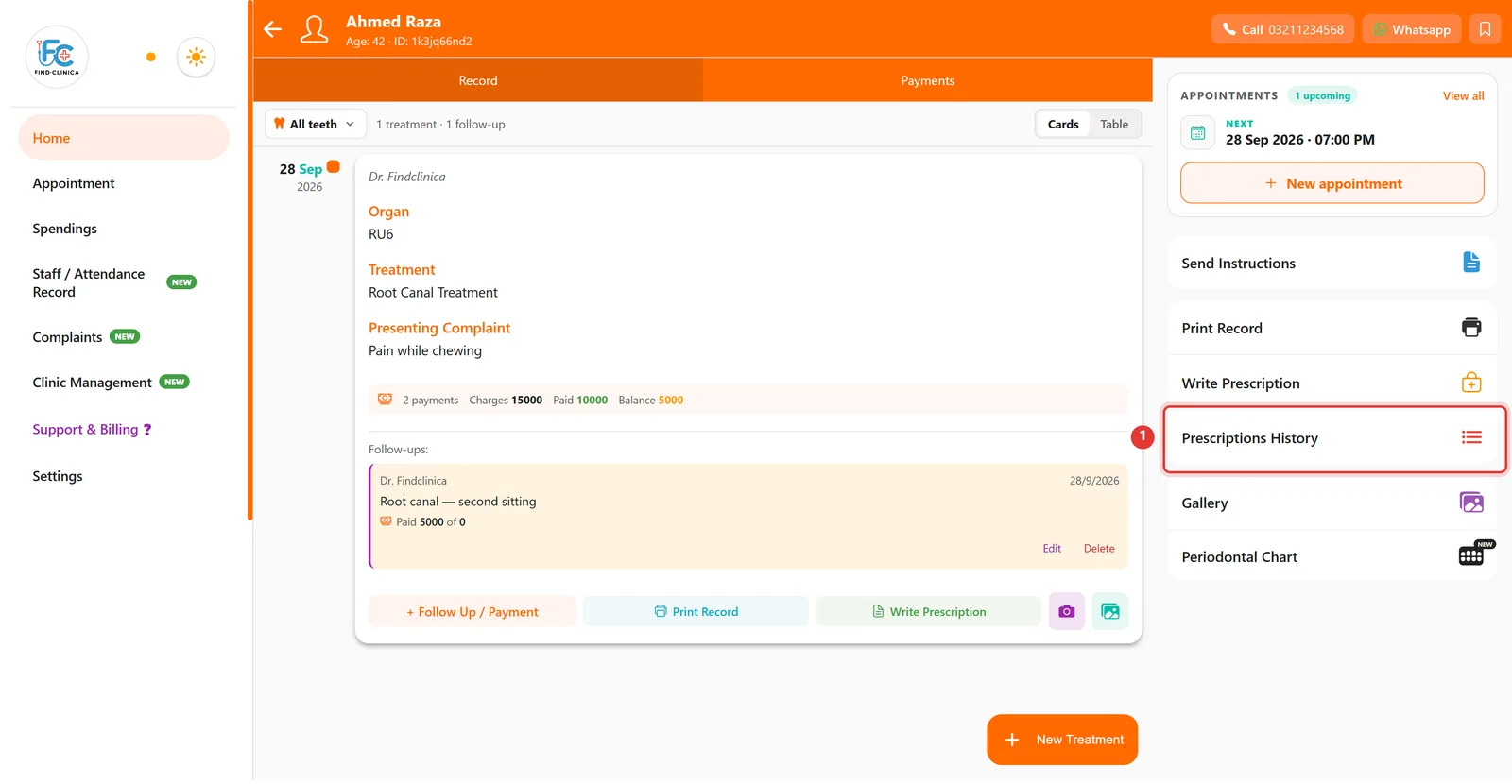
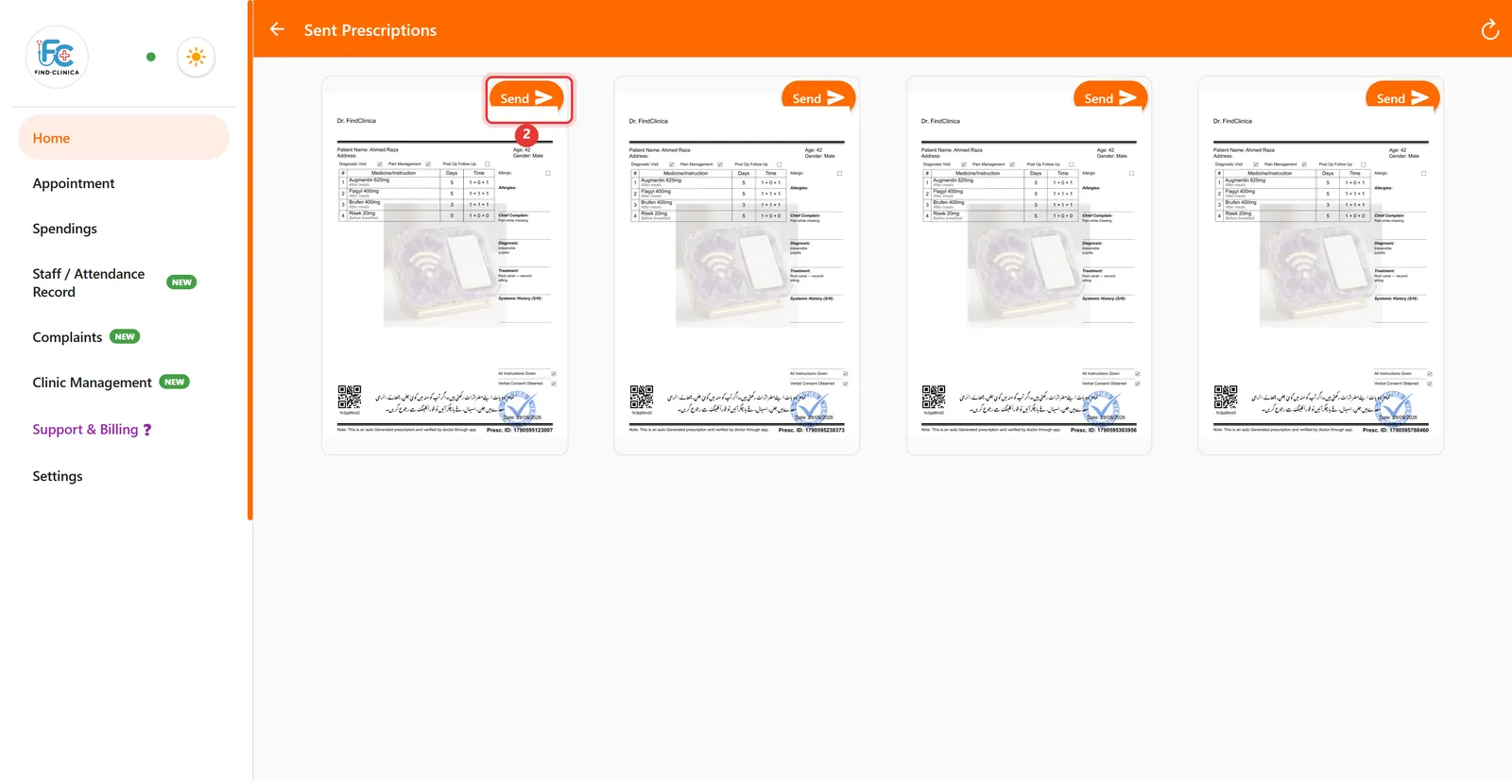
Step 2: All prescriptions sent to this patient are shown. Click Send on any of them to share it again.
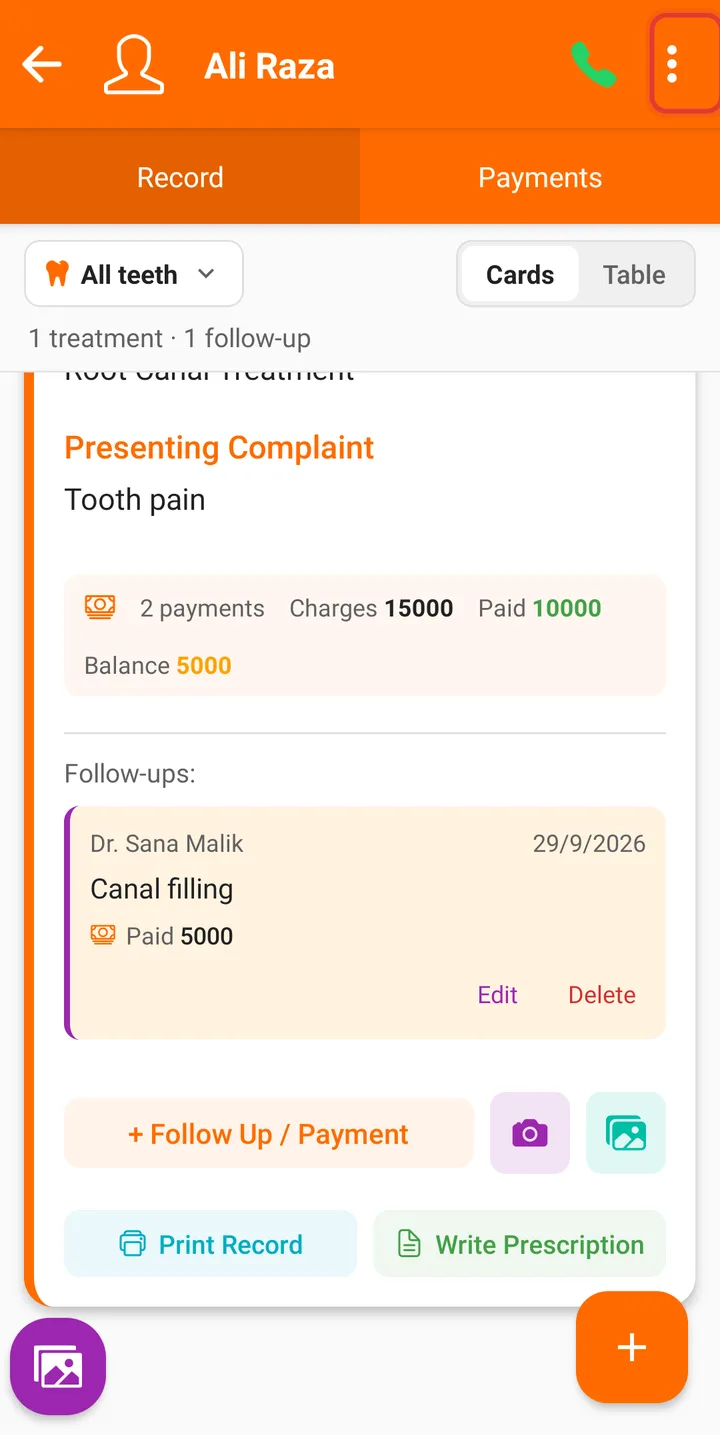
Step 1: Open the patient and tap ⋮ at the top right.
Step 2: Tap Prescriptions History.
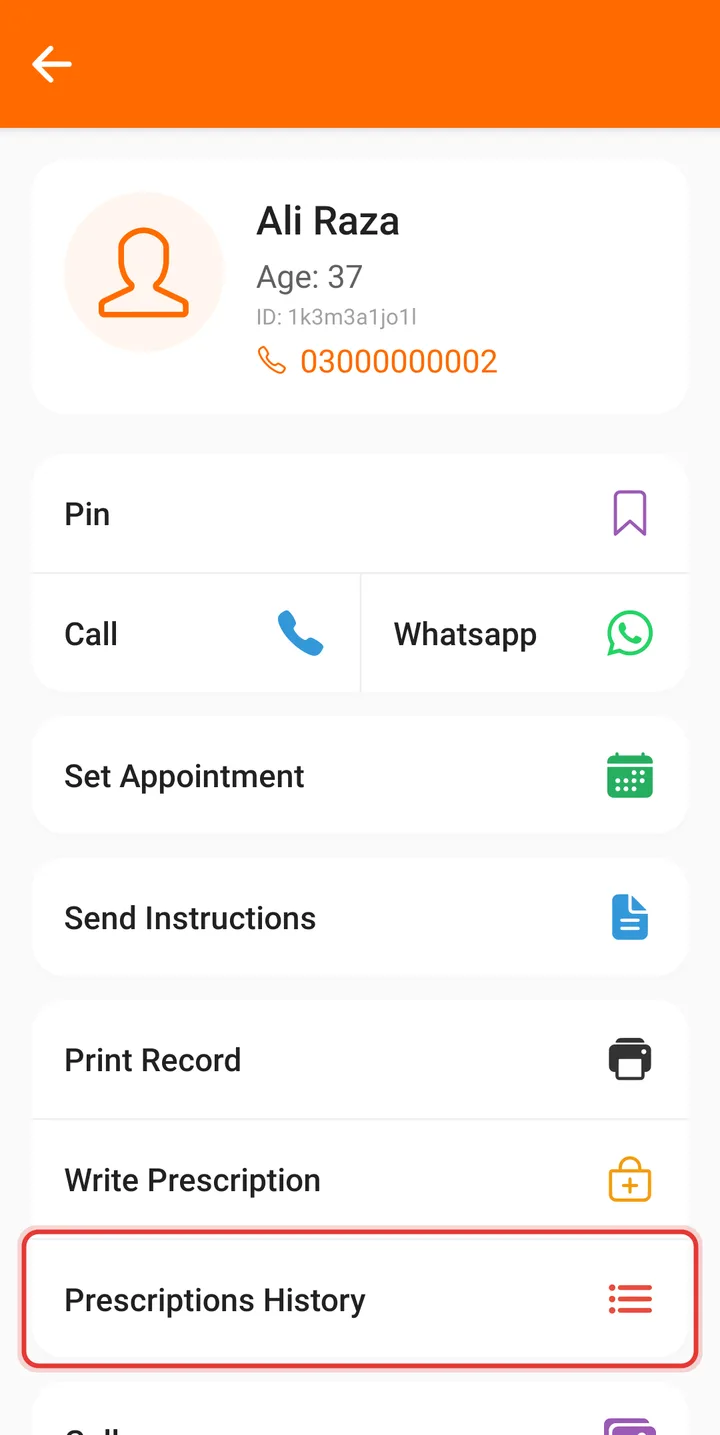
Step 3: Sent Prescriptions lists every prescription for this patient. Tap Send on one to share it again.
Related guides
Still stuck? Contact us or browse all guides.