How do I find a patient?
Type part of the patient's name or phone number in the Search patients box on the home screen, then click the patient in the results.
3 steps · Desktop and mobile · Updated
Step 1: On the Home screen, click the Search patients box at the top.
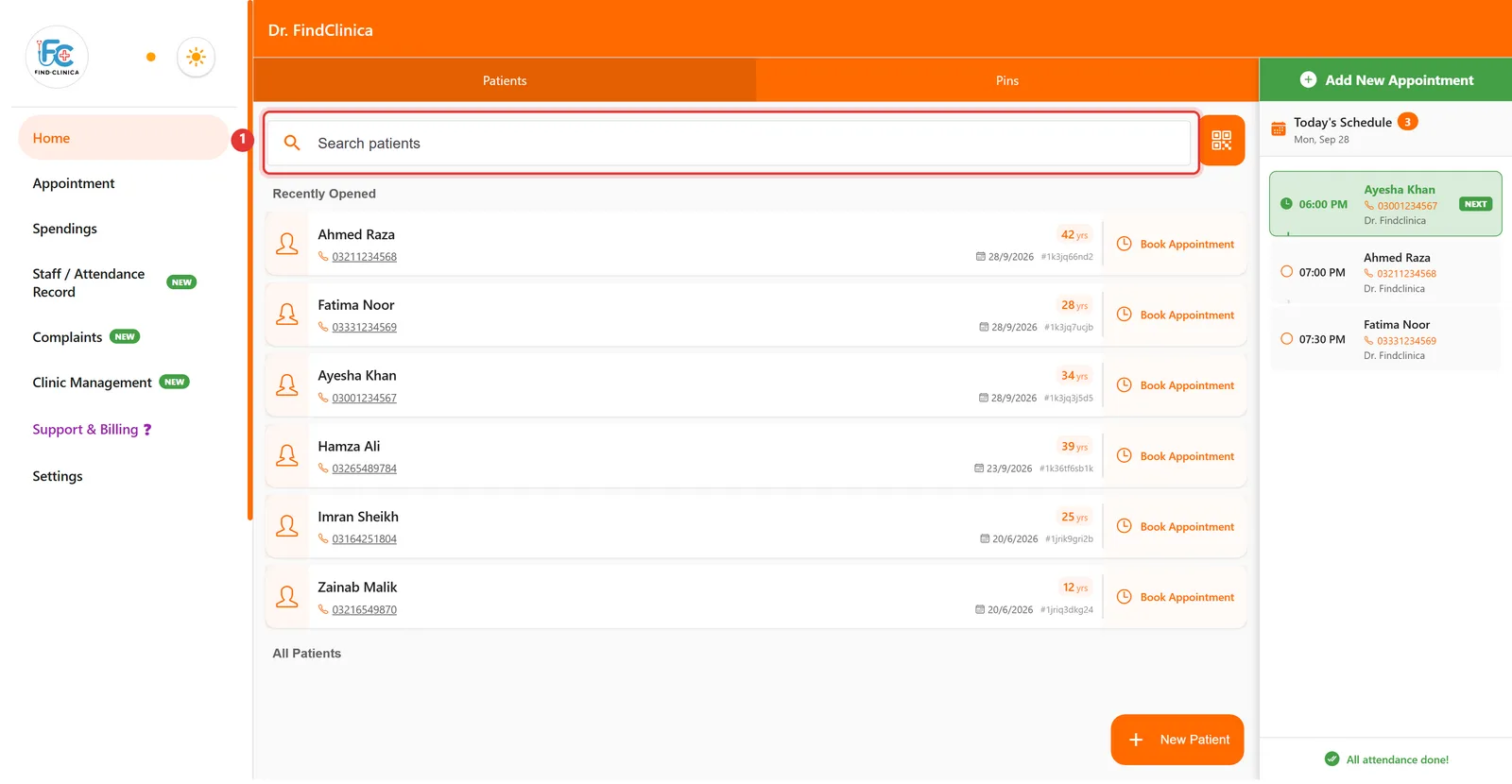
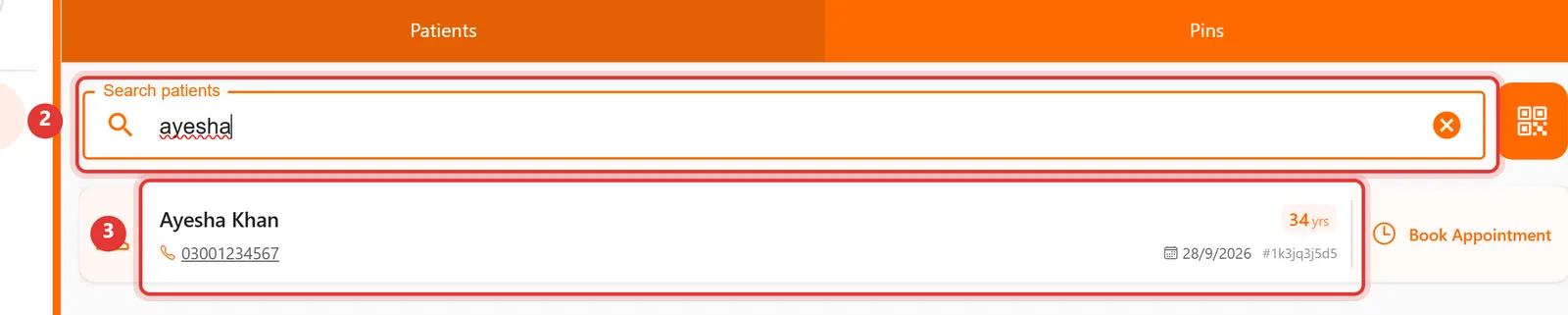
Step 2: Type part of the patient's name. Matching patients appear below — click one to open their file.
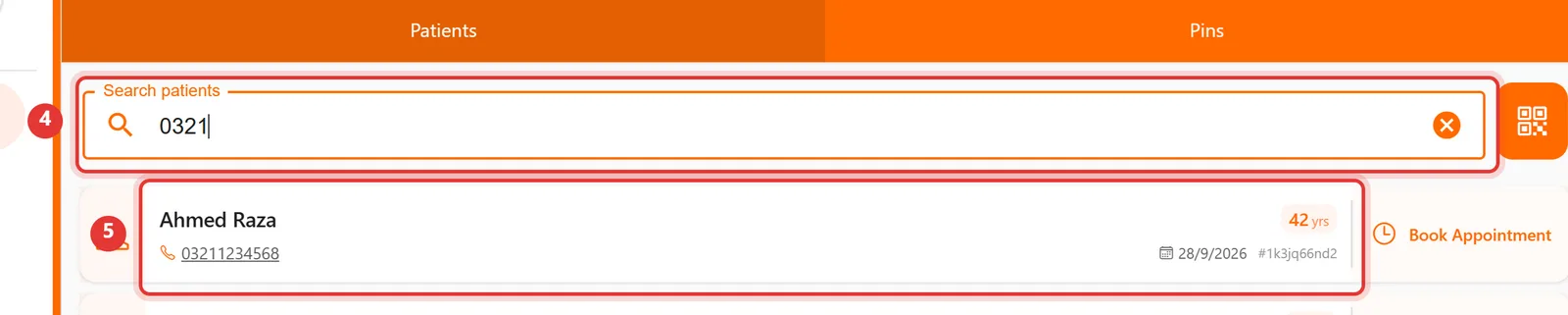
Step 3: You can also search by phone number — even the first few digits work.
Good to know
- Click the × in the search box to clear it and see all patients again.
Step 1: Tap the Search patients box at the top of the patient list.
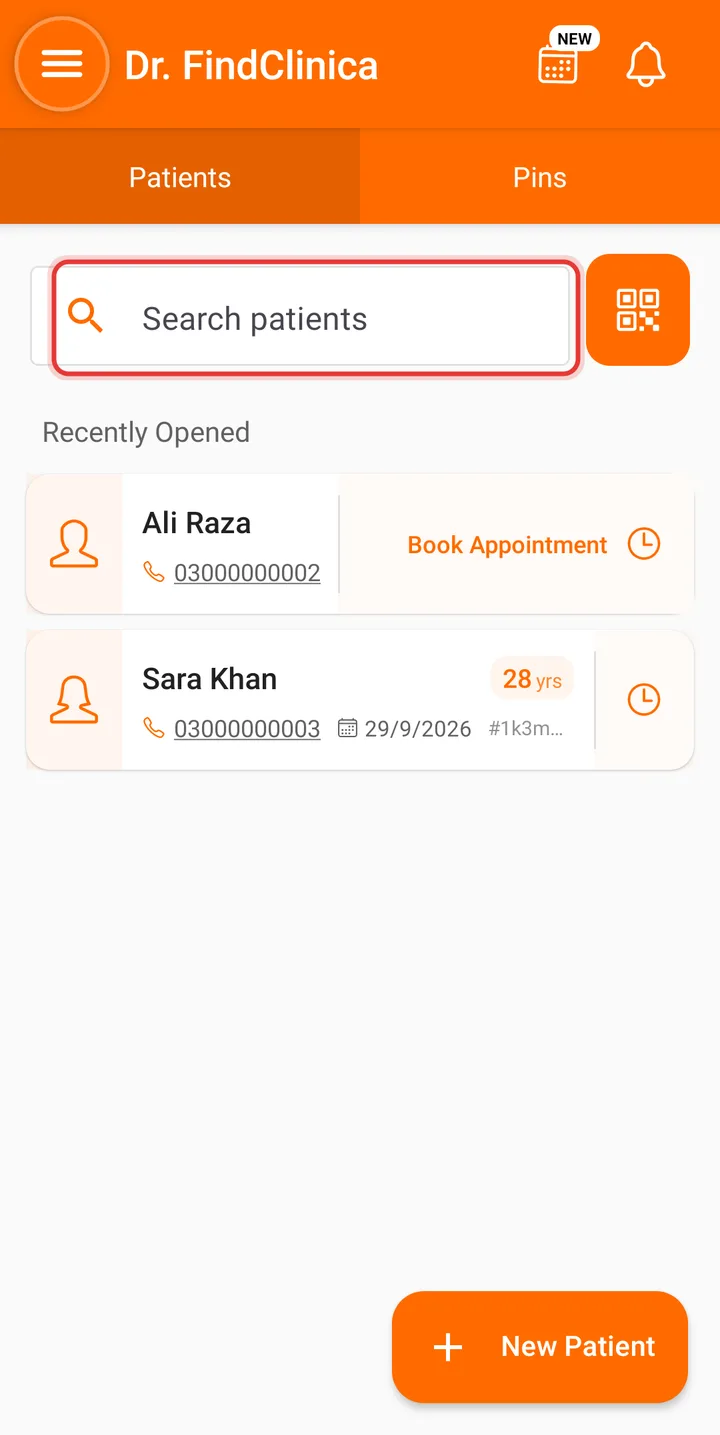
Step 2: Type part of the name or phone number — the list narrows as you type.
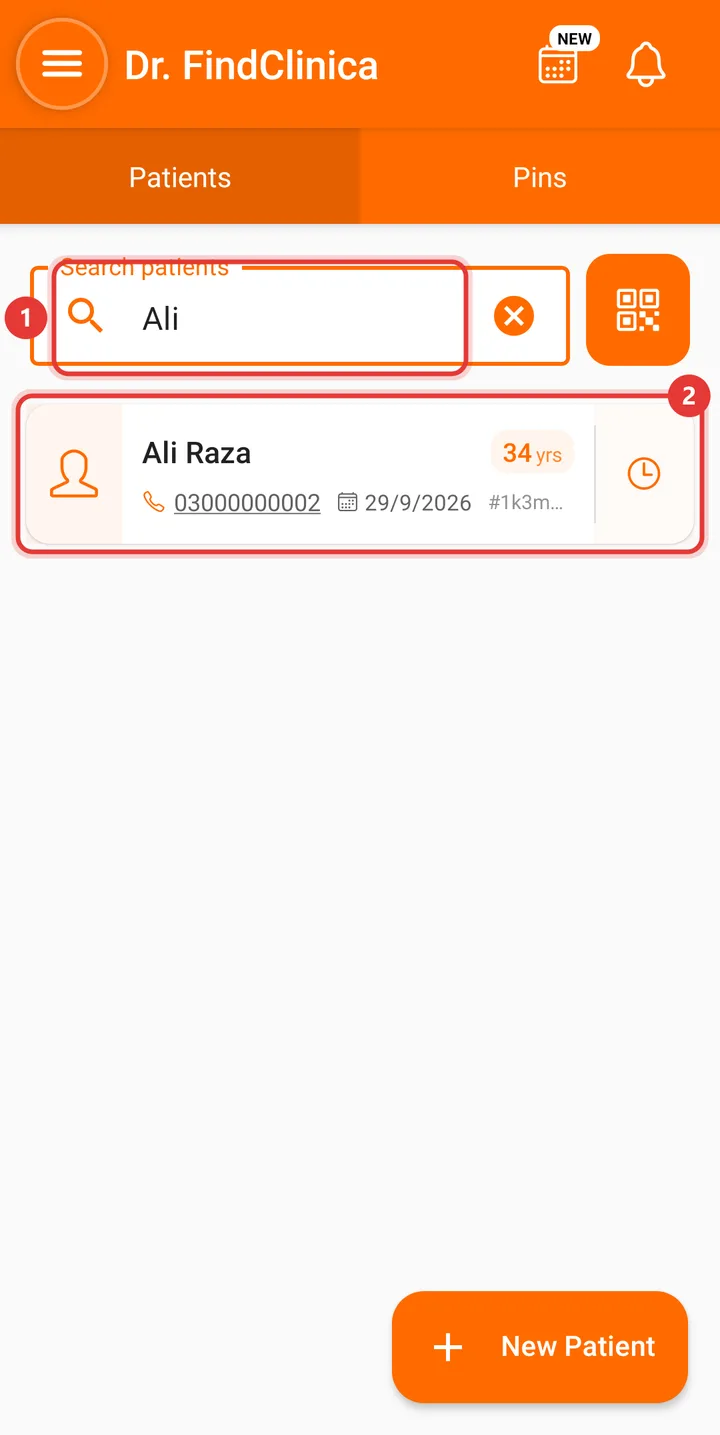
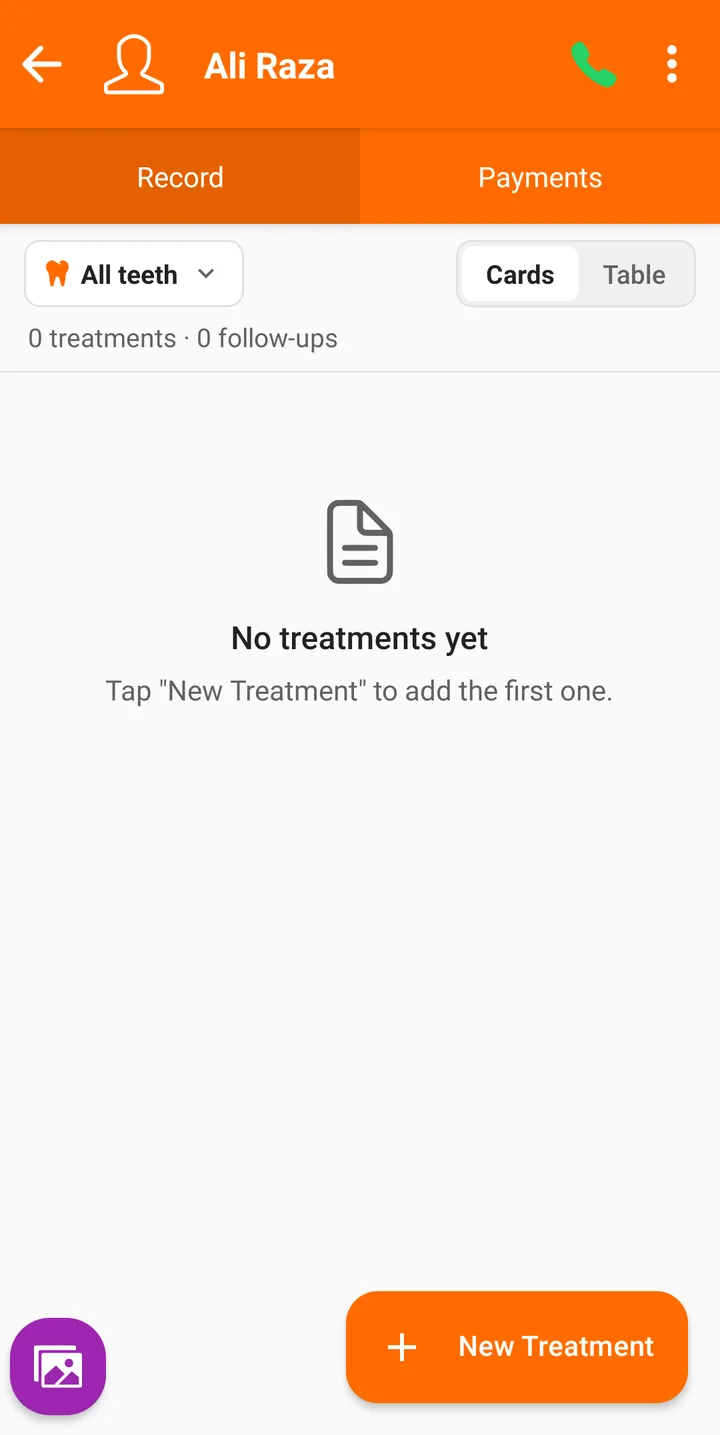
Step 3: Tap the patient to open their file.
Related guides
Still stuck? Contact us or browse all guides.