How do I add a doctor?
Open the menu, go to Settings → Doctors, tap New Doctor, enter the name, phone, license number and timing, then tap Save. Add a doctor first — treatments, prescriptions and appointments are recorded under one.
7 steps · Mobile app · Updated
Step 1: On the home screen, tap the menu button at the top left.
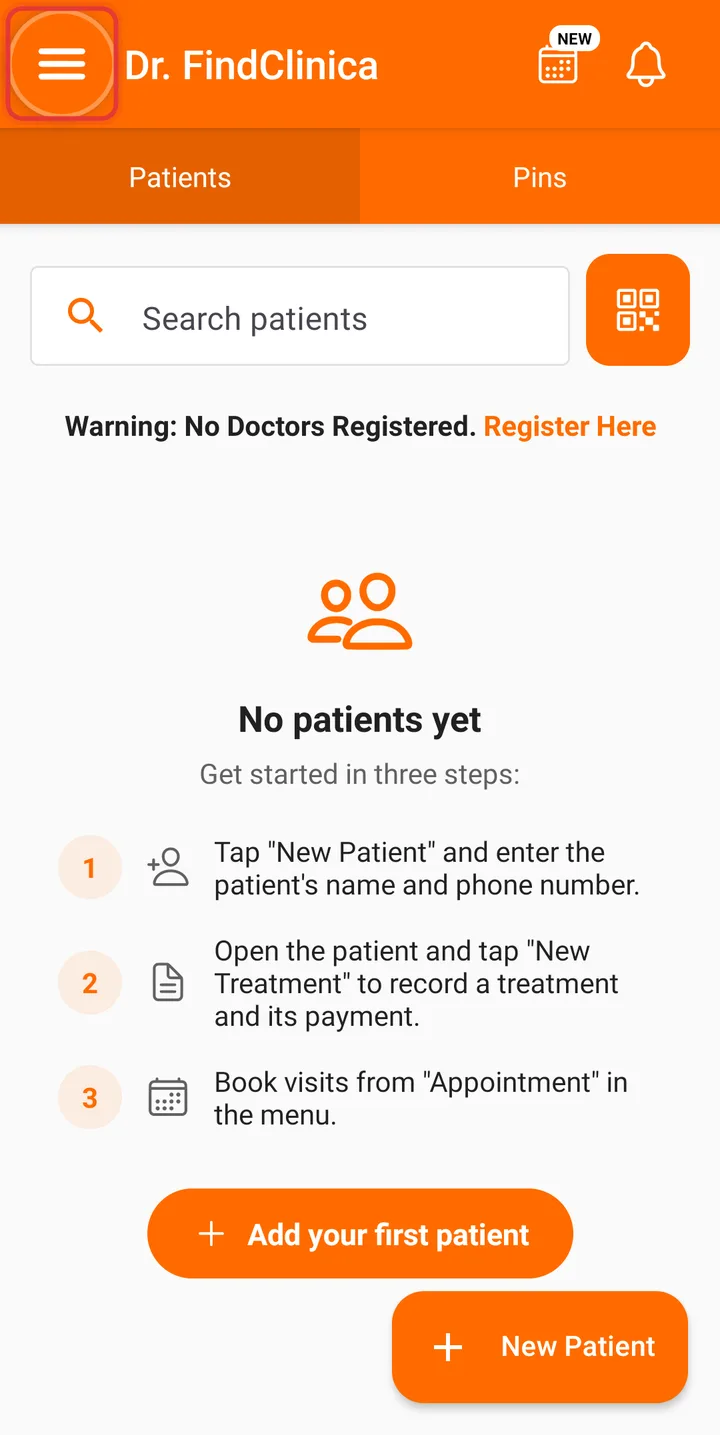
Step 2: Tap Settings.
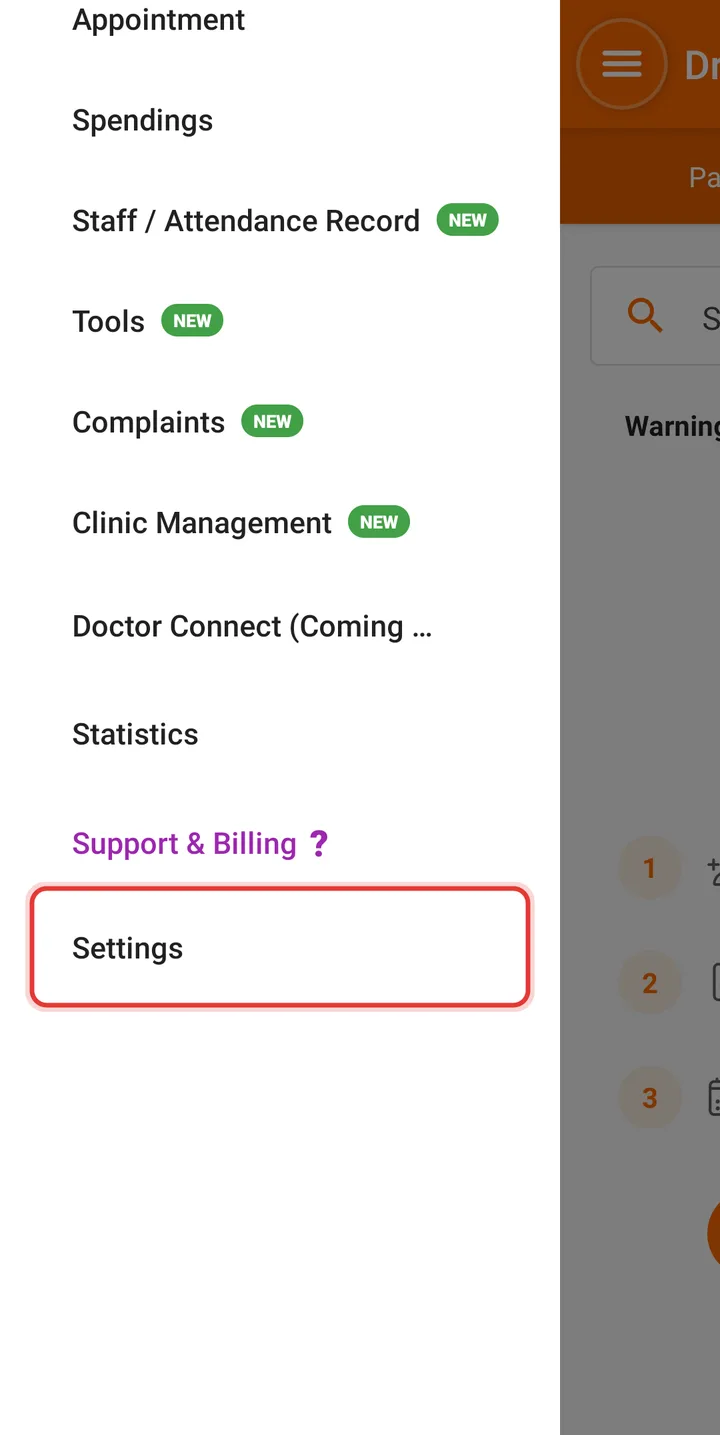
Step 3: Tap Doctors.
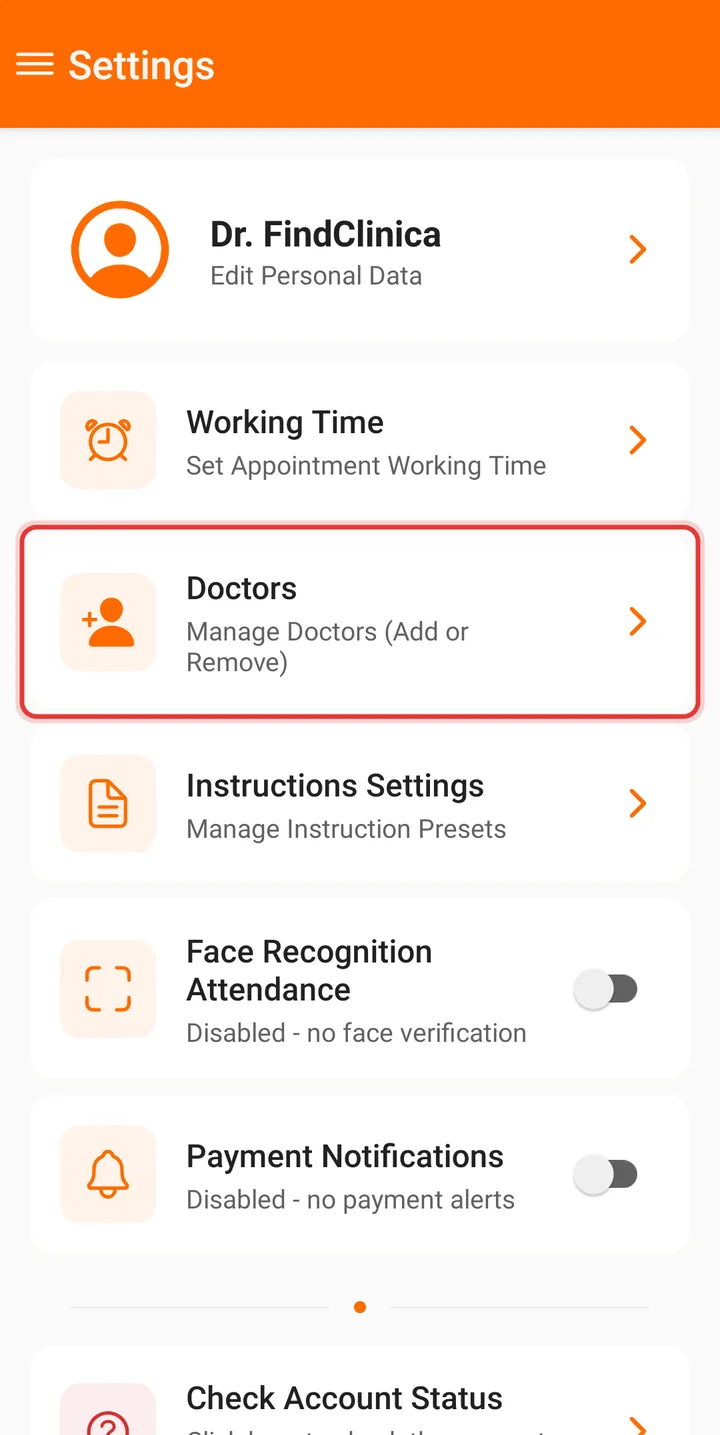
Step 4: Tap New Doctor at the bottom right.
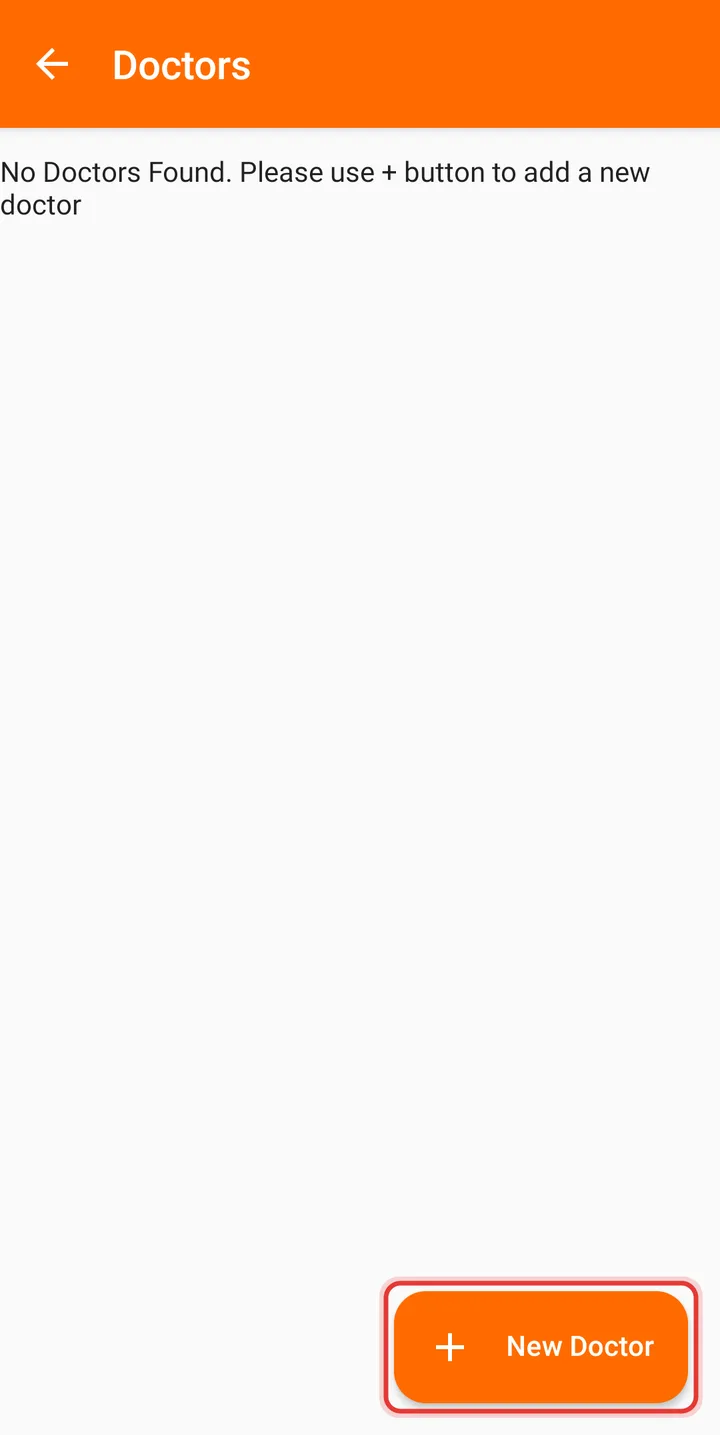
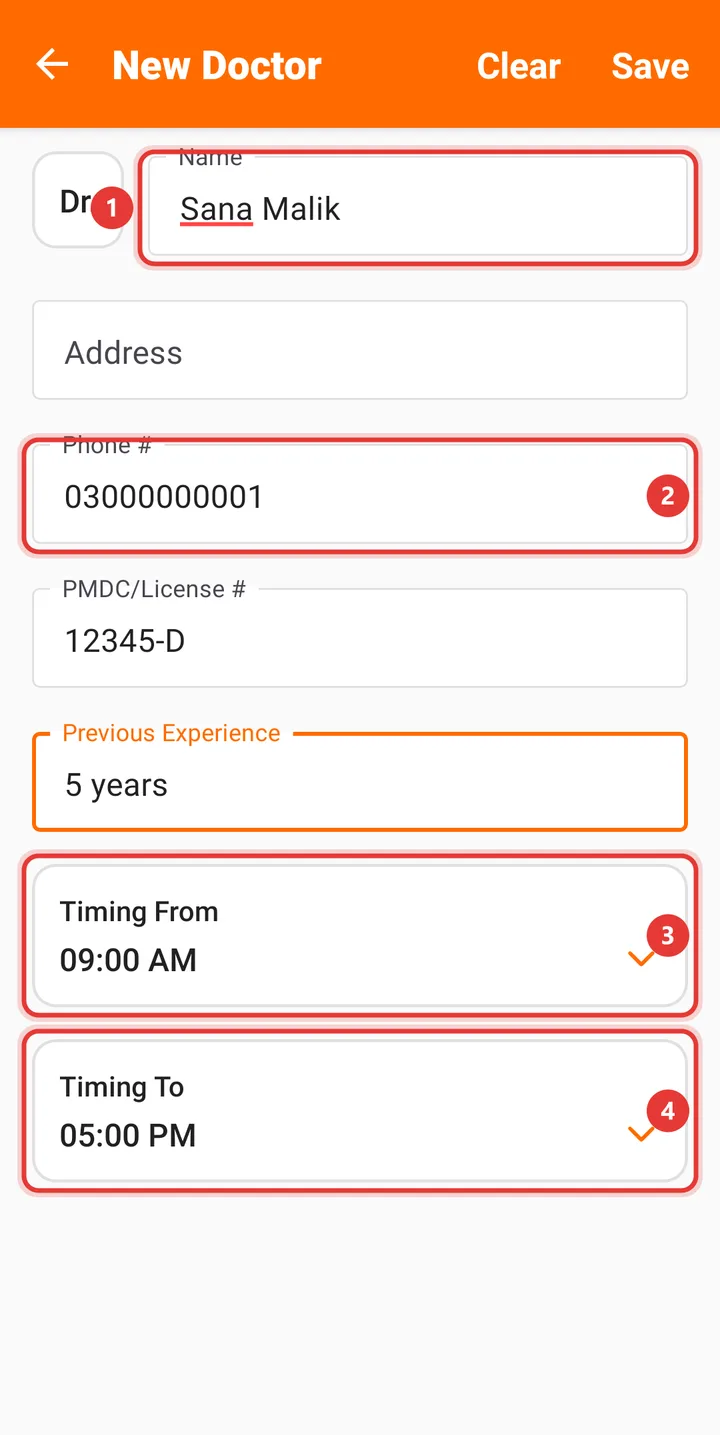
Step 5: Enter the doctor's Name and Phone #, the PMDC/License # and Previous Experience, and choose Timing From and Timing To.
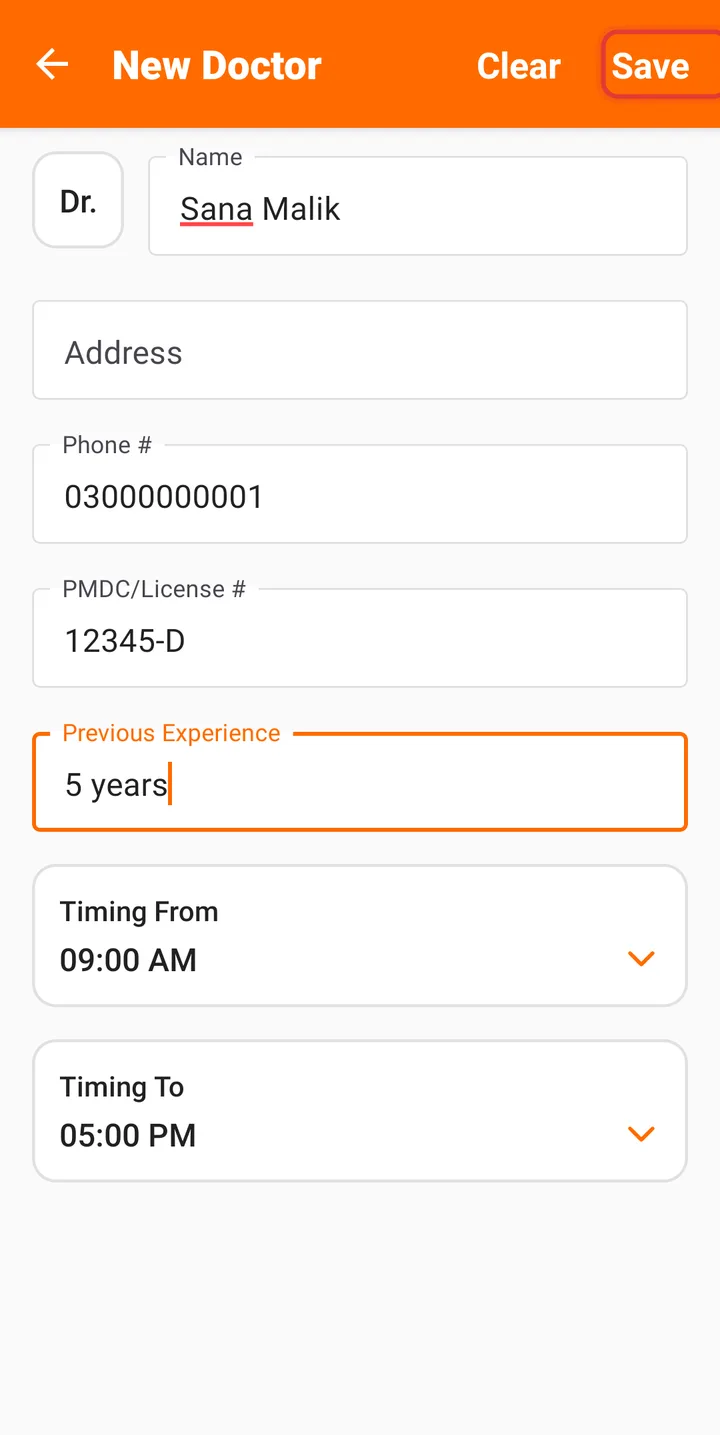
Step 6: Tap Save at the top right.
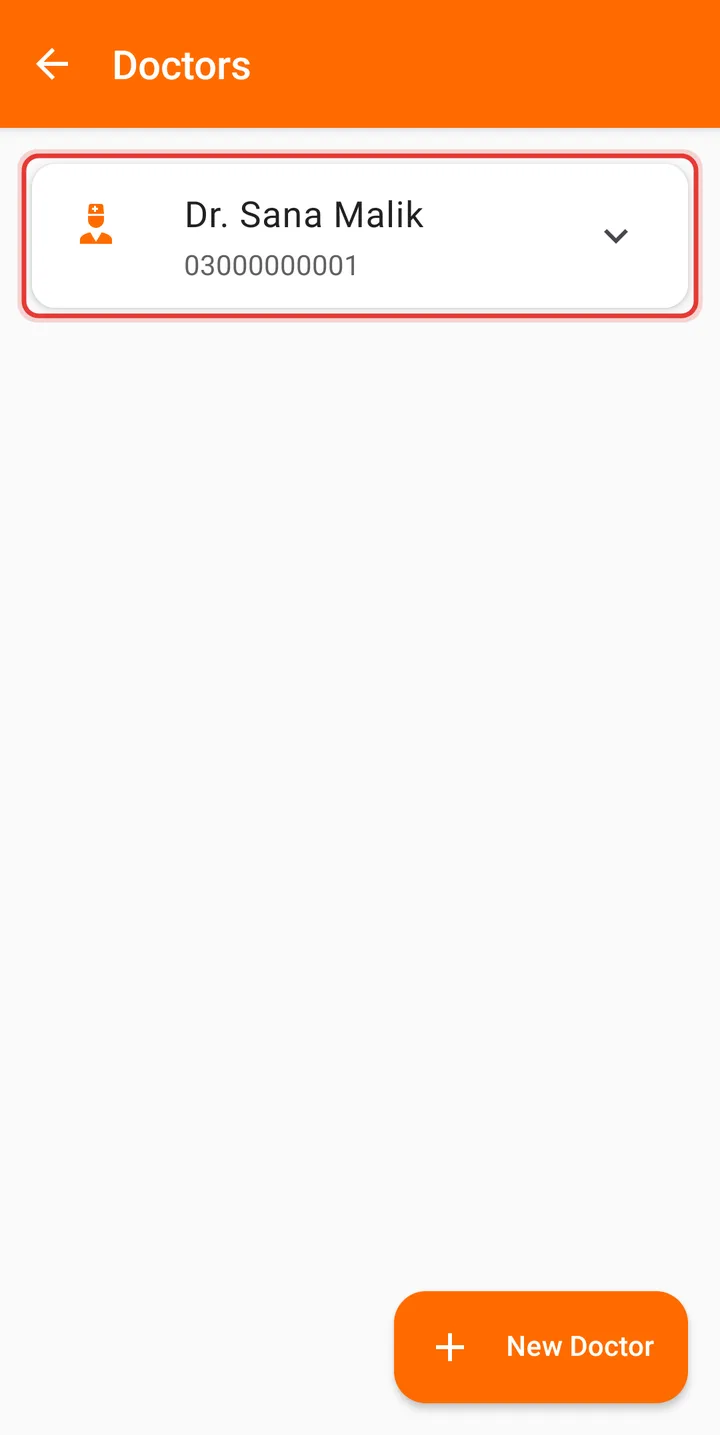
Step 7: The doctor appears in the list. Tap them to see the details.
Good to know
- Only the name is required.
- To change or remove a doctor, tap them in the list, then tap Edit or Delete.
Related guides
Still stuck? Contact us or browse all guides.