How do I record a clinic expense?
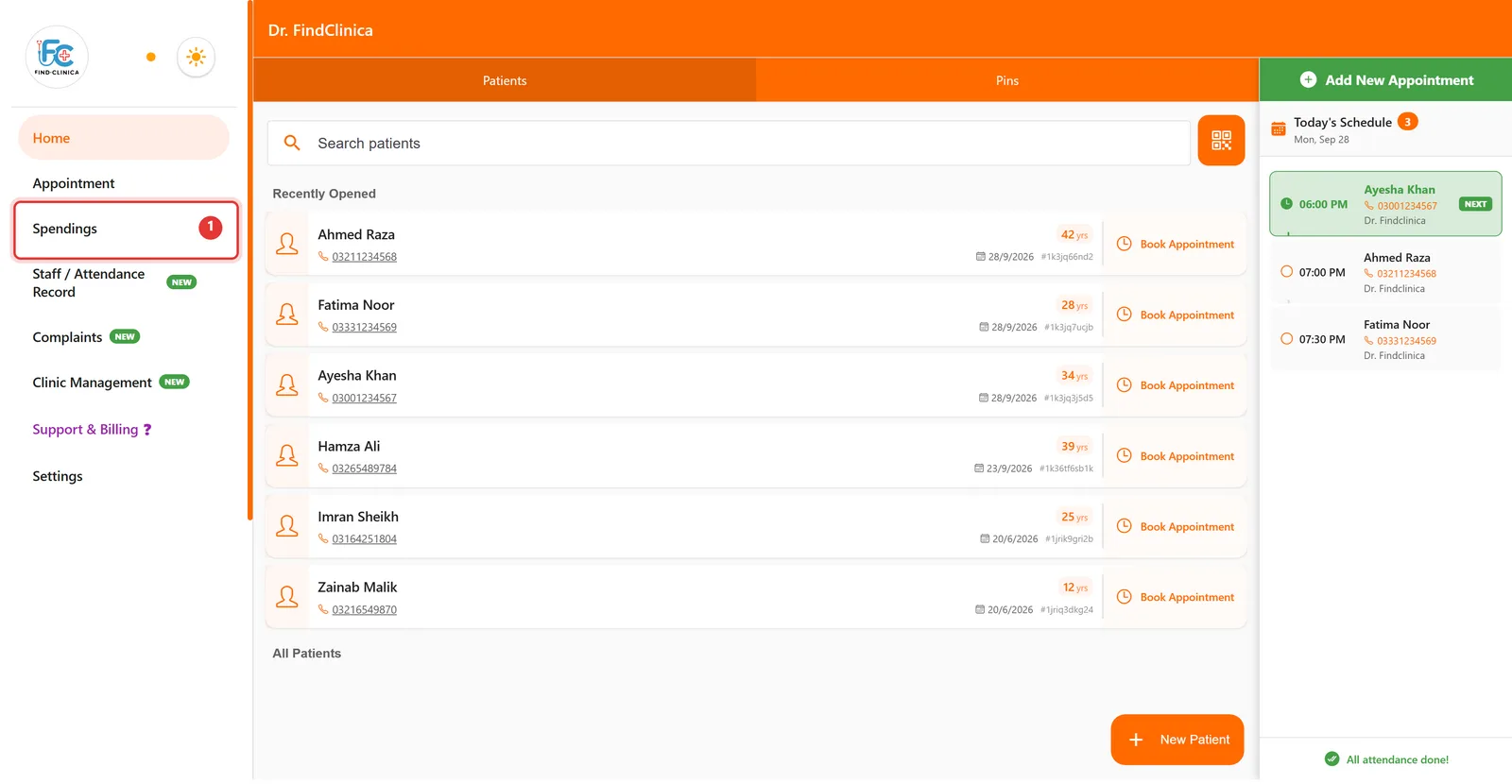
Open Spendings from the left menu, click New Spending, enter the item, amount and an optional comment, then click Save. Today's, monthly and yearly totals update straight away.
4 steps · Desktop and mobile · Updated
Step 1: Click Spendings in the left menu.
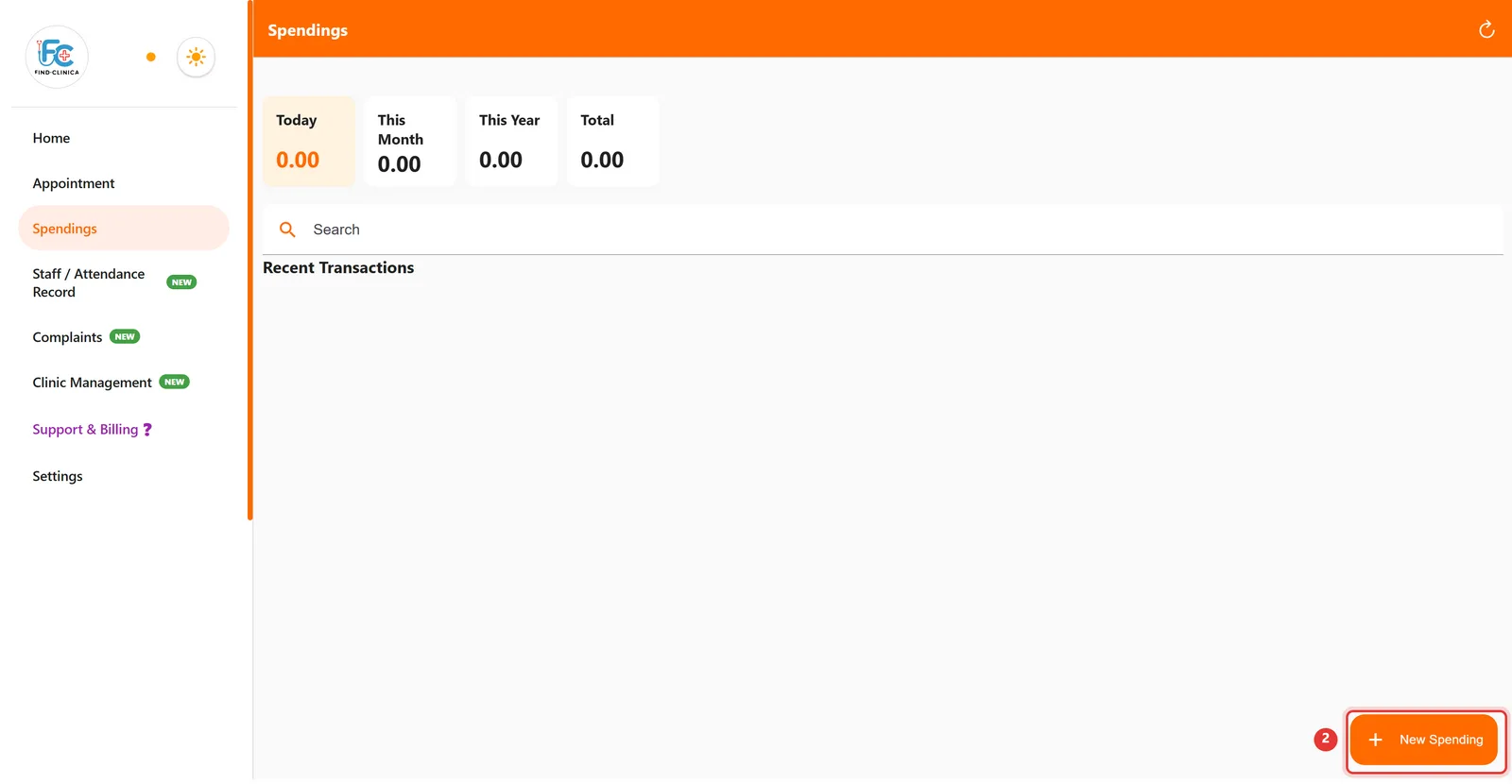
Step 2: Click New Spending at the bottom right.
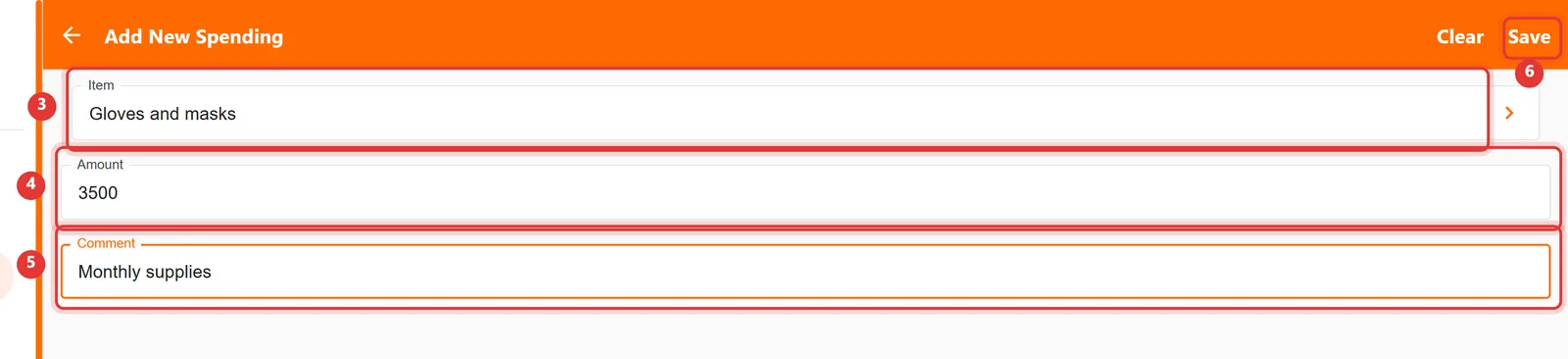
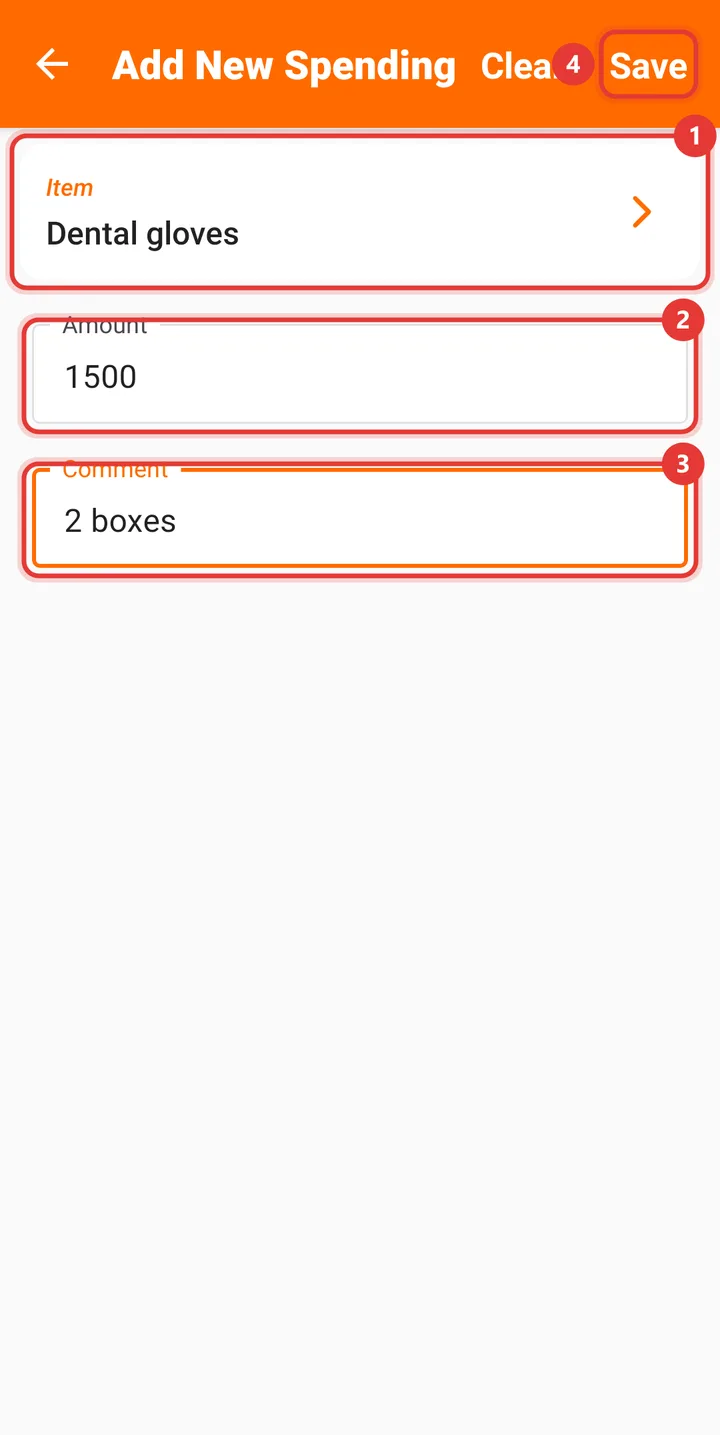
Step 3: Enter the Item, the Amount and, if you like, a Comment. Then click Save.
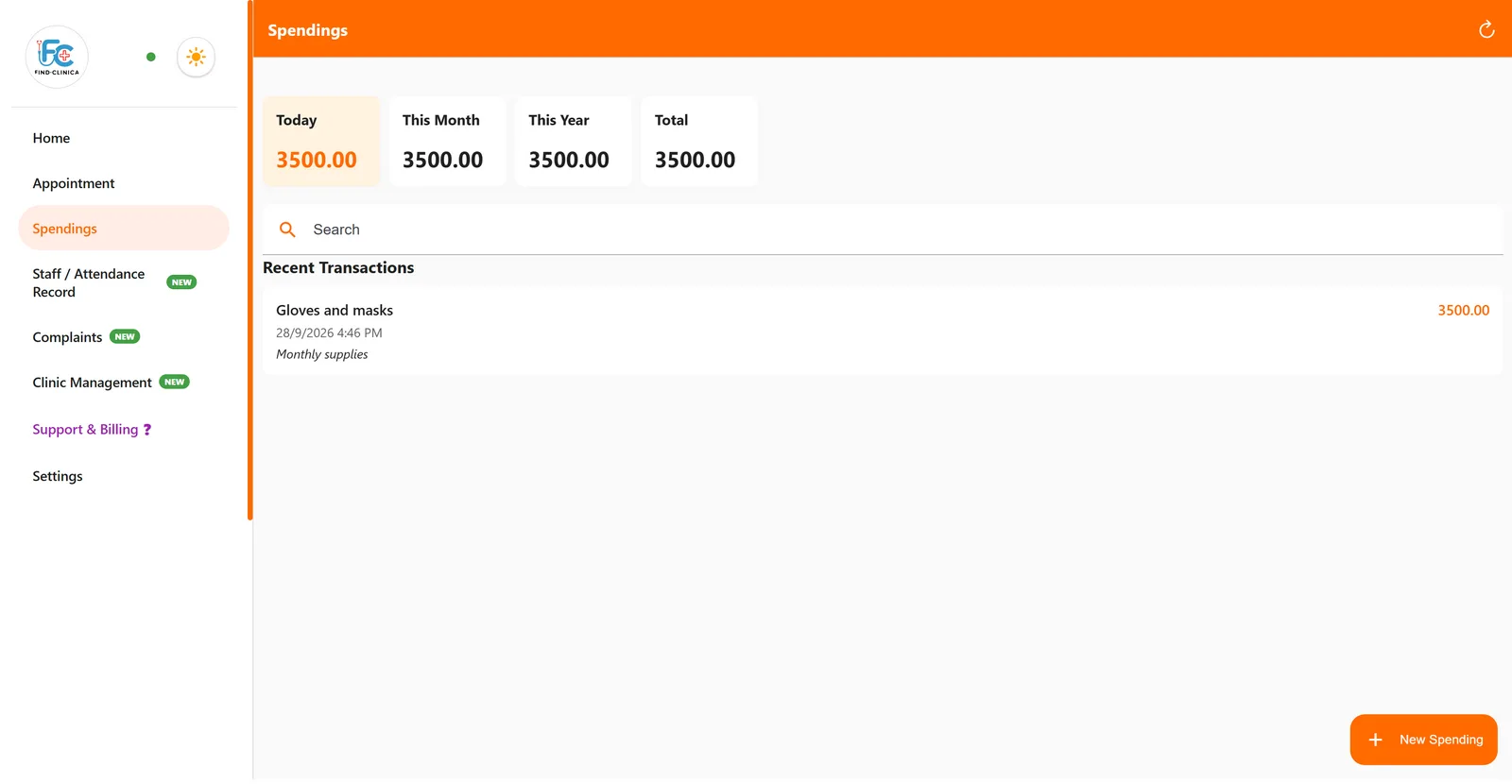
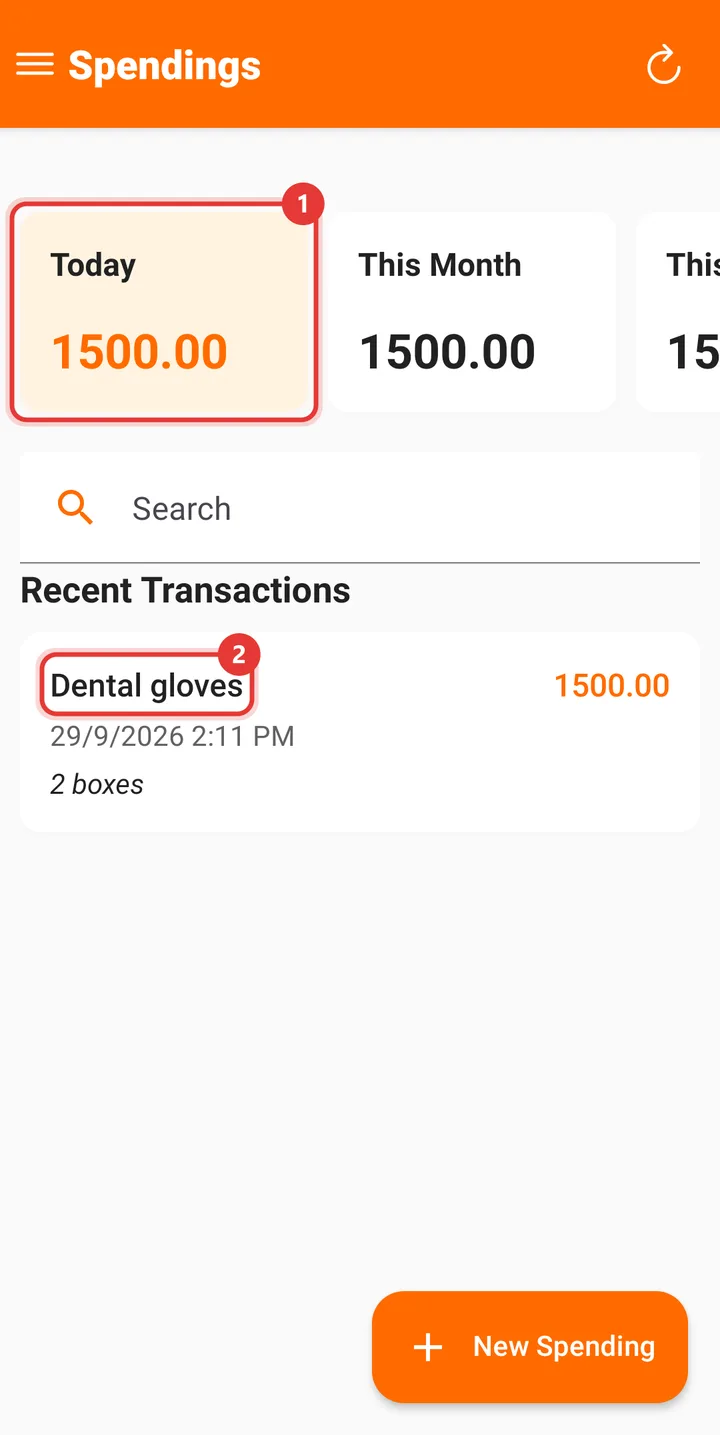
Step 4: The expense appears under Recent Transactions, and the Today, This Month, This Year and Total figures update.
Good to know
- The Item field suggests common clinic equipment — click the arrow to pick from the list.
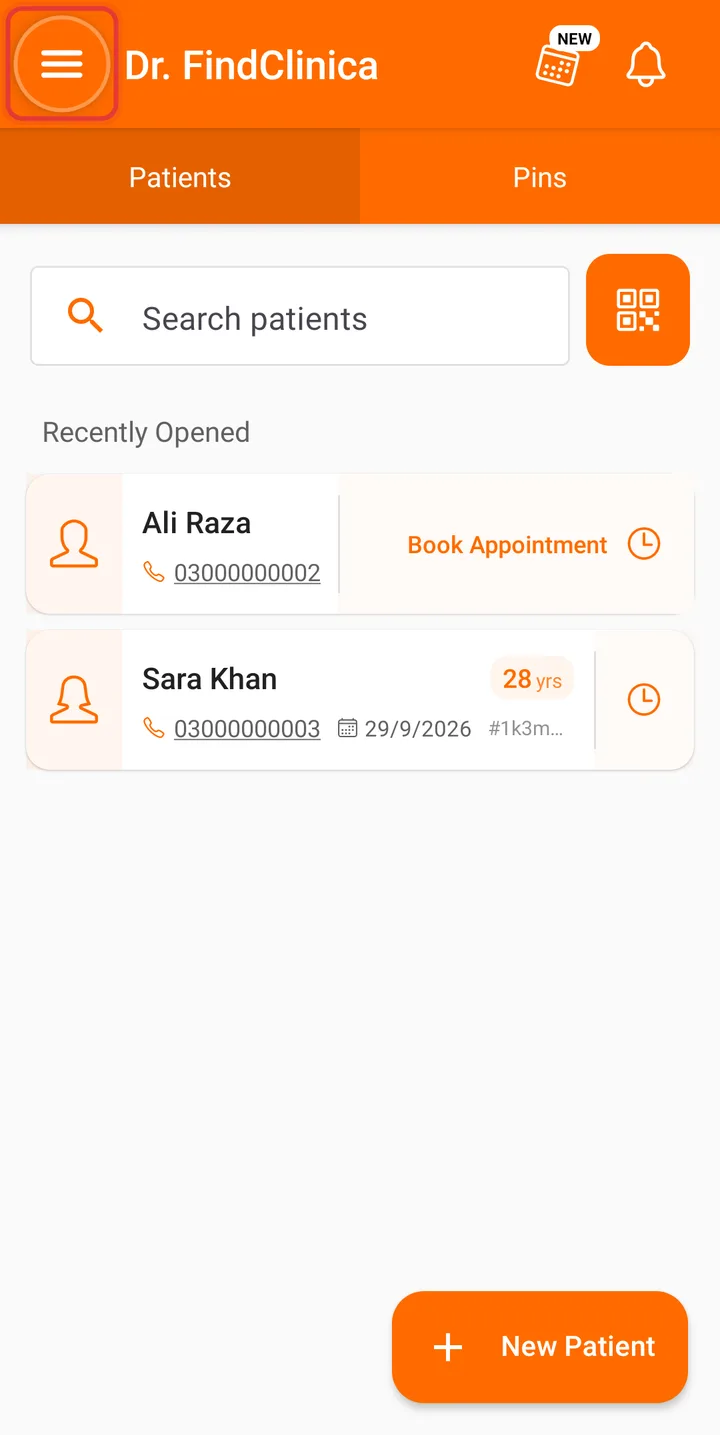
Step 1: On the home screen, tap the menu button at the top left.
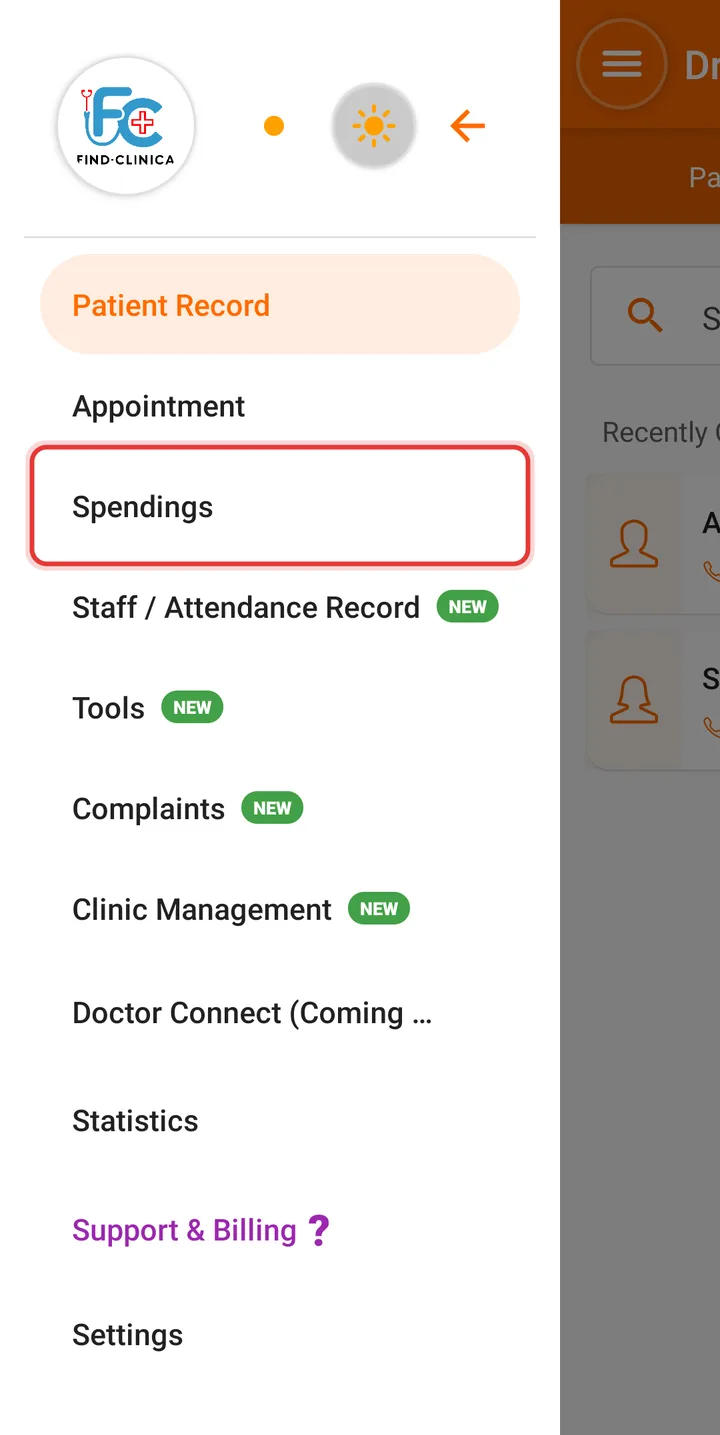
Step 2: Tap Spendings.
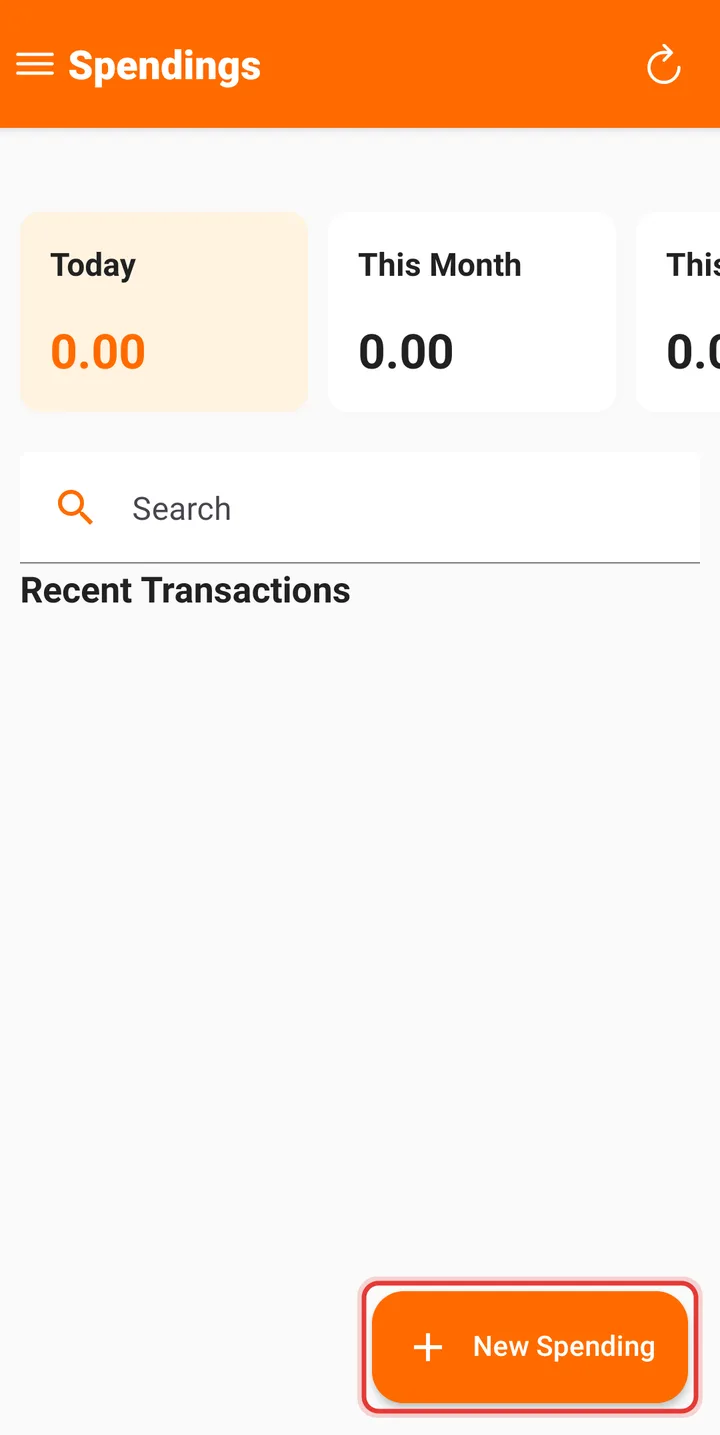
Step 3: Tap New Spending at the bottom right.
Step 4: Enter the Item, the Amount and, if you like, a Comment, then tap Save.
Step 5: The expense appears under Recent Transactions, and the Today, This Month and This Year totals update.
Related guides
Still stuck? Contact us or browse all guides.